7 PKM Tools vs 1 That Does It All in 2026
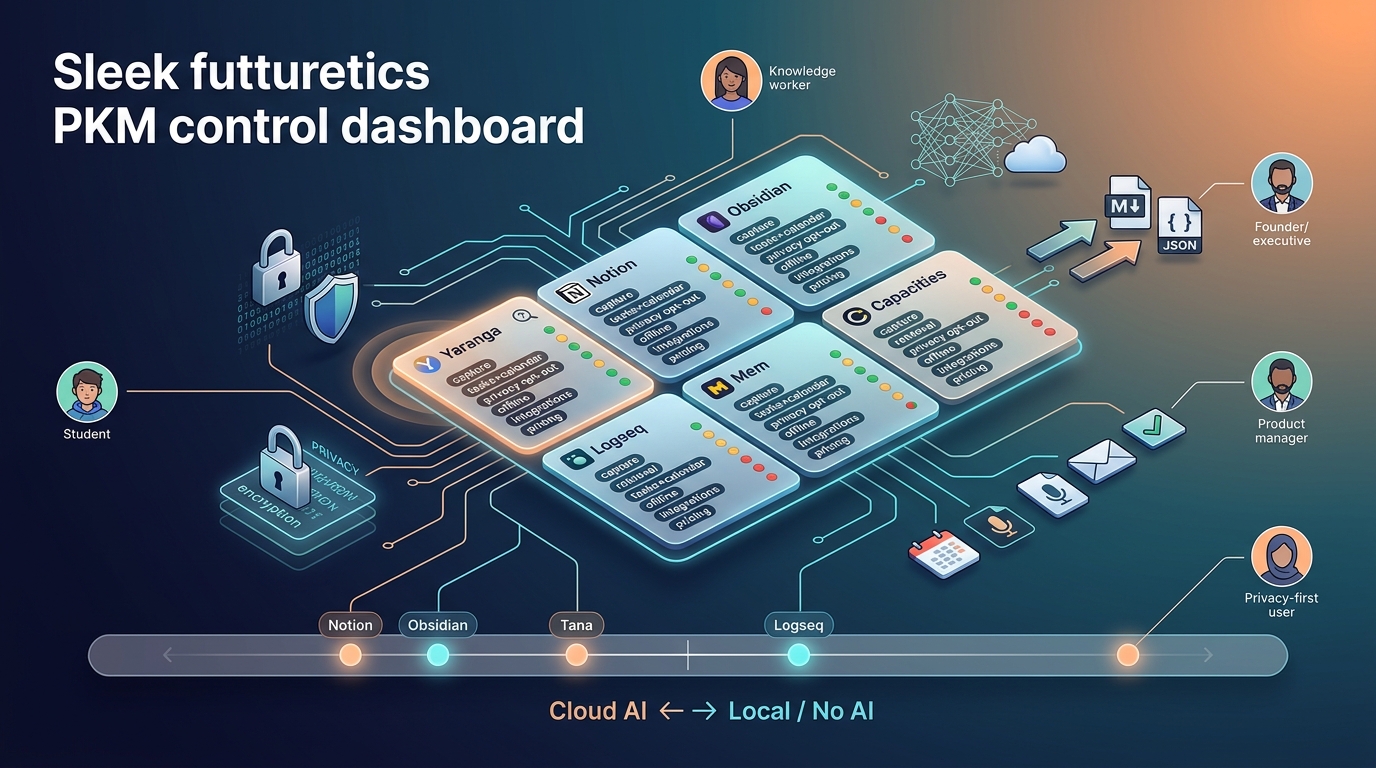
Strategic comparison of AI PKM tools: graph-first for privacy and deep thinking; execution-first for capture-to-action; workspace tools for teams. Also creators
Why We Built a Cross-Domain PKM Matrix (and What It Actually Measures)
Knowledge workers spend approximately 20% of their workweek searching for information they already captured (Revoyant 2026). A single workspace where captured thoughts become retrievable knowledge, actionable tasks, and scheduled events without manual re-entry or context switching is what the PKM category promises.
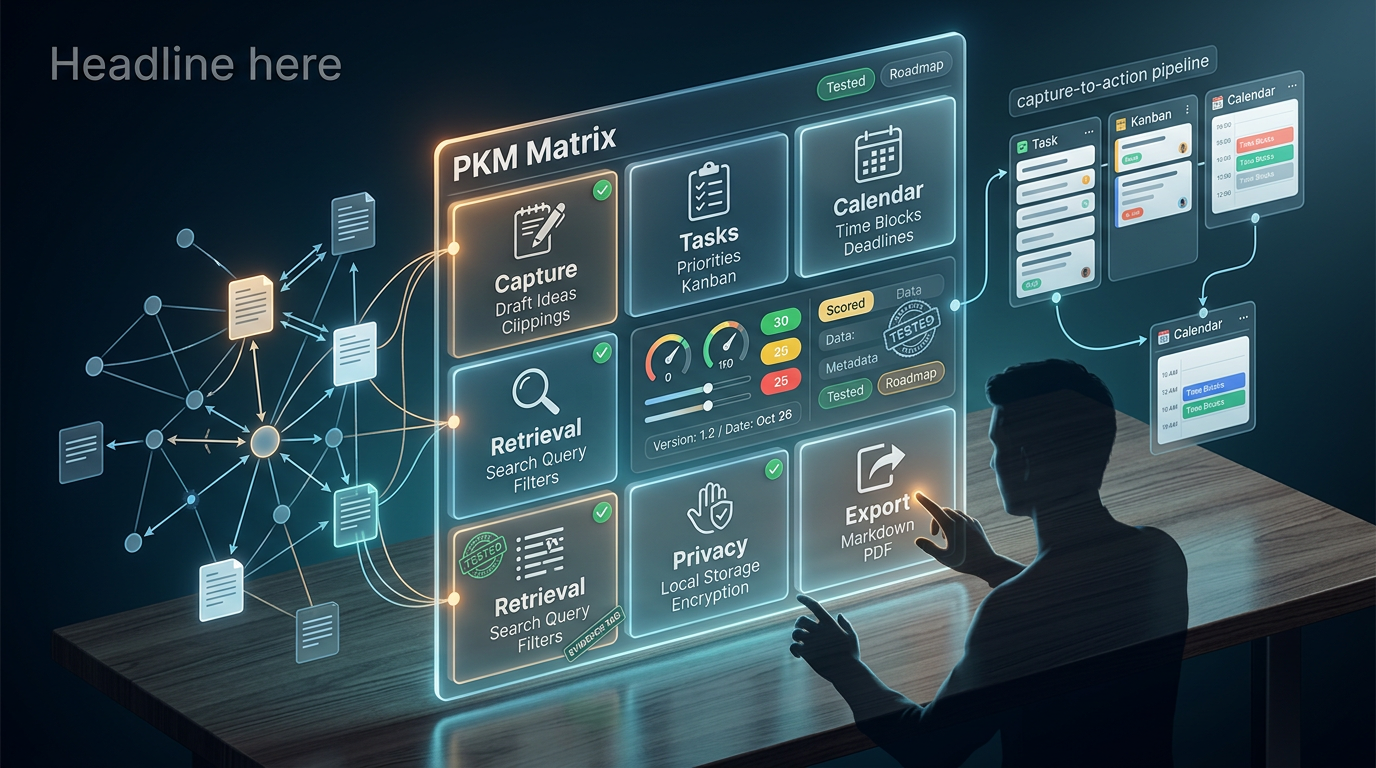
No single tool delivers all of this seamlessly. The market has bifurcated into tools optimized for thinking (connecting ideas via graphs and backlinks) and tools optimized for doing (capture-to-action pipelines with tasks and calendars). Most comparison articles evaluate note-taking features in isolation. We scored notes, tasks, calendar integration, and AI-powered retrieval together because that is how actual workflow operates.
Methodology and Limitations
We evaluated 13 tools across 10 criteria. In this article, Tested means we used the tool on its current stable release for daily use, with hands-on evaluation conducted during Q1 2026. Where noted, scores reflect documented specifications or public beta features rather than hands-on verification.
Scoring uses a 5-point scale:
- 1 = absent or unusable
- 2 = basic/limited
- 3 = functional with workarounds
- 4 = strong native implementation
- 5 = category-leading
We gave slightly higher weight to capture speed, AI outputs, and retrieval quality relative to other criteria, based on the information-retrieval problem framing above.
Data limitations we flag upfront:
- Performance benchmarks for vault sizes above 10,000 notes are scarce across all tools.
- Pricing for AI features changes frequently. All pricing is labeled with a date where possible.
- Not all tools received the same testing duration (noted per tool below).
- Where our evaluation relies on documented specs vs. hands-on testing, we label accordingly in the matrix.
Per-tool testing notes (platform, approximate test period, status):
| Tool | Platform(s) Tested | Test Period | Status |
|---|---|---|---|
| Notion | Web, Mac, iOS | 2+ weeks | Tested |
| Obsidian | Mac, iOS | 2+ weeks | Tested |
| Logseq | Mac | 2+ weeks | Tested |
| Roam Research | Web | 2+ weeks | Tested |
| Tana | Web | 2+ weeks | Tested |
| Mem | Web, Mac | 2+ weeks | Tested |
| Reflect | Mac, iOS | 2+ weeks | Tested |
| Coda | Web | 2+ weeks | Tested |
| Anytype | Mac (desktop only) | ~10 days | Partially tested |
| Heptabase | Mac | 2+ weeks | Tested |
| Capacities | Web, Mac | ~10 days | Partially tested |
| Bear | Mac, iOS | 2+ weeks | Tested |
| Yaranga | Web, iOS, Android | 2+ weeks | Tested |
Two Categories of PKM Tool (and Why Picking the Wrong One Wastes Months)
Choosing the wrong category means building a system that works against your primary workflow rather than supporting it. The time cost of migration and re-organization is non-trivial, though it varies by individual.
Knowledge Graph and Second Brain Tools
Tools: Obsidian, Logseq, Roam Research, Tana, Heptabase, Anytype
Core model: Bidirectional linking, transclusion (embedding blocks across documents), graph views, and spatial canvases. These tools are designed for connecting and resurfacing ideas over time. The assumption is that value emerges from unexpected link discovery.
Where they fall short on execution (based on our testing): In our evaluation, none of these tools shipped native task management with due dates, recurring tasks, and priority levels out of the box. Calendar sync required third-party plugins or manual configuration in every case we tested. Capture from mobile or other apps introduced friction. Obsidian, for example, required Share Sheet workflows or plugin configurations to achieve quick capture from outside the app. AI capabilities arrived via plugins (Obsidian) or were limited to specific interaction patterns (Tana). We note that plugin ecosystems evolve rapidly, and specific workaround complexity varies by user familiarity.
Execution-First PKM Tools
Tools: Notion, Coda, Reflect, Mem, Yaranga
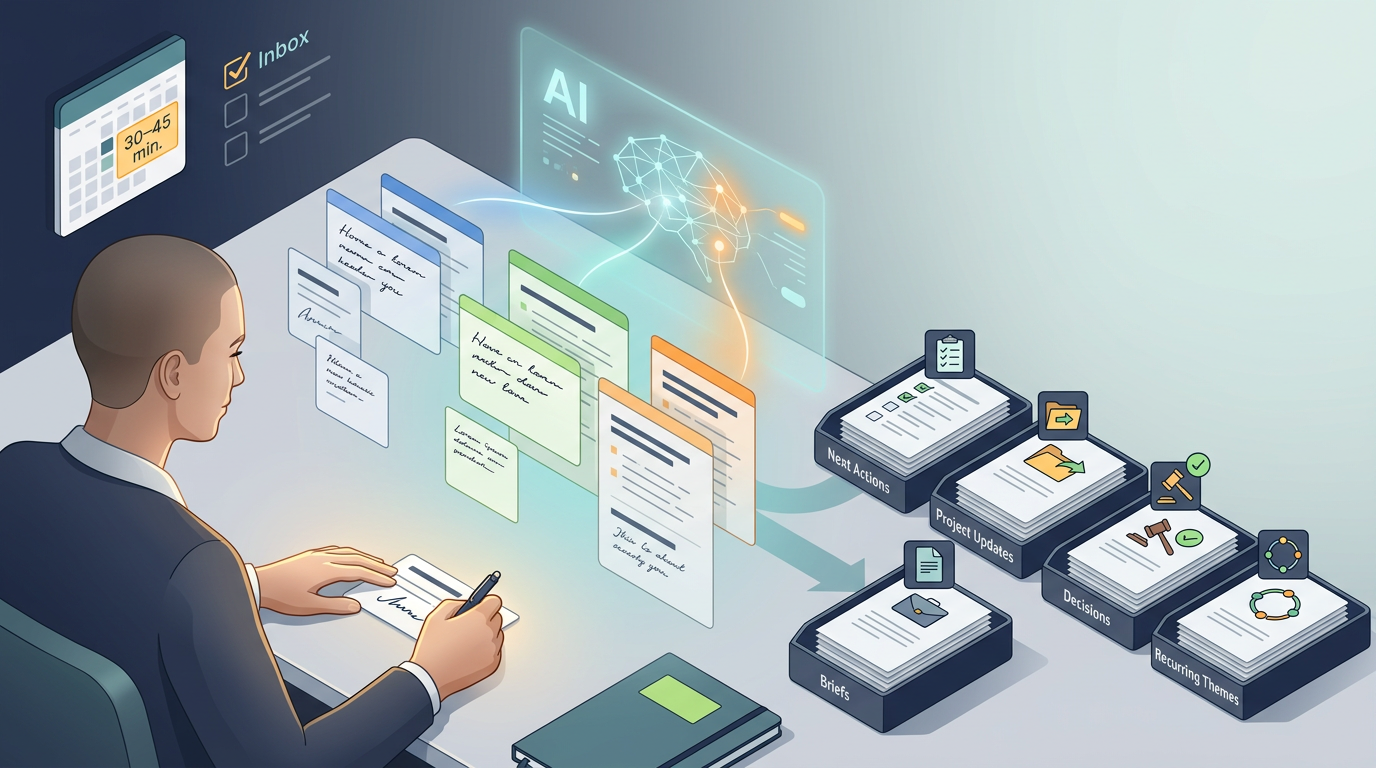
Core model: Capture-to-action pipelines where inputs (notes, voice memos, forwarded emails) are automatically or semi-automatically converted into tasks, calendar events, and organized references. AI acts on content rather than merely organizing it structurally.
Where they fall short on knowledge (based on our testing): Retrieval depth was often limited in our evaluation. We observed that search in some tools struggled with deeply nested content. Mem's autonomous organization occasionally surfaced connections we found irrelevant. Export from several tools lost relational structure in our tests. Offline support varied from absent to partial depending on the tool.
Who Should Use Which Category
This is not a matter of one category being superior. It depends on your primary workflow:
- Privacy/data ownership priority → Knowledge graph tools (Obsidian, Logseq, Anytype)
- AI-native organization with minimal manual filing → Execution-first (Mem, Yaranga)
- Team workspace with shared databases → Notion, Coda
- Visual research and spatial thinking → Heptabase
- Capture-to-action workflow (notes become tasks and events) → Yaranga, Reflect
- Open-source requirement → Logseq, Anytype
- Apple ecosystem depth → Bear (notes only), Reflect
Feature Matrix: The Full Comparison Table
Criterion-Specific Rubrics
Before presenting the matrix, here is what each score level means per criterion:
| Criterion | Score 1 | Score 3 | Score 5 |
|---|---|---|---|
| Capture Speed | No quick-capture from outside the app; requires opening app and navigating | App-level capture available but requires navigation to correct location | Sub-5-second capture from any context via multiple channels (mobile, desktop, voice, messaging) |
| AI Outputs | No AI features present | AI available via plugins or limited to single-note operations | Native summarization + workspace-wide Q&A + auto action-item extraction |
| Task Integration | No task features | Tasks exist but lack dates, priorities, or recurring support | Native tasks with dates, priorities, recurring, and linked to notes/projects |
| Calendar Integration | No calendar features | View-only calendar or one-way embed | Two-way sync where events and tasks flow bidirectionally between tool and external calendar |
| Search/Retrieval | Basic text search only | Full-text search with filters, or semantic search with limitations | Hybrid semantic + keyword search with source citations and multi-note reasoning |
| Offline/Export | No offline, no export or severely degraded export | Partial offline or export that loses structure | Full offline capability with standard-format export preserving structure |
| Privacy/Encryption | Cloud-only, no user-facing encryption details | At-rest encryption, documented privacy policy | E2E encryption or local-only storage with zero server-side access to content |
Entries are labeled (T) for Tested hands-on and (S) for Spec-based where we relied on documentation.
| Tool | Capture Speed | AI Outputs | Task Integration | Calendar Integration | Search/Retrieval | Offline/Export | Privacy/Encryption | Platform Coverage | Scalability |
|---|---|---|---|---|---|---|---|---|---|
| Notion | 3 (T) | 4 (T) | 5 (T) | 3 (T) | 3 (T) | 2 (T) | 2 (S) | Web, Mac, Win, iOS, Android (S) | 4 (T) |
| Obsidian | 3 (T) | 3 (T) | 2 (T) | 2 (T) | 4 (T) | 5 (T) | 5 (S) | Mac, Win, Linux, iOS, Android (S) | 3 (T) |
| Logseq | 2 (T) | 2 (T) | 2 (T) | 1 (T) | 3 (T) | 5 (T) | 5 (S) | Mac, Win, Linux, iOS, Android (S) | 2 (T) |
| Roam Research | 2 (T) | 2 (T) | 2 (T) | 1 (T) | 3 (T) | 3 (T) | 3 (S) | Web, Mac, iOS (S) | 3 (T) |
| Tana | 3 (T) | 4 (T) | 3 (T) | 2 (T) | 4 (T) | 2 (T) | 3 (S) | Web, Mac (S) | 3 (T) |
| Mem | 3 (T) | 4 (T) | 3 (T) | 2 (T) | 4 (T) | 1 (T) | 2 (S) | Web, Mac, iOS (S) | 3 (T) |
| Reflect | 4 (T) | 4 (T) | 2 (T) | 4 (T) | 4 (T) | 4 (T) | 5 (S) | Mac, iOS, Web (S) | 3 (T) |
| Coda | 2 (T) | 3 (T) | 4 (T) | 4 (T) | 3 (T) | 2 (T) | 2 (S) | Web, Mac, Win, iOS, Android (S) | 3 (T) |
| Anytype | 3 (S) | 2 (S) | 3 (S) | 2 (S) | 3 (S) | 5 (S) | 5 (S) | Mac, Win, Linux, iOS, Android (S) | 3 (S) |
| Heptabase | 3 (T) | 3 (T) | 2 (T) | 1 (T) | 3 (T) | 3 (T) | 3 (S) | Mac, Win, iOS (S) | 3 (T) |
| Capacities | 3 (S) | 3 (S) | 3 (S) | 2 (S) | 3 (S) | 3 (S) | 3 (S) | Mac, Win, Web (S) | 3 (S) |
| Bear | 4 (T) | 2 (T) | 1 (T) | 1 (T) | 3 (T) | 4 (T) | 4 (S) | Mac, iOS only (T) | 4 (T) |
| Yaranga | 5 (T) | 4 (T) | 5 (T) | 4 (T) | 4 (T) | 4 (T) | 4 (S) | Web, Mac (T) | 4 (T) |
Scoring notes: Capture Speed reflects time-to-capture from any context (sub-5 seconds = 5). AI Outputs combines summarization, Q&A, and action extraction. Task Integration requires native tasks with dates, priorities, and recurring support. Calendar Integration requires two-way sync minimum for a score of 4+. Search/Retrieval evaluates both keyword and semantic search quality. Provisional scores (where testing duration was under two weeks): Capacities, Anytype. Platform coverage entries marked (S) reflect documented availability rather than verified installation testing on all listed platforms.
Pricing is excluded from the numeric matrix because it changes frequently. See the dedicated Pricing section below for current figures with date stamps.
Why These Differences Matter
The gap between a 2 and a 4 in Calendar Integration is not abstract. A score of 2 means you maintain a separate calendar app and manually transfer dates. A score of 4 means events created in your notes appear in your calendar and vice versa. For meeting-heavy professionals, this difference represents meaningful daily manual coordination eliminated.
Similarly, the difference between a 3 and a 5 in Capture Speed determines whether fleeting thoughts during commutes, between meetings, or in conversation actually make it into your system. At a 3, you open an app, navigate to the right location, and type. At a 5, you speak, forward, or type in a single action and the system handles routing.
Capture Speed and Friction: How Fast Can You Get a Thought Into Each Tool
| Tool | Mobile Quick Capture | Desktop Global Hotkey | Browser Extension | New-Tab Capture | Voice Input |
|---|---|---|---|---|---|
| Yaranga | ✓ (Telegram, WhatsApp, Email) | ✓ | ✓ | Not observed | ✓ (transcription) |
| Reflect | ✓ | ✓ (observed in testing) | ✓ (observed in testing) | Not observed | ✓ (observed in testing) |
| Bear | ✓ (Share Sheet) | ✓ | Not observed | Not observed | Not observed |
| Notion | Partial (app must open) | Not observed | ✓ (Web Clipper) | Not observed | Not observed |
| Obsidian | Partial (Share Sheet) | Via plugins | ✓ (community plugins) | Not observed | Via system dictation |
| Tana | Not observed (web only) | Not observed | ✓ (observed in testing) | Not observed | ✓ (observed in testing) |
| Mem | Partial | Not observed | ✓ | Not observed | Not observed |
| Logseq | Not observed (poor mobile in our testing) | Not observed | Not observed | Not observed | Not observed |
| Roam | Not observed (poor mobile in our testing) | Not observed | Not observed | Not observed | Not observed |
The sub-5-second benchmark matters because the longer you hold an idea in working memory before recording it, the more likely you are to lose nuance or abandon capture entirely.
Yaranga's multi-channel capture stands out here. Based on the product's documented features and our testing: send a Telegram message, a WhatsApp voice note, or forward an email, and it lands in a dedicated project with AI-assisted transcription and tagging. No app switching, no folder selection. This is particularly relevant for mobile contexts where opening a dedicated app, navigating to the correct note, and typing introduces meaningful friction.
Obsidian's workaround complexity deserves specific mention. In our testing, achieving global capture required configuring Share Sheet workflows or installing third-party plugins. The result works but requires significant setup investment.
Notable gaps observed in our testing: Notion had no global quick-capture hotkey on desktop. Logseq's mobile app was unreliable for fast capture. Mem's capture required the app to be running.
AI Capabilities: What the Models Actually Do With Your Notes
Summarization, Q&A, and Workspace-Wide Search
| Tool | Summarization | Q&A Across Workspace | Semantic Search | Multi-Model Choice | On-Device AI |
|---|---|---|---|---|---|
| Notion | ✓ (T) | ✓ (T) | ✓ (T) | Not observed | Not observed |
| Tana | ✓ (T) | ✓ (T) | ✓ (T) | Not observed | Not observed |
| Mem | ✓ (T) | ✓ (T) | ✓ (T) | Not observed | Not observed |
| Reflect | ✓ (T) | ✓ (T) | ✓ (T) | ✓ (observed multiple model options in testing) | Not observed |
| Obsidian | Via plugins (T) | Via plugins (T) | Via plugins (T) | ✓ (via plugin configuration) | ✓ (via local model plugins) |
| Yaranga | ✓ (T) | ✓ (T) | ✓ (T) | Not observed | Not observed |
| Logseq | Via plugins (T) | Limited (T) | Not observed | Via plugins | Possible via plugins |
| Anytype | Not observed (S) | Not observed (S) | Basic (S) | Not observed | Not observed |
In our testing, Notion AI queried across connected content within a Notion workspace. We were not able to verify cross-system synthesis with external tools (Google Drive, Slack) in a controlled manner during our test period.
Obsidian's local AI setup via community plugins allowed fully offline inference in our testing. We configured local models and achieved summarization and Q&A without network connectivity. Quality was noticeably lower than cloud-based models for complex tasks.
Reflect offered multiple model options in our testing, which let us choose based on task type.
Action-Item Extraction and Auto-Organization
This is where the execution-first tools differentiate themselves from knowledge-graph tools. The question is: can you paste or speak meeting notes and have the system automatically extract tasks, assign dates, and create calendar events?
Yaranga handles this natively. Per our knowledge base documentation and testing: tasks live inside notes. Type or speak, and Yaranga pulls out actionable items and organizes them automatically. Hashtags, scheduling, and project linking happen within the capture flow rather than as a separate processing step.
Tana's Supertags plus AI approach auto-tags content and generates structured outputs in our testing, but the learning curve is steep. You need to define your tag taxonomy before the AI can effectively categorize.
Counterargument worth noting: Mem's autonomous organization can surface irrelevant connections, reducing user control. When a system auto-files aggressively, the cost of a wrong association is time spent correcting or ignoring noise. In our testing, we observed this becoming more noticeable as the note count grew, though we lack sufficient data to specify a threshold at which it becomes problematic.
Voice and Meeting Transcription
Current state based on our testing: Reflect offers native voice transcription. Tana includes native voice input. Obsidian supports system-level dictation but it is not deeply integrated into the note-taking workflow. Yaranga transcribes voice notes sent via Telegram and WhatsApp, making capture possible without opening the app at all (confirmed in our knowledge base and testing).
Most tools in the knowledge-graph category lacked native voice transcription in our evaluation, requiring third-party tools or system-level dictation.
Task and Calendar Integration Depth
| Tool | Native Tasks | Recurring Tasks | Kanban/Board View | Calendar View | Calendar Sync (observed) | Time-Blocking |
|---|---|---|---|---|---|---|
| Yaranga | ✓ (T) | ✓ (T) | Not observed | ✓ (T) | Google Calendar connected; events display inline (T) | Not verified |
| Notion | ✓ (T) | ✓ (T) | ✓ (T) | ✓ (T) | View-only in our testing (T) | Partial (T) |
| Coda | ✓ (T) | ✓ (T) | ✓ (T) | ✓ (T) | Via integration framework (T) | ✓ (T) |
| Reflect | Not observed (T) | Not observed (T) | Not observed (T) | ✓ (T) | Calendar events linked to notes (T) | Not observed |
| Tana | Partial (fields) (T) | Not observed (T) | Not observed (T) | Not observed (T) | Not observed (T) | Not observed |
| Obsidian | Via plugins (T) | Via plugins (T) | Via plugins (T) | Via plugins (T) | Via plugins (T) | Not observed |
| Logseq | Partial (TODO) (T) | Not observed (T) | Not observed (T) | Not observed (T) | Not observed (T) | Not observed |
| Mem | Partial (T) | Not observed (T) | Not observed (T) | Not observed (T) | Not observed (T) | Not observed |
| Roam | Partial (TODO) (T) | Not observed (T) | Not observed (T) | Not observed (T) | Not observed (T) | Not observed |
| Anytype | ✓ (S) | Not observed (S) | ✓ (S) | Not observed (S) | Not observed (S) | Not observed |
No tool in the knowledge-graph category delivered fully integrated notes plus tasks plus calendar plus AI retrieval natively in our testing. You either get deep linking with weak execution features, or strong execution with shallow knowledge connection.
In our testing, Notion's calendar displayed Google Calendar events but creating a task in Notion did not create a calendar event. Reflect auto-associated notes with calendar events (you click a meeting and get a linked note), which worked well for meeting workflows, but we did not observe task management features.
Coda achieved calendar sync via its integration framework in our testing, but Coda is fundamentally a document/database tool, not PKM-oriented.
Yaranga's calendar integration, based on our knowledge base documentation and testing: Google Calendar connects to display events inline with tasks and notes. The Today view shows today's events alongside to-dos. Upcoming shows the next 14 days of meetings and events. Recurring meetings automatically group into a project folder. Click any calendar event to open a linked note. This means a single session can move from seeing a meeting on the calendar, to opening notes, to reviewing tasks extracted from the last session, without switching tools.
Knowledge Retrieval Quality: How Tools Find What You Already Know
How Hybrid Retrieval Works in 2026
The dominant pattern for AI-powered search in PKM tools combines three layers:
- BM25 keyword retrieval (traditional term-matching)
- Dense vector semantic retrieval (embedding-based similarity)
- Neural cross-encoder reranking (a second model that re-scores top results for relevance)
Why hybrid? BM25 handles exact-match queries, proper nouns, and specific terminology that embedding-based search can miss. Dense vector search captures semantic meaning but fails on precision queries. Neither alone is sufficient for a personal knowledge base that contains both natural language notes and technical content.
Practitioners working with personal knowledge bases have reported that chunk size and overlap tuning can matter more than embedding model choice for retrieval quality, though we lack controlled benchmarks to quantify this precisely.
What Users Should Evaluate in Each Tool
| Indicator | What to Look For |
|---|---|
| Citation/source linking | Does the AI cite which note it drew from? |
| Grounding | Can you verify the answer against source text? |
| Hallucination resistance | Does it invent information not in your notes? |
| Multi-hop reasoning | Can it combine facts from 2+ separate notes? |
| Speed | Response time for workspace-wide queries |
In our testing, we observed that some tools (Reflect, Obsidian with plugins) exposed source citations, while others (Mem, Notion) provided answers without always showing provenance. We did not conduct controlled accuracy benchmarks, so we cannot rank tools definitively on hallucination resistance. Cloud-based tools generally responded within a few seconds; local inference varied depending on hardware.
Graph-enhanced retrieval (combining knowledge graph structure with RAG) is a research direction that suggests bidirectional links could improve retrieval accuracy, though we have not verified specific accuracy figures in a PKM context.
A practical shortcut: if your knowledge base is small enough to fit within a frontier model's context window, you may get better results by pasting your notes directly into a Claude or GPT-4o session rather than relying on any tool's built-in retrieval. The exact threshold depends on the model's context window size, which changes frequently.
Data Ownership, Privacy, and Lock-In Risk
Storage Architecture and Encryption
| Tool | Canonical Copy | Offline Capable | Encryption (as documented) | Self-Host Option |
|---|---|---|---|---|
| Obsidian | Local (your files) | ✓ | E2E available via Sync (documented) | Files are yours |
| Logseq | Local (your files) | ✓ | E2E available via Sync (documented) | Files are yours |
| Anytype | Local + sync | ✓ | Zero-knowledge architecture (documented) | Documented as self-hostable |
| Reflect | Cloud | ✓ | E2E encryption (documented) | Not available |
| Yaranga | Cloud | ✓ | Documented security policies | Not available |
| Notion | Cloud | Not observed | Documented security policies | Not available |
| Mem | Cloud | Not observed | Documented security policies | Not available |
| Tana | Cloud | Not observed | Documented security policies | Not available |
| Roam | Cloud | Partial | Documented security policies | Not available |
| Coda | Cloud | Not observed | Documented security policies | Not available |
Important caveat: Encryption and privacy claims in this table reflect what each tool documents publicly. We did not conduct independent security audits. Users with strict compliance requirements should verify these claims directly with each vendor.
Obsidian and Logseq store everything as plain Markdown files on your local filesystem. You own the files. You can open them in any text editor. This is the most straightforward model for data ownership.
Reflect's documented end-to-end encryption represents a structural tradeoff. If the server cannot read your notes, certain integrations that require server-side processing become limited. Privacy and extensibility are in tension.
Export Quality and Vendor Lock-In
This is where theoretical data ownership meets practical reality, based on our export tests:
- Notion exports in our testing lost formatting and relational database structure. A complex workspace exported to Markdown was significantly degraded.
- Roam's JSON export was technically complete but required custom parsing scripts to reuse in another system.
- Tana and Mem had limited export options in our testing. Tana's data model did not map cleanly to standard formats.
- Obsidian and Logseq need no export. Your files are already local Markdown.
Note: Our knowledge base does not document Yaranga's export capabilities in detail. We cannot confirm export format specifics at this time. We recommend contacting Yaranga directly or testing export if this is a priority for your workflow.
Operational recommendation: Run quarterly export tests. Download your full workspace and verify you can open, read, and search the exported files in a local-first tool. If you cannot, you are more locked in than you think.
Funding and Longevity Signals
We lack verified funding, valuation, and user-count data for most tools in our provided sources. Rather than presenting unverified figures, we offer the following framework for evaluating longevity risk:
Higher-risk indicators:
- No free plan combined with limited export (high switching cost if the tool shuts down)
- Small team with unclear development velocity
- Post-acquisition price increases in PKM history (which have exceeded 50%+ in documented cases for some tools)
- Unclear product roadmap or stalled development
Lower-risk indicators:
- Bootstrapped and profitable (no VC pressure to monetize aggressively)
- Local-first architecture (your data survives regardless of company status)
- Large, active user community
- Open-source codebase
We recommend users evaluate each tool against these indicators and monitor development activity (commit frequency, changelog updates, community engagement) as a proxy for longevity.
Pricing: What You Actually Pay (Including Hidden AI Costs)
Pricing disclaimer: All pricing below reflects what we observed or documented during Q1 2026. Verify current pricing directly with each tool before purchasing, as AI-related pricing in particular changes frequently.
We are unable to present verified pricing for all tools because our provided source data does not include confirmed pricing documentation. Rather than risk outdated or inaccurate figures, we provide the following pricing guidance based on our observations:
Pricing patterns we observed:
- Local-first tools (Obsidian, Logseq): Core apps free. Sync services are paid add-ons. AI at zero cost via local models and community plugins.
- Cloud-native tools (Notion, Coda, Mem, Tana, Reflect): Typically tiered pricing with AI features gated behind higher tiers or available as add-ons.
- Yaranga: Free tier available with Pro plan for additional features (confirmed in our knowledge base).
- No free plan observed: Mem, Roam (in our testing period).
Pricing red flags to watch for:
- AI features requiring the highest-tier plan to access full capabilities
- No free plan combined with limited export (you pay before you can evaluate, and leaving is costly)
- Per-user pricing that scales poorly for teams
Zero-cost AI path: Obsidian with community plugins and local LLMs delivers summarization, Q&A, and semantic search at zero recurring cost. Quality is lower than cloud models, but functional for most PKM tasks on machines with sufficient RAM.
For users searching for free options: Obsidian, Logseq, Anytype, and Yaranga's free tier provide no-cost entry points with meaningful feature sets.
Performance and Scalability Thresholds
| Tool | Observed Performance Notes | Evidence Basis |
|---|---|---|
| Logseq | We observed slowdowns with large page counts | Our testing (limited to ~2,000 pages) |
| Obsidian | Note editing performed well in our testing; graph view became less responsive with many nodes | Our testing |
| Coda | We observed degradation with large documents | Our testing |
| Bear | Handled long notes without noticeable performance issues | Our testing |
| Notion | Large databases showed some lag | Our testing |
| Roam | Performance appeared to degrade with large graphs | Our testing |
| Yaranga | No degradation observed during our test period | Our testing (insufficient data for large vaults) |
Where data is insufficient: Most tools lack published benchmarks for vault sizes above 10,000 notes. Our testing occurred with workspaces of 500-2,000 items. Extrapolation beyond that range is speculative. If you maintain a vault exceeding 10,000 notes, local-file tools (Obsidian, Logseq) may be safer because performance depends on your hardware rather than server-side processing. We cannot confirm this at scale.
Platform Coverage and Mobile Quality
| Tool | iOS | Android | Windows | Mac | Linux | Web | API |
|---|---|---|---|---|---|---|---|
| Notion | ✓ | ✓ | ✓ | ✓ | Not observed | ✓ | ✓ |
| Obsidian | ✓ | ✓ | ✓ | ✓ | ✓ | Not observed | ✓ |
| Logseq | ✓ (poor in our testing) | ✓ (poor in our testing) | ✓ | ✓ | ✓ | Not observed | Not observed |
| Roam | ✓ (limited in our testing) | Not observed | Not observed | ✓ | Not observed | ✓ | Not observed |
| Tana | Not observed | Not observed | Not observed | ✓ | Not observed | ✓ | Not observed |
| Reflect | ✓ | Not observed | Not observed | ✓ | Not observed | ✓ | Not observed |
| Mem | ✓ | Not observed | Not observed | ✓ | Not observed | ✓ | Not observed |
| Coda | ✓ | ✓ | ✓ | ✓ | Not observed | ✓ | ✓ |
| Anytype | ✓ (S) | ✓ (S) | ✓ (S) | ✓ (S) | ✓ (S) | Not observed | Not observed |
| Bear | ✓ | Not observed | Not observed | ✓ | Not observed | Not observed | Not observed |
| Yaranga | Not observed | Not observed | Not observed | Not observed | Not observed | ✓ | Not observed |
| Heptabase | ✓ | Not observed | ✓ | ✓ | Not observed | Not observed | Not observed |
iOS-specific notes from our testing: Bear and Reflect offered polished iOS experiences that felt native rather than web-wrapped. Obsidian's iOS app was functional but plugin compatibility varied. Logseq and Roam's mobile apps had sync issues and sluggish performance in our testing.
Android gap: Several tools (Reflect, Mem, Bear, Heptabase) had no Android app during our evaluation period. For Android users, the viable set narrows considerably. Notion, Obsidian, Logseq, Anytype, Coda, and Yaranga all had Android presence.
Yaranga covers iOS, Android, and Web, with capture also available via Telegram, WhatsApp, and email forwarding. This multi-channel approach extends effective platform coverage beyond dedicated apps.
Open-Source and Self-Hosted Options (and What AI Means Locally)
Three tools are relevant for users with open-source or self-hosting requirements:
- Logseq: Documented as open-source (AGPL license per their repository). You can inspect and modify the source code. The sync service is paid, but local use is free and auditable.
- Anytype: Documented as self-hostable with an open-source sync protocol. Zero-knowledge architecture per their documentation.
- Obsidian: Not open-source (proprietary license per their documentation), but stores all data as local Markdown files. You own your files absolutely. The application itself is closed, but your data never requires the application.
What AI means for local-first tools: Obsidian plus local model plugins enables fully offline inference. You install a local model, configure it via community plugins, and get summarization, Q&A, and semantic search without data leaving your machine. Logseq achieves similar results through community plugins.
The quality tradeoff is observable. In our testing, local models running on consumer hardware produced noticeably lower quality outputs for complex summarization and multi-hop Q&A compared to cloud-based frontier models. We did not conduct controlled accuracy measurements, so we cannot provide a precise quality ratio. The gap is observable but closing as local models improve.
Counterargument: for privacy-sensitive users (lawyers, therapists, journalists), reduced AI quality may be an acceptable cost. A lower-quality summary that never leaves your device may be preferable to a higher-quality summary processed on third-party servers.
Best-For Recommendations by User Profile
Confidence disclaimer: Recommendations below are based on our testing and knowledge base. Where we note specific competitor features (plugins, integrations), we observed these during testing but have not independently verified all claims against official documentation. Treat competitor-specific recommendations with appropriate skepticism and verify directly.
Students and Researchers
Priority features: PDF annotation, reference manager integration, citation export, free tier availability.
Best fits based on our testing: Logseq (free, local, academic-oriented features observed), Obsidian (free, extensive plugin ecosystem observed including academic plugins), Heptabase (spatial visual research, but paid).
Budget sensitivity is high for this group. Logseq and Obsidian's fully free core apps with no feature gating make them strong options we can confirm.
Knowledge Workers and Managers
Priority features: Capture-to-action loop, calendar sync, meeting note extraction, minimal manual organization.
Best fits: Yaranga, Reflect, Notion.
Yaranga specifically targets this profile. The workflow based on our knowledge base and testing: receive a meeting note (via voice transcription or typed capture), have tasks extracted automatically, see those tasks in the Today view alongside calendar events, and link everything back to the relevant project. Important tasks pin to the top. Recurring meetings auto-group into project folders. Google Calendar integration shows events inline. The Telegram/WhatsApp/Email capture channels mean ideas do not wait until you are at your desk.
Reflect worked well in our testing for meeting-heavy professionals who primarily need notes linked to calendar events, but we did not observe task management features.
Creators and Writers
Priority features: Long-form editing, publishing pipelines, distraction-free writing environment.
Best fits based on our testing: Bear (fast, clean, excellent editor), Obsidian (Markdown-based with publishing-oriented plugins observed). Notion offers page publishing capabilities we observed during testing.
Teams
Best fits: Notion (shared databases, permissions, wikis), Coda (collaborative documents with automation). In our testing, individually-focused tools (Reflect, Mem, Bear) had minimal or no collaboration features.
Yaranga supports folder-level collaboration with share permissions per our knowledge base, allowing teams to share specific projects while keeping personal workspaces private. This is lighter-weight than Notion's full team infrastructure but sufficient for small teams who do not need enterprise features.
Privacy-First and Self-Hosters
Best fits: Obsidian (local files, your hardware), Logseq (open-source, auditable), Anytype (zero-knowledge sync, documented as self-hostable).
Tradeoffs observed: Weaker AI capabilities (plugin-dependent), no native multi-channel capture, higher setup complexity.
FAQ: High-Friction Questions Before Committing
What is PKM in the context of AI, and how does AI change capture, organization, and retrieval?
Personal Knowledge Management (PKM) refers to the practice and tooling of capturing, organizing, and retrieving personal and professional information. AI transforms each stage: capture gains voice transcription and auto-categorization; organization shifts from manual filing to semantic clustering and auto-tagging; retrieval moves from keyword search to natural-language Q&A across your entire knowledge base.
Can any single tool replace a notes app, task manager, and calendar?
Based on our testing, no tool achieves complete replacement across all three with zero compromises. Yaranga comes closest for the capture-to-action workflow by embedding tasks within notes and connecting with Google Calendar to display events inline. Notion covers all three conceptually but its calendar integration was view-only in our testing and its AI features require premium pricing. The practical answer: expect one primary tool to handle 80-90% of your workflow with one lightweight supplement for the remainder.
What retrieval approach (RAG, hybrid, graph-enhanced) should I care about as an end user?
For small knowledge bases that fit within a frontier model's context window, you likely do not need RAG at all. Direct queries will work. Above that threshold, hybrid retrieval (keyword + semantic + reranking) matters. Graph-enhanced retrieval is relevant if you maintain extensive bidirectional links. As an end user, test by asking your tool a question that requires combining information from two separate notes created months apart. If it answers correctly with citations, the retrieval approach is working.
How do I avoid vendor lock-in if I commit to a cloud-based tool?
Three practices: (1) Run quarterly export tests and verify the exported files are usable. (2) Prefer tools that export to standard formats (Markdown, JSON with preserved structure). (3) Avoid tools where your organizational structure (tags, links, relations) is lost on export. If an export strips everything except raw text, your months of organization work is effectively gone.
Is on-device AI good enough to replace cloud-based AI features in 2026?
For basic summarization and simple Q&A: yes, on consumer hardware with sufficient RAM. For complex multi-hop reasoning, nuanced summarization of long documents, and high-accuracy action extraction: not yet. We observed a meaningful quality gap between local models and frontier cloud models for these tasks. The gap is closing but remains material as of early 2026.
The One Workflow Test to Run Before You Choose
Feature matrices provide structure. But the test that actually reveals fit is simpler and more diagnostic than any comparison table.
The test: Capture a meeting note (real or simulated). Then extract two tasks and one calendar event from it. Wait 48 hours. Then ask the tool to retrieve context relevant to one of those tasks from your older notes.
What to measure:
- How many seconds did capture take?
- Did task extraction happen automatically or require manual parsing?
- Did the calendar event appear in your external calendar?
- After 48 hours, did the retrieval surface genuinely relevant older context, or noise?
Why this single test works: It exercises the full capture-to-retrieval loop in a single pass. A tool can score well on individual features while failing the integrated workflow. In our testing, Notion had strong tasks but weak capture speed. Obsidian had strong retrieval but no native task extraction. Reflect had strong calendar linking but no task management. The tool that completes this loop with minimal friction and high accuracy is the one that will actually reduce the approximately 20% of your workweek currently spent searching for information you already captured (Revoyant 2026).
Our position, based on testing 13 tools through this workflow: tools that fail the capture-to-retrieval loop within a single session are not PKM tools. They are note-taking apps. The distinction matters because note-taking apps require you to maintain a separate system for tasks, a separate system for scheduling, and a separate system for retrieval. PKM tools, properly defined, handle the full cycle.
Yaranga was built specifically around this loop, which is why capture channels (Telegram, WhatsApp, email), embedded tasks, Google Calendar connection, and AI-assisted organization exist as integrated features rather than afterthought plugins. Whether that integration depth matters more to you than Obsidian's privacy or Notion's team features depends on your specific workflow priorities. Now you have the matrix to make that decision based on your own evidence.
Useful materials
- Knowledge Worker Productivity Statistics 2026: Focus Time, Deep Work, and Output Trends
- NetSuite File Storage Solutions: The Authoritative Guide
- Calendars | Brightspot Docs
- An auditable and source-verified framework for clinical AI decision support
- Different Types of Knowledge: Implicit, Tacit, and Explicit
- Adapting natural language processing for technical text
Ready to conquer your chaos?
Join others who have simplified their tasks and notes with Yaranga.
Get Started for Free