Brain Fog PKM: A 10-Minute Capture Workflow
Follow a 10-minute capture workflow to clear brain fog: dump thoughts into one inbox, pick one tiny action, schedule it, and regain focus. And do one small task
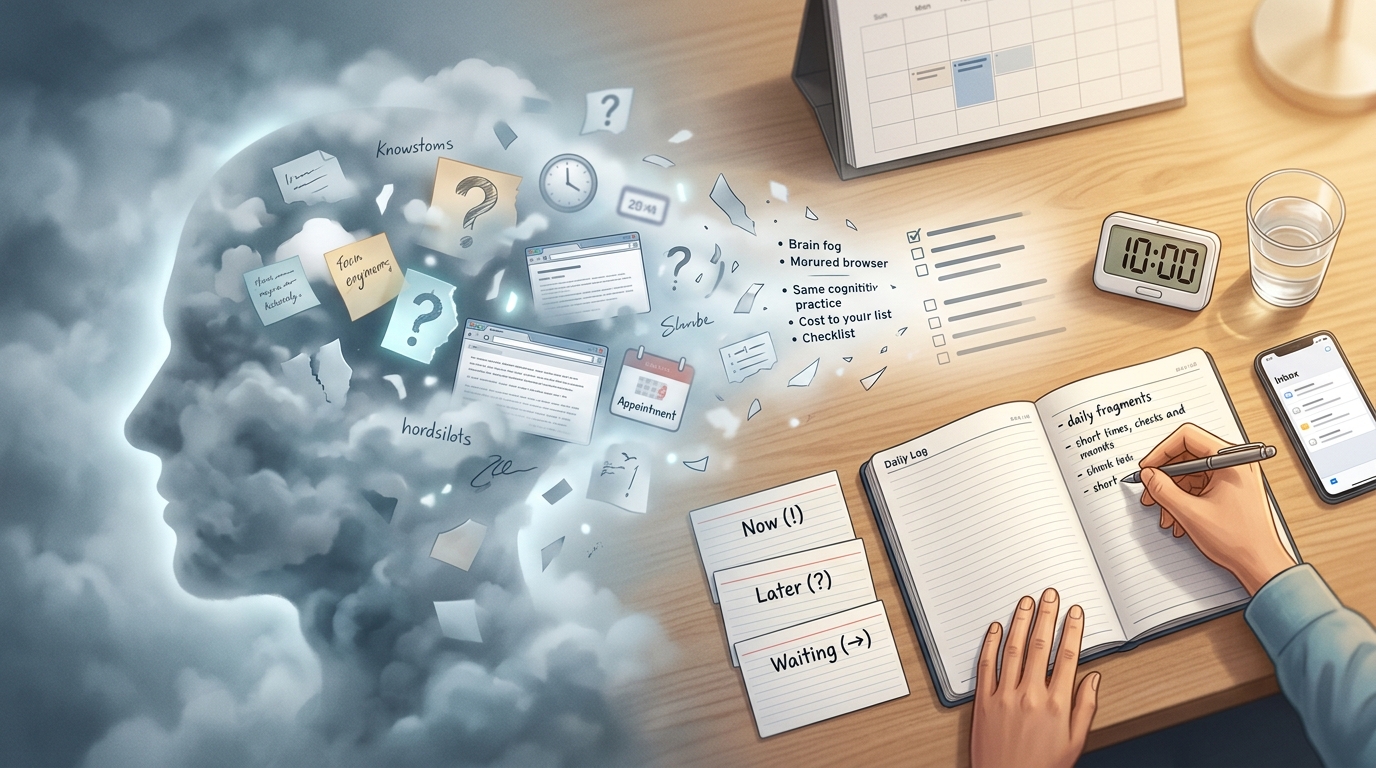
What Brain Fog Actually Breaks, and Why a Capture Workflow Fixes It
Here is the framework we run when the fog rolls in, before anything else: capture everything into one inbox, let AI group it if reading the mess is too much, choose one tiny action, schedule that action, and park the rest. Five moves, ten minutes, one scheduled thing at the end. Everything below breaks that framework into numbered steps you can execute today.
First, why it works. Brain fog is not a diagnosis. It is a cluster of symptoms that show up together: your focus drops mid-sentence, you forget why you walked into the kitchen, the word you want sits just out of reach, you double-book an appointment you never wrote down, and a two-step task loses its second step.
That symptom list maps almost one-to-one onto what an external capture system does. Remembering task steps, tracking appointments, holding an open loop until you finish it: those are the exact functions fog degrades, and they are the exact functions a written inbox and a calendar replace. The degraded function and the offloaded function are the same function. When your brain cannot hold the loop, you write the loop down and let the app hold it.
This is where most people go wrong. On a bad day they decide the answer is to finally build the second brain, with nested folders, a tagging taxonomy, and a link graph. That is a project. It is high-load work, and it is the last thing a foggy brain can do. Our goal here is the opposite: reduce cognitive load as fast as possible so you can act. We are not organizing knowledge, we are dumping weight.
It also is not a brain-training exercise. Apps like BrainHQ or Lumosity ask you to exercise cognitive skills over weeks in the hope they improve. A capture workflow does something different and immediate: it externalizes your memory and your decisions right now, so you carry less this minute. One trains the muscle later; the other takes the load off the muscle today.
The Science That Makes This Work: Cognitive Offloading
Cognitive offloading is the technical name for what you are doing when you write something down instead of remembering it: using an external action to reduce the amount of information your brain has to hold internally (ScienceDirect). Setting a reminder, jotting a note, snapping a photo of where you parked. Every one of those moves a bit of information out of your head and into the world.
The clearest evidence for how this trades off comes from an offloading study, N=172 across three experiments. The people who offloaded finished faster, averaging 49.33 seconds against 55.06 seconds for those relying on internal memory, and they did it without a meaningful loss of accuracy. They also, in a later test, remembered the offloaded items less well.
On a normal day that memory cost might bother you. On a foggy day it is precisely what you want. You are not trying to memorize your to-do list; you are trying to stop holding it in your head so the loop stops spinning. Letting the note remember for you is the entire point, and the fact that your brain then quietly releases the item is a relief mistaken for a defect.
There is one nuance worth applying, from the third experiment. For items you must remember rather than just do, forming an explicit intention to remember almost fully cancels the memory cost. So the rule is simple. For things you only need to do, offload freely and forget them. For the rare thing you genuinely need to remember (a name, a decision, a number), consciously tell yourself to remember it as you write it down. That one act of intention buys back the recall.
None of this is fringe advice. Clinical guidance for people recovering cognitive function recommends leaning on external memory aids (written lists, phone alarms, calendars, a symptom diary) rather than trusting recall. The workflow below is that guidance turned into ten concrete minutes.
Before You Start: The 2-Minute Reset
Two minutes of setup makes the ten minutes that follow far easier.
- Drink a glass of water. Dehydration is a listed contributor to fog, and it is the cheapest thing on this list to fix (University of Rochester Medicine).
- Cut sensory input. Close the extra browser tabs, silence notifications, and clear the patch of desk directly in front of you so there is nothing in your visual field competing for attention.
-
- Open exactly one inbox and nothing else, so you have one place to write; we will get to which one in a moment. - Set a 10-minute timer. The hard stop is it is what stops this from turning into an open-ended, exhausting sort.
One instruction governs everything after the timer starts: write, do not organize. Capturing is low-load, whereas organizing is high-load, and today you are only allowed the low-load half.
The 10-Minute Capture-and-Schedule Workflow
The whole thing runs on one rule: capture first, schedule exactly one thing, organize later. You dump everything out, mark it lightly, pick a single tiny action, put that action somewhere real, and park the rest without processing it.
Here is the full shape before you execute it, so your foggy brain sees the map instead of guessing what comes next:
| Minutes | Step | What you do |
|---|---|---|
| 0–1 | 1. Open one inbox | Choose a single place to write |
| 1–4 | 2. Brain dump | Write every open loop, no order, no categories |
| 4–6 | 3. Mark three buckets | Tag each line Now, Later, or Waiting |
| 6–8 | 4. One tiny next action | Shrink one Now item to something physical |
| 8–10 | 5. Schedule and park | Put that one action on a calendar, park everything else |
Step 1: Minutes 0 to 1: Open One Inbox
Pick one destination and only one. It can be a daily note in Obsidian, a journal page in Logseq, an Apple Notes card, a Google Keep note, your Todoist inbox, or a paper notebook. The tool does not matter. What matters is the count: one.
The rule for choosing on a foggy day is the fewest steps between having a thought and it being saved. If capturing the thought takes more than about two seconds to start, you will not capture it, so favor whatever opens fastest. For a lot of people that means the app already unlocked on the phone, or a pen already sitting on the desk.
What you do not do in this minute: create a folder, name a project, or decide where anything belongs. Deciding where things belong is the organizing work we are explicitly skipping.
Step 2: Minutes 1 to 4: Brain Dump Without Sorting
Now write every open loop in your head, in whatever order they arrive, with no categories. Three minutes, one continuous dump.
Capture all of it:
- tasks you have been meaning to do
- worries circling in the background
- reminders and appointments
- questions you keep meaning to ask someone
- half-formed ideas
- notes about your energy and any symptoms today (how bad the fog is, when it started, whether you slept)
Those energy and symptom notes belong in the dump for a practical reason: the same page doubles as a symptom log. When you eventually talk to a clinician, a diary of when the fog was better or worse, and what preceded it, is exactly the kind of external record they ask for.
Write badly on purpose, accepting that fragments, single words, and duplicates are fine. If you write "call dentist" three times, leave all three, because editing is organizing, and organizing is off the table.
Step 3: Minutes 4 to 6: Mark Only Three Buckets
Go down the list and give each line one of three marks. Now, Later, or Waiting. If words are too much effort, use symbols: ! for Now, ? for Later, → for Waiting on someone else.
Three buckets, not a full priority matrix, because clinical guidance for a foggy brain is to limit the review to the top few items (Royal Devon NHS). A nine-level priority system is another high-load task in disguise. Three marks is about all a fogged working memory can apply without stalling.
If even that feels impossible, hand the sorting to an AI assistant. Paste the raw, ugly dump in and ask it to group the lines and name the themes. Instead of rereading twenty scattered fragments, you read a short summary. A good prompt is something like: group these into clusters, give each cluster a plain-language label, and suggest three things I could do next. What comes back should be grouped clusters with labels a tired brain can parse, plus a shortlist of candidate next actions.
[Screenshot: raw dump grouped into themes]
This is the step fog breaks hardest, and it is the one worth automating.
Step 4: Minutes 6 to 8: Choose One Tiny Next Action
Pick a single item from the Now bucket and shrink it until it is something physical and visible, an action you could film yourself doing.
- "Clean the kitchen" becomes "put five dishes in the dishwasher."
- "Work on the report" becomes "open the document and write one bullet."
- "Call the doctor" becomes "find the phone number."
Two shortcuts apply here. If the shrunk action takes under two minutes, just do it now and cross it off instead of scheduling it. And if it takes under a minute, there is no decision to make; do it. Scheduling a thirty-second task is more work than the task.
The rule that protects this step is the rule against ambition: one action instead of ten. The fogged brain wants to fix its whole life in one sitting and then does nothing because ten actions is paralyzing. You are choosing one.
Step 5: Minutes 8 to 10: Schedule It and Park the Rest
Put that one action on a calendar or a reminder at a realistic time, not an aspirational one. If mornings are your worst fog, do not schedule the call for 9 a.m. because a fresh version of you would have done it then. Schedule it for when the fog usually lifts.
[Screenshot: one scheduled task from a note]
Then move everything else off your plate and onto lists you will not touch today:
- a Not Today list for the Now items you are not doing
- a Later list for the
?items - a Waiting list for the
→items
Parking beats processing because a calendar and a parking list are the external memory aids clinicians actually recommend (INCOG Group). You are not deciding the fate of every item; you are getting it out of your head and into a container that will remember it for you.
When the timer ends, stop. Do not review the parked items now. You will read them on a day the fog has lifted, when rereading is cheap. Today's job is done: one action is scheduled, and the rest is safely out of your head.
Here is how one run looked for us. A founder on our team opened a single daily note at 8:14 a.m. on a bad-sleep morning, dumped nineteen lines in three minutes (invoice worry, "call dentist" twice, a half-idea for onboarding copy, "I feel underwater today"), pasted the mess into an assistant that returned four labeled clusters, shrank one Now item down to "open the invoice draft and fill in the client name," and scheduled it for 11 a.m. when the fog usually thins. Everything else went to a Not Today list. Total elapsed time: nine minutes. One thing got done that day that otherwise would not have.
Copy-Paste Templates
Brain Fog Capture Template
Paste this into whatever inbox you chose and fill it top to bottom.
## Capture — [date]

How I feel right now:
(fog level, sleep, anything physical)

Loose thoughts (dump everything, no order):
-
-
-

Things I'm worried I'll forget:
-
-

Tasks:
-
-

One tiny next action:
(shrink it until it's physical)

Scheduled for:
(a realistic time, not an aspirational one)

Not today:
-
-
The "how I feel right now" line does double duty as a symptom and energy log. Filled in over a couple of weeks, it becomes a record you can scan for patterns, or hand to a clinician who wants to know when the fog is worst.
10-Minute Daily Note Template
For a day when you want structure without thinking, this version builds the rescue path into the note itself.
## [date]

Energy level: Low / Medium / Okay

Must not forget:
-

One thing to do next:
(physical, visible, under 10 minutes)

If I get stuck:
1. Drink water
2. Do the smallest possible piece of the "one thing"
3. If still stuck, park it and stop

Parking lot:
-
-
The energy-level field matters more than it looks. A low-focus day and a low-energy day are different problems: on a low-focus day you can still push a physical task through if you shrink it enough, but on a low-energy day the honest move is to attempt less. Naming which one you are in changes how much you should take on before you even start.
Which Tool to Use When You Can't Focus
The governing rule stays the same: the best tool is the one with the fewest steps between a thought and a saved note, not the one with the most features. On a foggy day, features are friction.
Match the tool to what you actually need in the moment:
- Fast capture: Apple Notes, Google Keep, Drafts, or an Obsidian daily note. These open to a blank line you can type on immediately.
- Structured tasks: Todoist, Things, TickTick, or Notion, when the action needs a due date and a place to live.
- Local or offline notes: Obsidian or Logseq, if you want your notes stored on your own machine.
- Visual thinking: Heptabase, Miro, or Milanote, when the fog is less about tasks and more about untangling a tangle of ideas.
- Low setup: Craft, Apple Notes, or Bear, when you have zero patience for configuration.
If cost is a factor, several capable options are free or open-source: Logseq, Joplin, Standard Notes, Anytype, Zettlr, Foam, and the built-in Apple Notes and Google Keep.
There is a specific gap in this stack worth naming. On a foggy day, the step that fails is the manual sort: rereading the mess and grouping it (Unity Health Toronto). That is high-load work by definition. Plain note apps usually require a separate manual sorting step; a combined notes/tasks/AI workflow can reduce that handoff. This is where we built Yaranga: capture, search, AI-assisted structuring, and scheduling live in one place. Notes and tasks do not sit in separate tools with a lossy handoff between them; a line you type as a thought is pulled out as an actionable item you can schedule inline. When rereading and prioritizing are the two things fog makes impossible, moving that step off your plate is the difference between a captured mess and a captured plan.
When to Stop Using This Workflow and See a Clinician
Be clear with yourself about what this workflow does and does not do. It reduces cognitive load so you can function on a foggy day. It does not treat the cause, and there is no specific treatment for brain fog as a thing in itself, because the fog is a symptom of something else.
Book a non-urgent appointment with a doctor if any of these hold:
- the fog has lasted longer than two to four weeks, even when it is mild
- it is getting worse despite basic lifestyle fixes like sleep, hydration, and food
- memory loss is genuinely disrupting daily life
Some things are not appointments; they are emergencies. If confusion or fog arrives suddenly alongside any stroke sign, call emergency services immediately (Mayo Clinic). Clinicians use the mnemonic B.E. F.A.S.T.:
- Balance suddenly lost, or trouble walking
- Eye or vision changes, blurred or double or lost vision
- Face drooping or an uneven smile
- Arm (or leg) weakness, especially on one side
- Speech difficulty, slurred or hard to understand
- Time to call 911 without waiting
Sudden confusion and new numbness on one side belong in that same call-now category.
One fact puts the redirect in context: the brain is about 2% of your body weight but uses roughly 20% of the body's glucose, which is why some fog is linked to blood-sugar swings.
The reassuring side is that when the cause is reversible, the fog often lifts on a predictable schedule once it is treated. B12 or iron deficiency tends to start improving within about 2 to 4 weeks of supplementation; thyroid-related fog commonly clears over roughly 4 to 8 weeks once hormone levels are corrected; and vitamin D correction is often reported to help over about 8 to 12 weeks. Those are ranges, and they depend on how long and how severe the deficiency was, but they are the reason a lab test and a treatment plan are worth more than any capture system when the fog persists.
Common Mistakes That Break the Workflow
- Redesigning your whole system while foggy instead of just capturing. Building the second brain is the high-load project this workflow exists to avoid.
- Switching apps mid-session. The moment you jump from Notes to Notion "because it's better," you have replaced capturing with tool-shopping. Commit to the one inbox for these ten minutes.
- Capturing everything and scheduling nothing. A dump with no scheduled action is a relief for five minutes and a bigger pile tomorrow.
- Treating the inbox as permanent storage. It is a temporary catch, emptied on a good day, not a filing cabinet.
- Tagging and linking during the fog. Cross-referencing is exactly the high-load organizing you are supposed to skip; do it later or not at all.
- Planning an unrealistic day. Ten actions scheduled at aspirational times is It is not a plan. a setup for feeling worse tonight. One action, realistic time.
The One Habit to Build First
Do not try to adopt all of this. On your next foggy morning, run the ten-minute session exactly once, before you touch any folder, tag, or organizing task. That order matters: capture first, organize never (today). Run it once and it starts to become the thing you reach for when the fog rolls in, a rescue you pull off the shelf rather than a system you have to maintain.
Watch one number over the next week: how many minutes pass between a thought arriving and that thought being both captured and scheduled. On a bad day it might be an hour, or never. Drive it toward two seconds. When the gap between having the thought and it being safely out of your head shrinks to almost nothing, the loop stops spinning, and the fog has a lot less to hold onto.
Ready to conquer your chaos?
Join others who have simplified their tasks and notes with Yaranga.
Get Started for Free