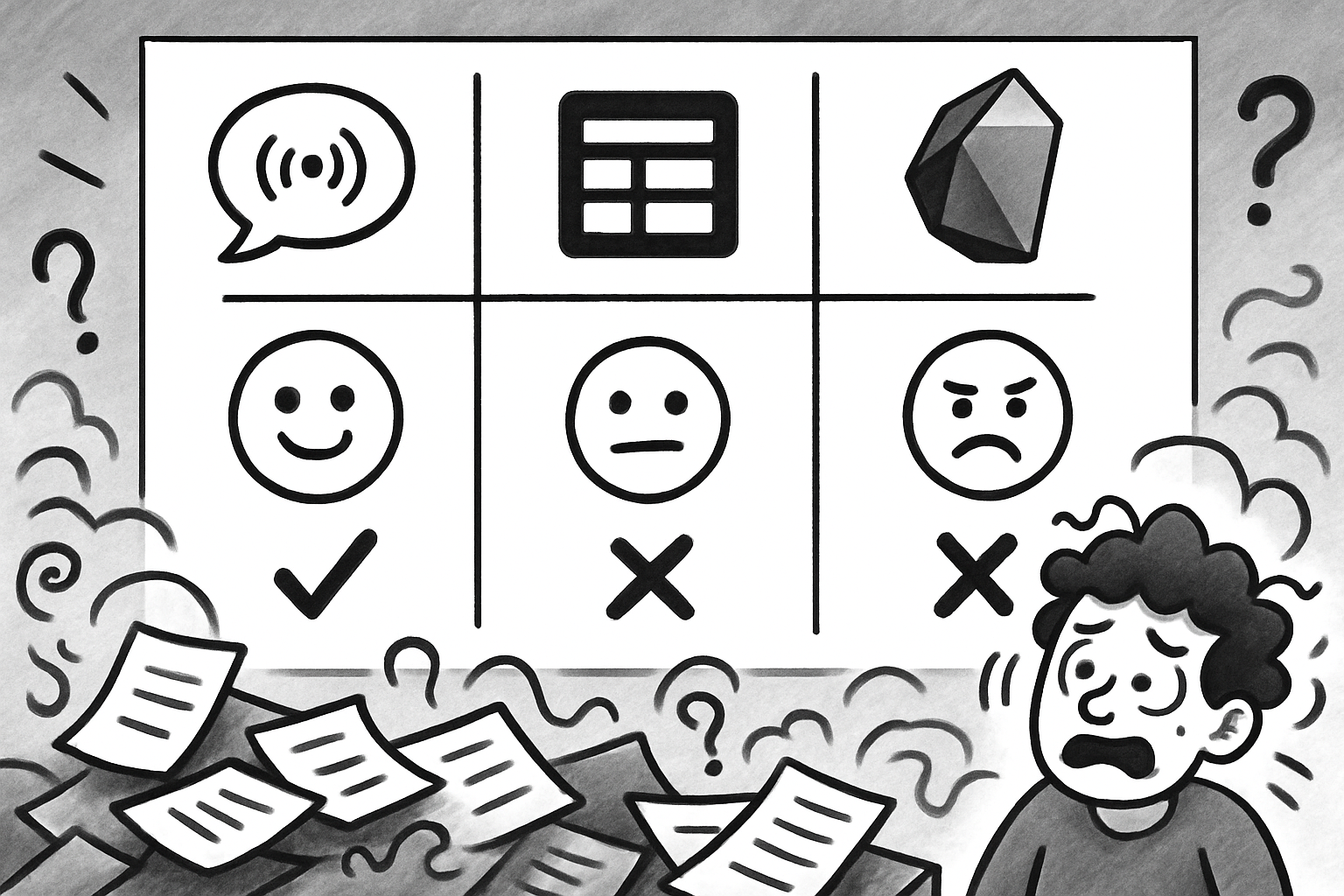
PKMS Showdown 2026: 10 Tools Across 5 Key Tests
Compare capture, AI vs non-AI retrieval, tasks, privacy across 10 PKMS; Obsidian/Logseq: researchers/privacy, Notion/Tana: AI/tasks, Yaranga: voice-action +sync
What PKMS Means in This Article (and What It Does Not)
The acronym PKMS collides with at least three unrelated things. In logistics and warehousing it refers to inventory and fulfillment systems; in some school districts it is the name of a school; in our field it stands for Personal Knowledge Management Software. This article concerns only the last of these, and it is worth stating plainly because search results blend them.
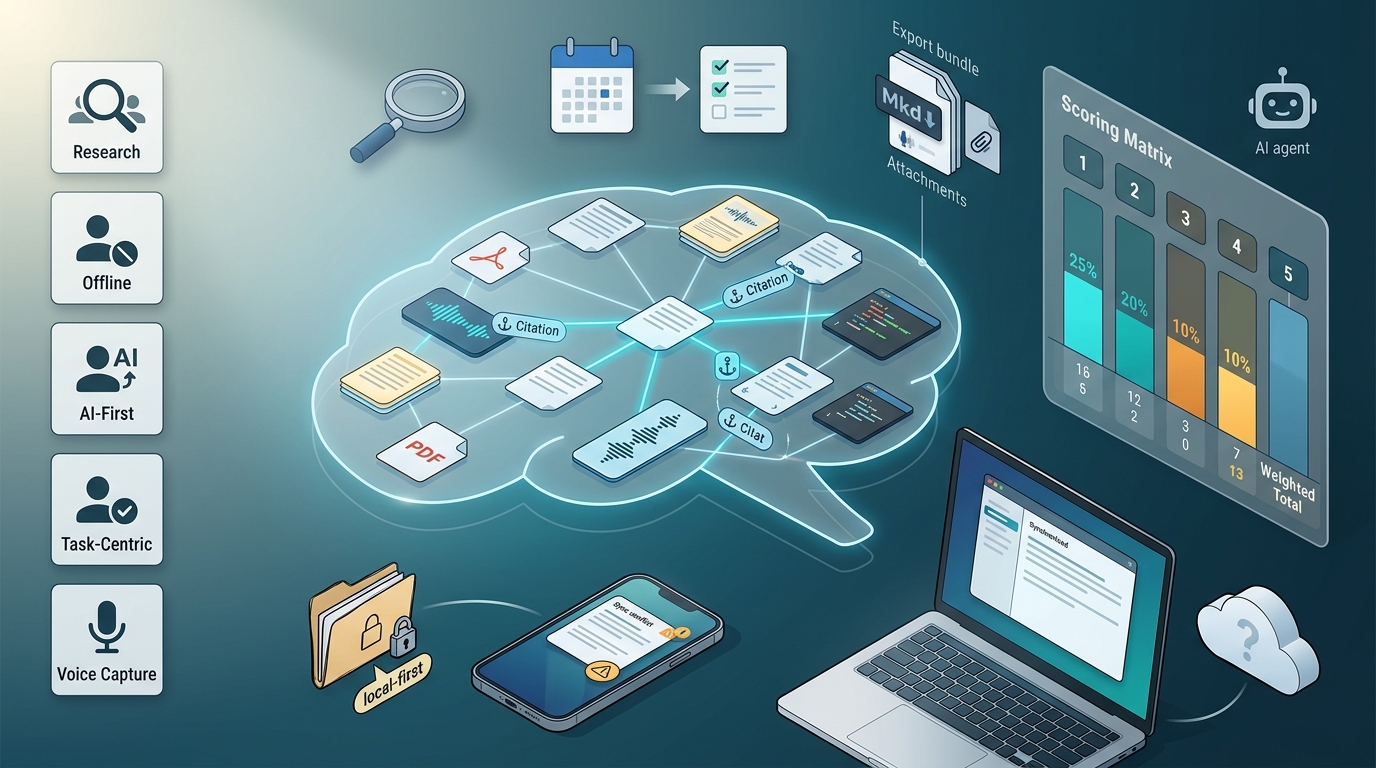
For the purpose of scoring ten tools, we define personal knowledge management software as a system that handles five jobs for an individual or a small team: capturing inputs from wherever they originate, retrieving them later, synthesizing scattered notes into something useful, executing on what the notes imply, and keeping the data portable enough to leave. A tool that nails capture but loses your data on export is not a complete PKMS. Neither is one that retrieves beautifully but offers no way to act on what it surfaces.
The category has been studied less than its 25-year history would suggest. Frand and Hixon defined personal knowledge management as a conceptual framework in 1999, and Davenport's work on knowledge work practices predates that by a year, yet there is still no standard benchmark for the features buyers actually compare. We flag this gap throughout: where we have firm data, we cite it; where we do not, we say so.
Who This Comparison Is For: Persona Filter
The five matrix dimensions do not matter equally to everyone. A researcher and a mobile-first founder optimize for almost opposite things. Before the table, find the profile closest to yours, then weight that profile's dimensions hardest when you read the scores.
Research-Heavy (Academic, Zettelkasten)
If your work is reading-and-writing dense, you need backlinks that hold across thousands of notes, PDF annotation that survives export, citation management, and ideally spaced repetition for retention. The tools that fit this profile are Logseq, Obsidian, and Heptabase. Weight retrieval quality and interoperability highest; the AI sub-scores matter less than reliable block references and full-text search across a large corpus.
Offline-First and Privacy-Constrained
If you edit on planes, handle sensitive material, or operate under EU regulation (GDPR has applied since 2018, and the EU AI Act entered force in August 2024), your priority is local storage, end-to-end encryption, and editing without an account or connection (CNIL). Obsidian, Logseq, and Anytype are the candidates here. Weight privacy and offline above everything; AI features that route to the cloud may be a liability rather than a benefit for your use case.
AI-First Retrieval and Synthesis
If you want to ask questions of your notes and surface gaps in your own thinking, weight retrieval quality, specifically the AI sub-dimension. Tana and Notion AI compete here, with InfraNodus available as an analytics layer rather than a standalone PKM. Be aware before you commit that no independent benchmark compares AI retrieval accuracy across these tools, a point we return to in detail.
Task-Centric and Execution-Oriented
If a note that does not become an action is wasted, you need native tasks created inside notes, calendar integration, recurring tasks, and a meeting-to-action pipeline. Notion, Tana, and Yaranga compete on this dimension. Weight the execution layer and interoperability with your calendar.
Voice and Mobile Capture
If most of your input arrives as a voice memo while you are walking or driving, the deciding factor is low-friction mobile capture and accurate transcription into a searchable inbox. Audionotes and Yaranga are positioned for this profile. Weight capture inputs above all else; a tool that retrieves brilliantly but is slow to capture loses the idea before it is recorded.
Methodology: How We Scored and What the Weights Mean
We scored each tool on five dimensions, each weighted by how much it tends to drive a selection decision. Within each dimension, a 1 means the capability is absent or requires substantial workarounds, a 3 means it is present but constrained or partial, and a 5 means it is native, complete, and documented.
Capture Inputs (20%) measures the breadth of ways knowledge gets in: web clipper, email forwarding, chat ingest, voice transcription, mobile quick capture, and OCR. A 5 requires native support across most of these channels with minimal steps; a 3 covers web and manual entry but leans on plugins for the rest.
Retrieval Quality (25%), the heaviest weight, splits into two halves. The non-AI half covers filters, tags, backlinks, full-text search, and PDF/OCR search. The AI half covers semantic search, question-answering over your notes, citation grounding to the source note, and whether inference runs on-device or in the cloud. A tool can score a 5 on non-AI retrieval and a 1 on AI, so we report both.
Execution Layer (20%) covers native task creation, reminders, calendar sync, project views, and converting a line in a note into a tracked action. A 5 means tasks live inside notes and surface in a dedicated view with calendar sync; a 1 means you need a separate task manager.
Interoperability (20%) covers export formats (Markdown, JSON, PDF), import options, API and webhook availability, and integrations with email, calendar, chat, and automation platforms like Zapier and Make. We distinguish between exporting a file and exporting a file with attachments, metadata, and link integrity intact, because the second is what actually prevents lock-in.
Privacy and Offline (15%) covers verified offline editing, sync conflict handling, local-first architecture, encryption model, data portability, and whether an account is required to use the tool at all.
Scoring formula and confidence
The weighted total is computed as: Capture × 0.20 + Retrieval × 0.25 + Execution × 0.20 + Interop × 0.20 + Privacy/Offline × 0.15. For the retrieval dimension specifically, we take the simple average of the non-AI and AI sub-scores before applying the 0.25 weight. We round the result to one decimal place.
Pricing and positioning are easier to verify than AI accuracy, and the figures below reflect the research corpus available to us at the time of writing; readers should confirm current prices before purchase. Our confidence is low on three things: AI retrieval precision, sync conflict resolution, and mobile offline behavior. There is no published benchmark for any of these across PKM tools, and vendor pages do not document them adequately. Where a score touches one of these, we mark it as a low-confidence cell and you should treat it as provisional, verifying it yourself using the protocol at the end.
The Feature Matrix: Scored Comparison Across 10 Tools
The table scores ten tools across the five dimensions, with a weighted total out of 5 computed using the formula above. Retrieval is shown as two figures (non-AI / AI) because they diverge sharply; the figure that enters the weighted total is the average of the two. InfraNodus is listed separately below the table because it is an analytics layer (GraphRAG, Louvain community detection for topic clustering, and an MCP server endpoint), not a standalone PKM you would capture into daily (InfraNodus).
These scores are provisional assumptions derived from feature documentation and the research corpus, not from controlled head-to-head testing. Cells touching AI retrieval, mobile offline, sync conflict handling, and export integrity are low-confidence and flagged with an asterisk (*).
| Tool | Capture (20%) | Retrieval non-AI / AI* (25%) | Execution (20%) | Interop* (20%) | Privacy/Offline* (15%) | Weighted total |
|---|---|---|---|---|---|---|
| Obsidian | 3 | 5 / 2* | 2 | 4* | 5* | 3.5 |
| Logseq | 3 | 5 / 2* | 3 | 4* | 5* | 3.6 |
| Anytype | 2 | 4 / 2* | 3 | 3* | 5* | 3.2 |
| Notion | 4 | 4 / 4* | 4 | 4* | 2* | 3.7 |
| Tana | 5 | 4 / 4* | 4 | 3* | 2* | 3.6 |
| Heptabase | 3 | 4 / 3* | 2 | 3* | 2* | 2.9 |
| Kosmik | 3 | 3 / 2* | 2 | 3* | 2* | 2.6 |
| Audionotes | 4 | 2 / 3* | 2 | 2* | 2* | 2.6 |
| Microsoft OneNote | 3 | 3 / 2* | 2 | 3* | 2* | 2.6 |
| Yaranga | 5 | 3 / 3* | 5 | 3* | 2* | 3.6 |
A worked example for reproducibility, using Yaranga: capture 5 × 0.20 = 1.00; retrieval (3+3)/2 = 3, × 0.25 = 0.75; execution 5 × 0.20 = 1.00; interop 3 × 0.20 = 0.60; privacy/offline 2 × 0.15 = 0.30; total = 3.65, rounded to 3.6.
Capture Inputs
The native capture channels differ more than marketing pages suggest, but documentation is uneven across vendors, so several of the claims below are provisional. Several of these tools ship or support a web clipper of some kind, either official or community-built, which makes clipping a page a one- or two-step action. Audionotes and Yaranga are positioned around voice and chat capture: the knowledge base confirms that Yaranga accepts voice notes through WhatsApp and Telegram bots that transcribe and auto-tag on arrival, plus email and calendar ingest (Yaranga). Audionotes' specific capture mechanisms are not documented in our corpus, so its capture score is provisional.
One gap deserves a flag. Email and chat capture are poorly documented across nearly every tool we examined. Vendors say the feature exists but rarely specify the number of steps, the latency, or whether the inbound message preserves formatting. We scored what we could verify and marked the rest provisional.
Retrieval: Non-AI and AI Search
On non-AI retrieval, the local-first plain-text tools lead. Obsidian and Logseq both score a 5 because full-text search, tag filtering, backlinks, block references, and graph view are well established in these tools. Anytype scores a 4. Cloud-first tools sit at a 3 to 4 depending on how their tag and filter systems are reported to scale; we mark these as provisional because we have no measured data on retrieval performance at corpus size.
On AI retrieval the picture is harder to score because the underlying capability is undocumented in any independent way. Tana and Notion AI are the candidates in contention for AI-first retrieval. Tana's free tier caps AI usage at 500 credits per month, a limit you will hit quickly with regular voice transcription (Tana). Only InfraNodus, as an analytics layer, offers structural gap analysis, surfacing what your notes do not yet connect rather than just retrieving what they say. Citation grounding, an answer that links back to the source note, is the capability we weight most heavily in our AI rubric, because an answer you cannot trace is an answer you cannot trust; we treat its presence as an evaluation assumption to verify rather than a confirmed per-tool fact.
Here is the counterargument before the conclusion. InfraNodus documentation argues that vector RAG, the standard approach behind most AI note search, fails on overview and structural queries because it retrieves the nearest passages rather than understanding the shape of the whole corpus. GraphRAG addresses this by building a graph and clustering it, but that introduces graph-construction overhead and is not something most PKM tools implement (Microsoft Azure AI). The honest conclusion: no independent benchmark exists comparing AI retrieval accuracy across these tools. The AI sub-scores in our matrix reflect documented feature presence rather than measured accuracy, because measured accuracy data does not exist publicly. Every AI sub-score is low-confidence.
Execution: Tasks, Calendar, and Projects
This dimension separates note tools from work tools. Notion, Tana, and Yaranga are the tools in contention for task-centric execution; Yaranga's documented model is that tasks live inside notes and the system extracts and surfaces them automatically into Today, Upcoming, and No Date views, which is why it scores a 5. Calendar integration depth varies: Tana includes a meeting agent, and Yaranga connects Google Calendar and shows events inline alongside notes and tasks, grouping recurring events into project folders. We found no documented native calendar integration for Obsidian, Logseq, Anytype, or Heptabase; tasks in those tools are either plugin-driven or absent, so they score a 2 to 3.
There is a defensible design argument on the other side. Lambert's observation, after approximately five years of iteration, is that separating task management from knowledge capture is a deliberate design choice rather than a missing feature: a note tool should not also be a project manager, and forcing the two together produces a worse version of each. We note this because the low execution scores for Obsidian and Logseq are not failures by their own design philosophy; they are choices. Whether that choice fits you depends on whether you already run a separate task system you trust.
Interoperability and Data Portability
Export format completeness is where lock-in actually hides. A Markdown file alone is not portability. The questions that matter are whether attachments come with the export, whether metadata and tags survive, and whether internal links remain valid after migration. Obsidian and Logseq score highest here because the files are plain Markdown on disk to begin with, so there is no export step to break (Obsidian). For the cloud tools, attachment inclusion and link integrity on export are untested for most of them in our corpus, and we scored conservatively as a result. All interoperability cells are low-confidence for that reason.
API and webhook availability is not systematically documented for most of these tools. We treat it as a testing priority rather than a settled fact, because a missing API quietly caps how far you can automate around the tool. On self-hosting, only InfraNodus mentions an organizational self-hosted deployment. Obsidian, Logseq, and Anytype are local-first, meaning your data sits on your device, but that is different from running your own sync server; it is a distinction worth keeping straight.
Privacy and Offline Mode
Three tools are verifiably local-first. Obsidian stores plain .md files on disk; Logseq stores local Markdown or Org-mode; Anytype keeps a local workspace with peer-to-peer sync and end-to-end encryption (Anytype docs). These three earn a 5 on this dimension. Confirmed cloud-dependent tools, where your data lives on the vendor's servers, include Notion, Tana, Reflect, Roam, Capacities, and Heptabase; we score them a 2, reflecting their cloud-dependent architecture, though the precise offline and account behavior of each is not fully documented and should be verified.
The single largest verification gap in our entire research is sync conflict resolution. We found zero documented data on how any of these tools resolves a conflict when the same note is edited offline on two devices and both reconnect. This is a major failure mode, the one most likely to lose your work, and no vendor page we read describes the behavior.
Mobile offline carries its own caveats. Obsidian's free tier is single-device with no built-in sync, so offline editing across phone and laptop requires paying for Sync or wiring up a third-party file service. The Logseq mobile app has been flagged in user reports as not fully polished. Anytype claims peer-to-peer phone sync but provides no operational detail on how it behaves under poor connectivity. Treat all three as things to test, not to assume.
Pricing Reality: What Each Tier Gets You in 2026
Pricing is easier to verify than AI accuracy, but it still changes, and the figures below reflect the research corpus available to us rather than a live price check. Confirm current prices before purchase. The table approximates monthly cost per user; annual billing is usually cheaper than the monthly figure. Where a tier is not documented in our corpus, we mark it as such rather than invent a number.
| Tool | Free tier | Entry paid (approx/mo) | Mid tier | Premium tier |
|---|---|---|---|---|
| Obsidian | App free, no note limits | Sync $4 (annual) | Not documented | Not documented |
| Logseq | App free, open source | Sync ~$5 | Not documented | Not documented |
| Anytype | Free, 1 GB sync cap | Paid tier planned, not priced | Not documented | Not documented |
| Notion | Free, unlimited pages, 5 MB upload cap | Plus ~$10 | Not documented | Not documented |
| Tana | Free tier, 500 AI credits/mo | Plus ~$8 | Not documented | Not documented |
| Heptabase | 7-day trial, no free tier | Pro ~$8.99 | Not documented | Not documented |
| Kosmik | No free tier, 1-week trial | Not documented | Not documented | Not documented |
| Audionotes | Free tier (capped) | Not documented | Not documented | Not documented |
| OneNote | Free with OneDrive quota | Not documented | Not documented | Not documented |
| Yaranga | Free to start | Pro tier (price not documented) | Not documented | Not documented |
A useful threshold surfaces from community discussion on Reddit: roughly $10 per month is the line below which paid sync feels reasonable to many individual users. Obsidian Sync at $4, Logseq Sync around $5, Tana Plus at $8, Heptabase Pro near $8.99, and Notion Plus around $10 all sit at or under that line. Tools priced above it raise the bar for what they must deliver to justify the cost.
Three tools have no permanent free tier at all: Heptabase offers a 7-day trial, Kosmik a one-week trial, and Roam a 31-day trial. Roam is not part of the ten-tool matrix above; we include it here only as context for the no-free-tier point. If a forever-free option is a hard requirement, that consideration removes Heptabase and Kosmik from your shortlist immediately.
What actually justifies paying, based on the dimensions that move decisions, comes down to AI retrieval, reliable cross-device sync, end-to-end encryption, collaboration, and calendar integration. Two free-tier constraints are worth flagging because they bite in daily use: Notion's free plan caps file uploads at 5 MB each, which a single PDF can exceed, and Anytype's free sync allowance is capped at 1 GB.
PKMS vs. Knowledge Base: When the Distinction Matters
Buyers frequently shortlist a team knowledge base when they actually want personal knowledge software, or the reverse. The two solve different problems.
| PKMS | Knowledge Base | |
|---|---|---|
| Owner | One person or small team | Shared across an organization |
| Structure | Flexible, evolving | Standardized, governed |
| Primary jobs | Ideation, retrieval, personal workflows | Support docs, process documentation |
| Optimized for | Speed of capture and recall | Consistency and findability for others |
| Example use | A founder's daily capture-to-task loop | A company's onboarding and policy docs |
They overlap where a personal note becomes something the team needs, and at that point many people end up running both: a fast personal layer for capture and a structured shared layer for documentation. Wright's framework of four PKM domains, analytical, information, social, and learning, is a practical way to decide which category fits. If most of your activity is analytical and information-handling for yourself, you want PKMS. If it is social, in the sense of broadcasting standardized knowledge to others, you want a knowledge base. Few people sit entirely in one domain, which is why the two-tool answer is common rather than a failure of either category.
Where We Position Yaranga in This Landscape
We build Yaranga, so read this section knowing that. Our thesis is that the market has a thin spot at the intersection of three things: AI-assisted retrieval, broad capture inputs spanning email, chat, voice, and web, and native task execution from inside notes. Citation-grounded retrieval, where an answer links back to the source note, is a capability we consider important and are working toward; we do not claim it as a shipped, verified feature today. Tools tend to be strong on one or two of these and weak on the third. The local-first tools own privacy and non-AI retrieval but lack native tasks and AI. The cloud AI tools own retrieval and tasks but route everything through their servers. The voice tools own capture but stop short of execution.
Against our own rubric, Yaranga scores a 5 on capture, because, per our documentation, voice notes arrive through WhatsApp and Telegram bots and get transcribed and auto-tagged, with email and calendar ingest alongside; a 5 on execution, because tasks live inside notes, surface automatically into Today and Upcoming views, support Important-first prioritization, and connect to Google Calendar with events shown inline; a 3 on retrieval, with AI tagging and search present but no published accuracy benchmark; a 3 on interoperability, where notes use Markdown internally but full export integrity and automation integrations are not documented; and a 2 on privacy and offline, reflecting the same low-confidence caution we apply to every cloud tool, since our offline and sync conflict behavior is not independently verified.
Two honest limitations follow from that scoring. Our confidence in Yaranga's AI retrieval performance against competitors requires exactly the same independent testing we recommend for every other tool on this list; we have no benchmark that proves we retrieve more accurately than Notion or Tana. And we credit only shipped, documented features in our own score, separate from roadmap items; the mobile app is still in development, and we do not claim export or automation capabilities we cannot point to today.
30-Minute Hands-On Testing Protocol
Every vendor claim in this article, including ours, deserves verification before you commit a year of notes to a tool. The features most likely to fail (sync conflicts, AI accuracy, export integrity) are precisely the ones not documented on feature pages. This protocol takes about half an hour and exposes them.
Phase 1: Setup (5 minutes)
Create the account or install the app, then import ten sample Markdown notes that include wiki-links between them. The goal is to see whether the tool ingests an existing corpus and whether the links survive import intact.
Phase 2: Capture (5 minutes)
Test the web clipper on a real article, do a mobile quick capture using voice if the tool supports it, and forward an email to the tool's inbox address if one exists. Count the steps for each. A capture method that takes more than two actions is one you will skip in a hurry, which means the idea is lost.
Phase 3: Offline Stress Test (5 minutes)
Enable airplane mode on your phone, create a note and edit an existing one, then reconnect. Log anything that goes wrong: a sync conflict dialog, a silently overwritten edit, a duplicated note, or lost text. This is the phase most likely to reveal a dealbreaker.
Phase 4: AI Retrieval (10 minutes)
Run three query types against your ten notes. First, a specific fact recall, where you ask for something stated in exactly one note. Second, an overview question that requires synthesizing across several notes. Third, a structural or gap question, asking what your notes do not yet cover. For each answer, record whether the tool cited its sources, whether the answer was actually accurate against what you wrote, and whether the AI ran locally or in the cloud.
Phase 5: Tasks and Export (5 minutes)
Create a task from within a note and confirm it surfaces in a dedicated task view. Then export all your notes as Markdown and check two things: whether internal links still resolve, and whether attachments came along. An export that drops attachments or breaks links is not portability, regardless of what the format label says.
Objection Handling: High-Friction Questions
Can AI search actually reduce retrieval time compared to manual tags and backlinks?
We cannot tell you, and neither can the vendors honestly. No published benchmark compares AI retrieval accuracy or speed across PKM tools. The intuitive answer is that semantic search should beat manual tagging for vague queries and underperform it for precise lookups, but that is a hypothesis rather than a measurement. Run Phase 4 of the protocol with your own notes before you trust any vendor's claim, including ours.
Is local-first viable if I need cross-device sync and collaboration?
It is viable with trade-offs you should price in. Obsidian and Logseq charge roughly $4 to $5 per month for their own sync; Anytype offers free peer-to-peer sync within its 1 GB allowance. None of the three documents how it resolves a sync conflict, and collaboration support is minimal across all of them. If real-time multi-author collaboration is central to your work, the minimal collaboration support in these local-first tools is a real trade-off against their privacy advantage, and a cloud tool may serve you better despite the privacy cost.
How real is the lock-in risk with cloud-first tools?
Export format availability is necessary but not sufficient. A tool can export clean Markdown and still trap you, because metadata, attachment handling, and link integrity on export are untested for most tools in our corpus. The only way to know your real exit cost is to perform a full export today, on a trial account, and inspect what survived. Lock-in is measured at export time rather than at signup.
The One Dimension to Test Before You Commit
If you test nothing else, test sync conflict resolution under real conditions. Across every tool we evaluated, this was the least documented and highest-risk feature, and it is the one most capable of silently destroying work. No vendor provides adequate public documentation on what happens when the same note is edited offline on two devices and both reconnect, which means it cannot be assessed from feature pages or from this article. It can only be observed.
So before you commit, take your top two shortlisted tools and run Phase 3 of the protocol on both, using two real devices editing the same note offline at the same time. Reconnect them and watch carefully what happens to the conflicting edits. The tool that handles this gracefully has earned a place in your workflow; the one that overwrites or duplicates without warning has told you everything you need to know, regardless of how it scored on every other dimension.
Ready to conquer your chaos?
Join others who have simplified their tasks and notes with Yaranga.
Get Started for Free