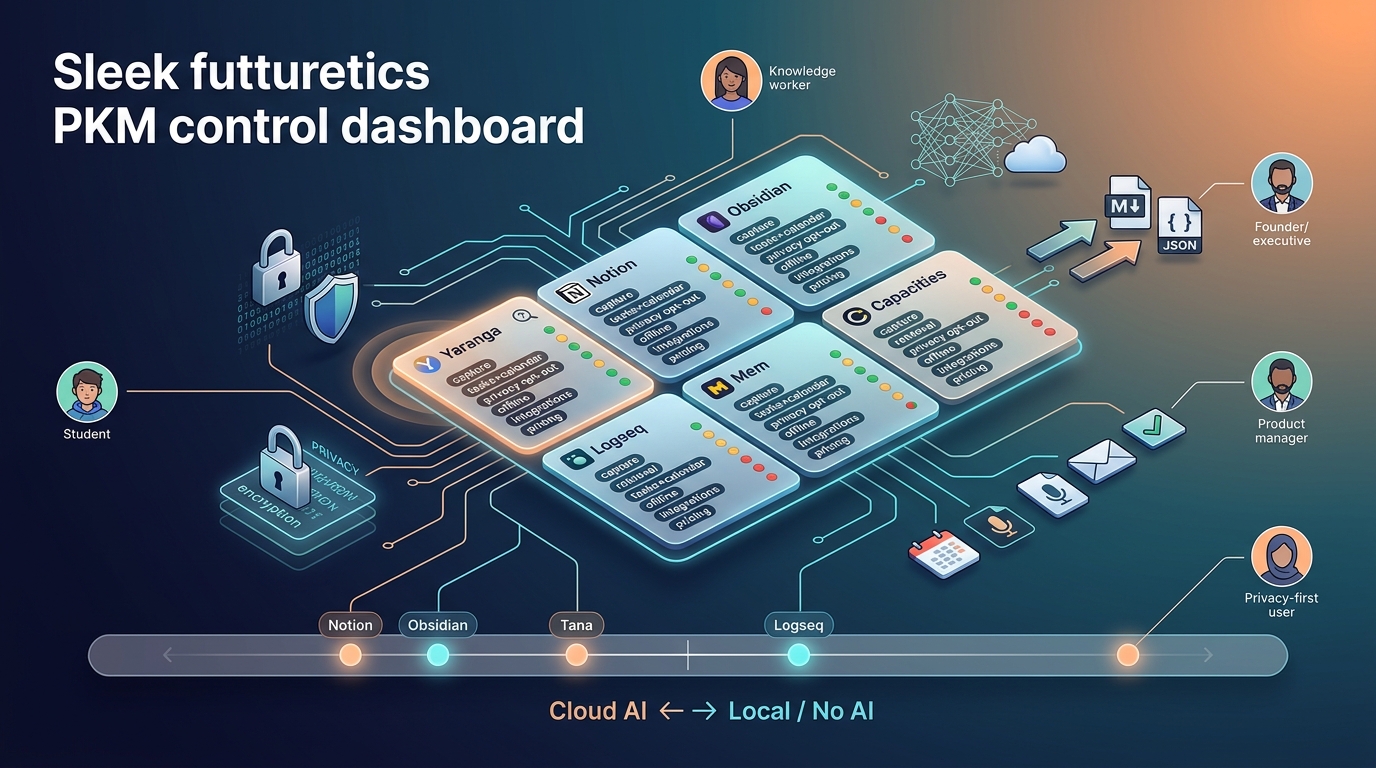
5 PKM Tools for M365 Users: Which One Survives?
OneNote: M365 governance & inking; Loop: live internal meetings; Notion: structured team databases; Obsidian: local graph Logseq: outliner-first PKM Choose fit.
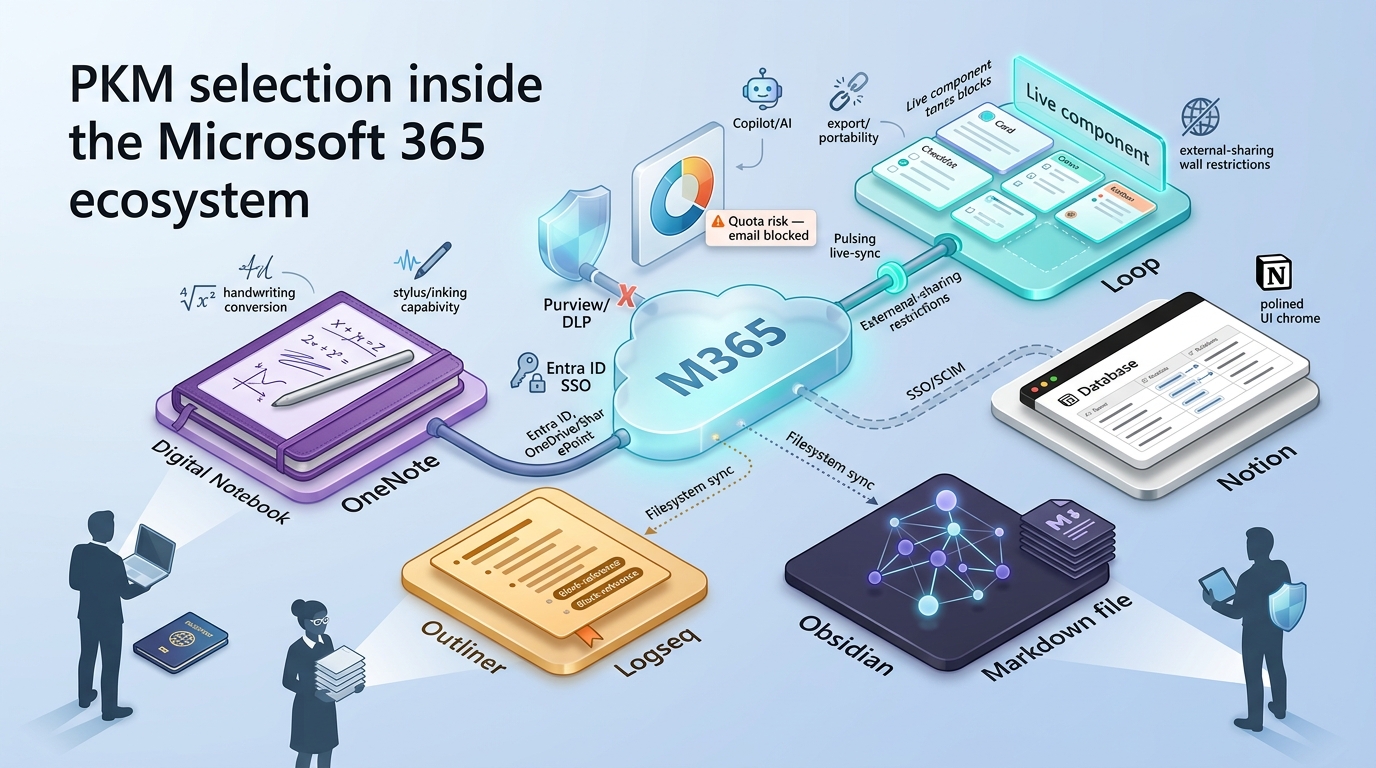
Why This Comparison Exists: PKM Selection Inside the Microsoft 365 Ecosystem
Most organizations running Microsoft 365 already have at least one note-taking tool bundled into their license. Yet we consistently see teams layering on second and third tools, only to discover friction around governance, sync, or sharing months later. This comparison exists to reduce that trial-and-error cost.
Scope. We are evaluating personal knowledge management (PKM) tools, not project management platforms (Planner, Asana) and not enterprise knowledge management systems (Viva Topics, SharePoint intranets). PKM sits in the gap between raw capture and organizational memory: the place where an individual turns fleeting notes into retrievable, linked knowledge.
What "integration with M365" actually means in practice. We score integration across four layers:
- Identity and provisioning. Entra ID (formerly Azure AD) SSO, SCIM automated user provisioning, Conditional Access policies.
- Storage. Data residing in OneDrive or SharePoint, counted against the tenant's cloud storage quota, subject to the same retention and eDiscovery rules as other M365 content.
- Capture surface. Native embedding or creation from within Teams channels, Outlook emails, and meeting workflows without copy-paste.
- Governance. Microsoft Purview sensitivity labels, Data Loss Prevention (DLP) policies, and audit logs applying to the tool's content natively rather than through a third-party CASB workaround.
A tool that covers all four layers behaves as part of M365. A tool that covers one or two creates a secondary data perimeter that IT must govern separately.
Comparison framework. We evaluate OneNote, Loop, Notion, Obsidian, and Logseq across nine criteria: offline support, AI/Copilot capabilities, M365 integration depth, cross-device capture, linking and knowledge graph, export and portability, admin and governance controls, collaboration, and cost.
Where our data is limited. Loop reached general availability in late 2023 but continues to ship features at a pace that makes point-in-time claims fragile. Logseq is in the middle of a major database rewrite that may alter its storage format, performance characteristics, and plugin ecosystem. We flag these areas explicitly throughout.
Who Each Tool Is Built For
Each tool in this comparison emerged from a different design philosophy. Mismatches between the tool's core audience and your actual workflow account for the majority of tool-switch regret we observe.
OneNote targets pen-and-ink users, M365-native teams, and anyone who needs zero incremental cost with full governance coverage. It assumes your organization already runs M365 and you want a capture tool that stays entirely inside that perimeter.
Loop targets internal-only teams in meeting-heavy M365 environments. Its live components are designed to be embedded across Teams, Outlook, and other M365 surfaces, turning meeting notes and shared checklists into synchronized, real-time objects. Loop assumes all collaborators share the same tenant.
Notion targets teams willing to pay for a separate ecosystem with structured databases, backlinks, and polished design. It operates outside the M365 data perimeter, which offers flexibility but introduces a second compliance surface.
Obsidian targets solo knowledge workers, researchers, and privacy-conscious users. Its local-first architecture stores everything as plain Markdown files on your device. It assumes you value zero lock-in and graph-based linking over team collaboration or cloud governance.
Logseq targets outliner-first thinkers who want open-source tooling, block-level referencing, and full offline access. It shares Obsidian's local-first philosophy but uses an outliner paradigm rather than a freeform document model. Its ecosystem is smaller, and the ongoing database rewrite introduces uncertainty.
Feature Matrix: Scored by Verified Capability
The table below scores each tool across the nine criteria on a 1-to-5 scale. Scores reflect documented, generally available capabilities as of early 2025, not roadmap promises or marketing materials. Where a feature is partially available (for example, offline on desktop but not mobile), we note the constraint in the justification column.
Scoring methodology. Each criterion was evaluated against publicly available documentation, admin configuration guides, and verified user-reported behavior. We did not rely on vendor marketing pages for scoring. A score of 5 indicates best-in-class within this five-tool set; a score of 1 indicates minimal or absent capability. Half-point scores were avoided for clarity.
| Criterion | OneNote | Loop | Notion | Obsidian | Logseq |
|---|---|---|---|---|---|
| M365 Integration Depth | ★★★★★ Native across Teams, Outlook, SharePoint, OneDrive, Copilot | ★★★★★ Native live components in Teams, Outlook, Whiteboard, Word | ★★☆☆☆ SAML SSO and SCIM via Entra ID; no native Teams/Outlook integration; 1 IdP and 1 workspace per Entra tenant | ★☆☆☆☆ File-system sync via OneDrive only; no SSO, no SCIM | ★☆☆☆☆ File-system sync via OneDrive only; no SSO, no SCIM |
| Offline Access | ★★★★☆ Full offline on desktop; partial on mobile; web requires connectivity | ★☆☆☆☆ No meaningful offline capability documented | ★★☆☆☆ Limited cached pages; not local-first | ★★★★★ Fully local plain Markdown; works without internet | ★★★★★ Fully local; works without internet |
| AI / Copilot | ★★★★☆ Copilot integration (requires $30/user/month add-on) | ★★★★☆ Copilot integration (requires $30/user/month add-on) | ★★★★☆ Notion AI available as add-on | ★★☆☆☆ Community plugins only; no native AI | ★★☆☆☆ Community plugins only; no native AI |
| Cross-Device Capture | ★★★★★ Windows, Mac, iOS, Android, Web, Teams, Outlook | ★★★★☆ Web, Teams, Outlook; mobile experience still maturing | ★★★★☆ Web, Windows, Mac, iOS, Android | ★★★☆☆ Windows, Mac, Linux, iOS, Android (no web app) | ★★★☆☆ Windows, Mac, Linux, iOS, Android (mobile apps less mature) |
| Linking / Knowledge Graph | ★★☆☆☆ Page links only; no native backlinks or graph | ★☆☆☆☆ No graph, no backlinks | ★★★☆☆ Backlinks, database relations; no graph visualization | ★★★★★ Graph view, backlinks, unlinked mentions | ★★★★★ Graph view, block-level references, outliner-first |
| Export / Portability | ★★☆☆☆ Proprietary format; export to PDF, Word, OneNote package; no native Markdown export | ★☆☆☆☆ .loop files in SharePoint/OneDrive; limited export options | ★★★★☆ Export to Markdown, CSV, HTML, PDF; API available | ★★★★★ Plain Markdown files; zero lock-in | ★★★★★ Plain Markdown/org-mode files; zero lock-in |
| Admin / Governance | ★★★★★ Full Purview, DLP, Conditional Access, eDiscovery, retention | ★★★★☆ Purview retention and DLP apply to .loop files; admin controls split across Cloud Policy and SharePoint PowerShell; tenant-wide only for Teams; creation controls do not block access to existing content | ★★★☆☆ Enterprise plan: SAML SSO, SCIM, audit log; data outside M365 compliance perimeter; partial coverage via Defender for Cloud Apps | ★☆☆☆☆ No admin controls, no audit, no DLP | ★☆☆☆☆ No admin controls, no audit, no DLP |
| Collaboration | ★★★☆☆ Co-authoring with section-level sharing | ★★★★★ Live components sync across Teams, Outlook, OneNote, Whiteboard, Word in real time | ★★★★★ Real-time co-editing, comments, granular permissions | ★☆☆☆☆ Single-user by design | ★☆☆☆☆ Single-user by design |
| Stylus / Inking | ★★★★★ Pressure sensitivity, shape recognition, ink-to-text, ink-to-math | ★☆☆☆☆ No inking | ★☆☆☆☆ No inking | ★☆☆☆☆ No inking | ★☆☆☆☆ No inking |
M365 Integration Depth
OneNote and Loop operate as first-class M365 citizens. Notes created in OneNote are stored in OneDrive, accessible from Teams tabs, Outlook integrations, and the web. Loop components live in SharePoint Embedded (or SharePoint/OneDrive, depending on context), and they can be created, edited, and embedded directly in Teams chat, Outlook emails, and other M365 apps. Both tools inherit Entra ID authentication, Conditional Access, and Copilot features natively.
Notion connects to Entra ID for SAML SSO and SCIM-based user provisioning, but only on the Enterprise plan. A documented constraint is that one Entra IdP can be linked to only one Notion workspace. There is no native embedding into Teams channels or Outlook; integration requires third-party connectors or manual linking. Data resides on Notion's infrastructure, outside the M365 compliance perimeter.
Obsidian and Logseq have no identity integration with M365. The only connection to the Microsoft ecosystem is syncing their vault folder via OneDrive, which introduces known file-conflict risks when multiple devices write concurrently. There is no SSO, no SCIM, and no admin visibility into these tools from the Microsoft 365 Admin Center.
Offline Access and Local-First Architecture
Obsidian and Logseq are fully local-first. Your notes exist as plain-text files on your device's filesystem. No internet connection is required to create, edit, search, or navigate your vault. This architecture makes them the strongest options for users who work in low-connectivity environments or who want complete control over their data.
OneNote provides full offline capability on its desktop application (Windows and Mac). The mobile apps cache recently accessed notebooks but may not sync new sections until reconnected. The web app requires connectivity.
Notion caches recently viewed pages for limited offline reading on desktop and mobile. However, it is not a local-first tool: new page creation and search require a network connection.
Loop has no documented offline mode. Losing connectivity while editing a Loop component can result in unsaved changes. For teams that work from aircraft, trains, or facilities with restricted internet, this is a meaningful constraint.
Linking, Backlinking, and Knowledge Graph
This criterion separates general note-taking tools from tools designed for PKM in the networked-thought tradition.
Obsidian leads this comparison with bidirectional links, a visual graph view, unlinked mention detection, and a plugin ecosystem that extends linking to block-level granularity. For users building a long-term personal knowledge base, Obsidian's graph capabilities are materially stronger than those of the other four tools.
Logseq offers a comparable graph view and adds block-level referencing native to its outliner architecture. Users who think in outlines rather than freeform documents may find Logseq's block references more natural than Obsidian's page-level links.
Notion supports backlinks and database relations, which allow structured cross-referencing between pages. It lacks a visual graph view, which limits its usefulness for discovering emergent connections across a large corpus.
OneNote supports manual page-to-page links but has no native backlinks, no graph view, and no automatic linking suggestions.
Loop has no linking or graph features beyond standard hyperlinks.
Export, Portability, and Lock-In Risk
Obsidian and Logseq store everything as plain Markdown (or org-mode) files in a folder on your device. If either tool ceases development tomorrow, your data remains fully readable in any text editor. Lock-in risk is effectively zero.
Notion exports to Markdown, CSV, HTML, and PDF, and offers a documented API for programmatic extraction. While the export is functional, large workspaces report formatting inconsistencies in exported Markdown, and database views do not always translate cleanly. Lock-in risk is low to moderate.
OneNote uses a proprietary format (.one files). You can export sections to PDF, Word, or a OneNote package, but there is no native Markdown export. Migrating a large OneNote library to another tool typically requires third-party conversion utilities, and formatting loss is common. Lock-in risk is moderate.
Loop stores .loop files in SharePoint or OneDrive. Export options are limited at the time of this writing: you can copy content to Word or another M365 surface, but there is no bulk export to open formats. Given Loop's relative newness, long-term format stability is uncertain. Lock-in risk is moderate to high.
Collaboration and Real-Time Co-Editing
Loop is purpose-built for real-time collaboration. Its live components synchronize state across Teams chat, Outlook emails, OneNote pages, Whiteboard, and Word. When a colleague updates a Loop table in Teams, the same table updates in your Outlook email. For internal teams, this is Loop's strongest differentiator.
Notion provides real-time co-editing, threaded comments, and granular page-level and database-level permissions. Its collaboration model is well-suited to teams that need shared wikis, project databases, or editorial workflows.
OneNote supports co-authoring within shared notebooks, with syncing at the section level. It is functional for team note-taking but less fluid than Loop or Notion for rapid, multi-user editing.
Obsidian and Logseq are single-user tools by design. Obsidian offers a paid Publish feature for read-only sharing, and some teams use Git-based workflows for vault collaboration. These workarounds exist but are not comparable to native real-time co-editing.
Admin Controls and Compliance (Purview, DLP, Conditional Access)
OneNote inherits the full M365 governance stack. Purview sensitivity labels, DLP policies, retention policies, eDiscovery, Conditional Access, and audit logs all apply natively because OneNote data is stored in OneDrive/SharePoint.
Loop also benefits from M365 governance, but with caveats. Purview retention labels and DLP policies do apply to .loop files. However, administrative controls for Loop are currently split across the Cloud Policy service (for creation controls) and SharePoint PowerShell (for storage and retention). Loop creation can be disabled tenant-wide in Teams, but disabling creation does not block access to existing Loop content. These splits add administrative complexity that OneNote does not have.
Notion Enterprise provides SAML SSO, SCIM provisioning, workspace-level audit logs, and content export. However, because Notion data lives outside the M365 perimeter, organizations cannot apply Purview labels or M365 DLP policies directly. Partial visibility is possible through Microsoft Defender for Cloud Apps (CASB), but this represents a secondary control layer, not native governance.
Obsidian and Logseq provide no admin controls, no audit trail, and no DLP capability. In regulated industries where IT must demonstrate data governance over note-taking content, these tools cannot serve as primary sanctioned platforms.
Stylus and Inking Support
OneNote stands alone in this comparison for digital inking. It supports pressure-sensitive stylus input, shape recognition, ink-to-text conversion, and ink-to-math. For users who capture information by hand (researchers sketching diagrams, consultants whiteboarding with clients, students in lecture halls), this remains a significant differentiator.
Loop, Notion, Obsidian, and Logseq offer no inking capability.
Cost Model for Organizations Already Paying for Microsoft 365
The baseline assumption throughout this section is that the organization already pays for Microsoft 365 E3 at approximately $36 per user per month (annualized US pricing). All cost figures below represent incremental spend on top of that existing license.
| Tool | Incremental Cost per User per Month | Notes |
|---|---|---|
| OneNote | $0 | Included in M365 E3/E5, Business Basic/Standard/Premium |
| Loop | $0 | Included in eligible M365 plans; no standalone subscription exists |
| OneNote or Loop + Copilot | ~$30 | Microsoft 365 Copilot add-on required for AI features |
| Notion Plus | ~$10 | Billed annually; minimum tier for team features |
| Notion Business | ~$18 | Required for SAML SSO |
| Notion Enterprise | ~$25+ | Required for SCIM, advanced audit; pricing negotiated |
| Obsidian (Commercial) | ~$4.17 | $50/user/year commercial license |
| Obsidian + Sync | ~$8.17 | Add $4/month for Obsidian Sync (end-to-end encrypted) |
| Logseq | $0 | Open-source; Logseq Sync pricing is TBD |
Annual incremental spend for a 100-person team:
| Tool Configuration | Annual Cost (100 users) |
|---|---|
| OneNote or Loop only | $0 |
| OneNote/Loop + Copilot | ~$360,000 |
| Notion Business | ~$21,600 |
| Notion Enterprise | ~$30,000+ |
| Obsidian Commercial + Sync | ~$9,804 |
| Logseq (current) | $0 |
Non-monetary costs worth factoring. Notion and Obsidian both introduce a learning curve that OneNote does not (based on widely reported onboarding experiences, though formal benchmarks are scarce). Notion also creates a dual-compliance surface that IT must manage separately. Obsidian's OneDrive sync requires manual configuration and conflict-resolution procedures. These setup and maintenance costs do not appear on an invoice but consume real hours.
Storage Architecture and a Non-Obvious Risk
Understanding where each tool stores data clarifies both governance coverage and a capacity risk that we see teams overlook.
| Tool | Primary Storage Location |
|---|---|
| OneNote | OneDrive for Business (personal notebooks) / SharePoint (shared notebooks) |
| Loop | SharePoint Embedded (Loop workspaces) / OneDrive (Loop components created in chat/email) |
| Notion | Notion's cloud infrastructure (AWS-based) |
| Obsidian | Local filesystem (with optional OneDrive folder sync or Obsidian Sync) |
| Logseq | Local filesystem (with optional OneDrive folder sync or future Logseq Sync) |
The non-obvious risk: M365 cloud storage quota. OneNote and Loop both consume your organization's pooled M365 cloud storage quota (OneDrive and SharePoint). According to Microsoft documentation, exceeding this quota can block users from sending and receiving email, because Exchange Online storage and OneDrive/SharePoint storage share certain tenant-level enforcement mechanisms.
Loop workspace storage has been counted against the tenant's SharePoint quota since June 25, 2024. Prior to that date, Loop workspace storage was not metered, which means organizations that adopted Loop early may see an unexpected jump in reported storage consumption.
For Obsidian and Logseq, data lives on the local filesystem. If you sync via a OneDrive folder, those files count against OneDrive storage, and file-conflict risks apply when multiple devices modify the same vault simultaneously (a well-documented issue in Obsidian community forums, though Obsidian Sync avoids this by using its own encrypted sync infrastructure).
Longevity and Platform Risk Assessment
No tool selection decision should ignore the question of whether the tool will still be viable, supported, and format-stable in three to five years.
OneNote (low risk). Microsoft unified the OneNote app in 2022, ending the confusing split between "OneNote" and "OneNote for Windows 10." Active Copilot investment signals continued development. OneNote's user base across education and enterprise is large enough to make discontinuation unlikely.
Loop (medium risk). Loop reached general availability in late 2023 and has shipped features at high velocity since. However, external sharing remains blocked, admin controls are split across multiple configuration surfaces, and community forums show recurring confusion about Loop's relationship to meeting notes (specifically, the inability to create Loop-based meeting notes before the meeting starts without a workaround via the Teams Calendar). The format (.loop) is still maturing.
Notion (low to medium risk). Notion has a large and growing user base, significant venture funding, and a well-documented API. Export capabilities mitigate lock-in risk. The primary concern for M365 organizations is not Notion's viability as a company but rather the ongoing cost and complexity of maintaining a second data perimeter.
Obsidian (low data risk). Obsidian is developed by a small private company (Dynalist Inc.), which introduces vendor-concentration risk. However, because all data is stored as plain Markdown files, your notes remain fully readable and portable even if the application is discontinued. The risk to your data is near zero; the risk to your workflow (plugins, graph view, Sync service) is higher.
Logseq (medium risk). Logseq is open-source, which in principle means the community could maintain it if the core team stops. In practice, the ongoing database rewrite is introducing a new storage format that may break existing plugins and workflows. The smaller community and the presence of "Logseq alternatives" as a rising search query suggest some user churn. We recommend monitoring the database rewrite's progress before committing to Logseq as a primary tool.
Recommended Stacks by Role
Single-tool recommendations rarely survive contact with real workflows. Below, we map recommended tool combinations to six common roles, along with the reasoning and the constraint that drives each recommendation.
Management Consultant (Cross-Org, Client-Facing)
Recommended: OneNote for capture and inking during client meetings. Obsidian for a personal knowledge vault and offline work during travel.
Why not Loop? Loop components are accessible only to people within your organization. External recipients (clients, partner firms) cannot access shared Loop links. For consultants who routinely share deliverables across tenant boundaries, this is a blocking constraint.
Corporate Manager (Internal Teams, Meeting-Heavy)
Recommended: Loop for meeting notes and shared workspaces. OneNote for personal notes and inking.
Caveat: As of this writing, you cannot create Loop-based meeting notes before the meeting starts through the standard flow. A workaround exists via the Teams Calendar, but it adds a step. If pre-meeting agenda preparation is part of your workflow, test this workaround before committing.
Academic Researcher
Recommended: Obsidian as the primary vault, synced via OneDrive folder sync (with awareness of conflict risks) or Obsidian Sync.
Why not Loop or Notion? Multi-year research projects require strong portability guarantees: the ability to access, search, and migrate notes years from now regardless of vendor changes. Neither Loop's .loop format nor Notion's proprietary storage offers the same level of long-term portability as plain Markdown files. The absence of a graph view in Loop and Notion further limits their value for literature review and concept mapping.
IT or Operations Lead (Regulated M365 Environment)
Recommended: OneNote and Loop, both native to the M365 governance stack.
Why not Obsidian or Logseq? In regulated environments (financial services, healthcare, government), note-taking tools must support audit trails, DLP, retention policies, and eDiscovery. Obsidian and Logseq provide none of these controls and are unacceptable as primary sanctioned tools in such contexts.
Knowledge Worker or Individual Contributor (Hybrid Approach)
Recommended: OneNote for M365 capture during meetings and real-time collaboration. Obsidian for a long-term personal thinking vault.
Suggested workflow: Use OneNote to capture raw meeting notes throughout the week. During a weekly review, distill and link permanent notes into your Obsidian vault. This separates the fast-capture layer (where M365 integration matters) from the slow-thinking layer (where linking and graph capabilities matter).
Student on M365 Education
Recommended: OneNote for inking and lecture capture (free with M365 A1/A3/A5 education licenses). Logseq or Obsidian for building a study graph, spaced repetition via plugins, and long-term knowledge retention.
Three Deal-Breakers That Cause Tool-Switch Regret
Based on recurring patterns we observe across teams evaluating these tools, three constraints account for the majority of mid-adoption reversals.
1. Loop's External Sharing Wall
The constraint: Loop components are accessible only within your organization's tenant. External recipients cannot open shared Loop links.
Who it hits: Consultants, agencies, freelancers, and any role that collaborates across organizational boundaries.
The regret pattern: A team adopts Loop for internal meeting notes and task tracking. Weeks or months later, someone attempts to share a Loop component with a client or partner. They discover external sharing is blocked. The team fragments back to OneNote or Word for client-facing content, losing the unified-workspace benefit Loop was supposed to provide.
2. Obsidian's Zero Native M365 Integration
The constraint: Obsidian has no integration with Teams, Outlook, or SharePoint. OneDrive folder sync is a filesystem-level workaround that introduces known conflict risks, not a native integration.
Who it hits: Meeting-heavy users who expected seamless capture from Teams or Outlook into their Obsidian vault.
The regret pattern: A user adopts Obsidian for its graph view and linking capabilities. They discover that capturing notes during a Teams meeting requires manually switching windows, copying text, and pasting it into a Markdown file. The friction compounds over multiple meetings per day, and the user either abandons Obsidian for active meeting notes or maintains two disconnected systems indefinitely.
3. Notion's Incremental Cost and Governance Gap
The constraint: Notion Business costs approximately $18 per user per month on top of existing M365 spend. Notion's data lives outside the M365 compliance perimeter. SAML SSO requires the Enterprise plan. Each Entra ID tenant can connect to only one Notion workspace.
Who it hits: Teams that adopted Notion for its UX and database capabilities without fully evaluating governance requirements.
The regret pattern: A team adopts Notion for its flexibility and design. During a compliance audit, the security team flags that sensitive data now resides in a second cloud platform not covered by existing Purview policies. The organization faces a choice between purchasing Defender for Cloud Apps integration (partial coverage) or migrating content back into M365 at significant cost and disruption.
FAQ: High-Friction Questions Before You Commit
Is OneNote being discontinued? No. Microsoft unified the OneNote desktop app in 2022, retiring the separate "OneNote for Windows 10" version and consolidating development on a single application. OneNote continues to receive feature updates and Copilot integration.
How much does Microsoft Loop cost? No standalone Loop subscription exists. Loop is included in eligible Microsoft 365 plans (E3, E5, Business Basic, Business Standard, Business Premium, and others). Microsoft does not publish a separate per-unit price for Loop.
Can OneNote replace Notion? This depends on the specific capability you need. OneNote is stronger on inking, M365 governance, and zero-cost inclusion with M365. Notion is stronger on backlinks, database relations, structured page templates, and visual design. If your primary requirements are inking and governance, OneNote covers them. If your primary requirements are relational databases and a polished wiki experience, Notion covers those, at an additional cost.
What are the downsides of Obsidian for M365 users? Zero native integration with Teams, Outlook, or SharePoint. No SSO or SCIM. No admin controls or audit logging. OneDrive folder sync introduces known file-conflict risks. For users whose daily workflow centers on M365 apps, Obsidian requires significant manual bridging.
Is it safe to store everything in Loop long-term? We advise caution. Loop's .loop files count against your SharePoint tenant storage quota. Export options are limited. The format is still maturing, and long-term stability is not yet established. For archival or compliance-sensitive content, consider storing canonical versions in a more portable format.
PKM vs. project management vs. enterprise KM in Microsoft 365: which tools cover which layer?
| Layer | Representative Tools |
|---|---|
| Personal Knowledge Management | OneNote, Loop, Notion, Obsidian, Logseq |
| Task and Project Management | Planner, To Do, Project for the Web |
| Enterprise Knowledge Management | SharePoint, Viva Topics, Viva Engage |
These layers overlap but are not interchangeable. A PKM tool is where an individual captures and connects personal knowledge. Confusing PKM with enterprise KM or project management leads to tool selections that underperform in every category.
The One Evaluation Step Most Teams Skip
Before selecting a tool, map your actual weekly workflow across four dimensions: capture source (where do notes originate?), processing frequency (how often do you review and organize?), retrieval context (where and how do you search for past notes?), and sharing audience (internal only, or cross-organization?).
Score each tool against that workflow rather than against a feature checklist.
Identify the single highest-friction point in your current system. That friction point, whether it is capture speed, retrieval accuracy, sharing permissions, or offline reliability, should drive your decision more than any other factor.
For teams already operating inside M365, the most common mistake we observe is optimizing for features that sound attractive in a product demo (graph view, databases, AI summarization) while underweighting the integration and governance requirements that determine whether the tool survives its first compliance review. A tool that scores well on linking but fails a DLP audit will be removed from the environment, regardless of how sophisticated its graph view is.
Start with the constraint that would force removal, and work backward from there.
Useful materials
- Overview of Loop storage | Microsoft Learn
- OneDrive service description – Storage and tenant-level limits
- Exchange Online limits – mailbox quotas and send/receive blocking behavior
- Logseq Documentation: Markdown / Org‑mode file-based storage
- How we made Notion available offline
- Data Perimeters on AWS | AWS Identity
- ACT-IAC: Authoritative Data Best Practices
- Google Search Central: Creating helpful, reliable, people-first content
- Obsidian vs Logseq | Should You Switch? (video)
Ready to conquer your chaos?
Join others who have simplified their tasks and notes with Yaranga.
Get Started for Free