7 PKM Apps Ranked: Yaranga vs Notion, Obsidian & More
Yaranga: fast capture-to-action; Notion: team databases; Obsidian & Logseq: local privacy; Tana: structured queries; Mem: AI surfacing; Anytype: zero-knowledge.
What We Mean by "Best PKM App" in 2026 and How We Scored Each Tool
The phrase "best PKM app" is meaningless without scope. For this comparison, we define personal knowledge management as the full loop: capturing information, organizing it into a retrievable knowledge base, converting it into tasks, and connecting those tasks to calendar and meeting workflows. This is broader than note-taking and narrower than full project management.
We scored eight tools across eight dimensions:
- Capture Speed — How quickly can a thought move from your head into the system? Measured by channel breadth (voice, email, messaging, web clipper) and number of steps to create a note.
- Note Retrieval — Search quality, linking, graph views, and AI-assisted surfacing.
- Tasks + Calendar — Native task management, calendar integration depth, and meeting-note-to-action pipelines.
- AI Quality — Usefulness of AI features for summarization, tagging, and retrieval (qualitative assessment; no head-to-head benchmarks exist across all eight tools).
- Privacy / AI Opt-Out — Encryption architecture, local-first capability, ability to disable AI data processing, and audit status.
- Offline Mode — Full offline editing vs. partial vs. cloud-dependent.
- Integrations — API access, third-party connections, plugin ecosystems.
- Pricing — Total annual cost including AI add-ons and sync.
How Scores Are Assigned
Each cell in our matrix uses one of three confidence levels:
- Verified — Confirmed via official documentation, published changelogs, or independent sources (e.g., community benchmarks, third-party reviews with reproducible methodology).
- Self-Reported — Based on the vendor's own marketing materials or documentation, not independently confirmed.
- Not Verified — Insufficient data to score reliably.
Where we flag "Not Verified," we have chosen not to assign a score rather than guess. This applies most often to Yaranga's privacy posture (processing location for voice transcription and AI inference is not documented in public sources we could confirm) and to Mem, where independent data on retrieval quality and infrastructure is sparse.
Confidence note: Pricing data is strong across all eight tools because plan pages are public. AI quality assessments are the weakest dimension in this comparison, as they rely on qualitative user reports rather than controlled benchmarks.
Full Feature Matrix: Yaranga, Notion, Obsidian, Tana, Logseq, Mem, Capacities, Anytype
The following table uses plain-language descriptors. Confidence levels appear in parentheses after each rating.
| Dimension | Yaranga | Notion | Obsidian | Tana | Logseq | Mem | Capacities | Anytype |
|---|---|---|---|---|---|---|---|---|
| Capture Speed | Fast, multi-channel: email, WhatsApp, Telegram, voice (self-reported) | Moderate: web clipper, API, email-to-page (verified) | Moderate: manual or plugin-dependent (verified) | Moderate: command-based input (verified) | Moderate: manual or plugin (verified) | Fast, AI-first inbox (self-reported) | Moderate: quick-add, web clipper (verified) | Moderate: manual entry (verified) |
| Note Retrieval | Tag-based search, folder navigation (self-reported) | Full-text search, database filters, linked databases (verified) | Full-text search, backlinks, graph view, community plugins (verified) | Supertags, live searches, structured queries (verified) | Full-text search, backlinks, graph view, queries (verified) | AI-driven surfacing, auto-organization (self-reported) | Object-based linking, tag graphs (verified) | Full-text search, graph view, object relations (verified) |
| Tasks + Calendar | Inline checkboxes, auto-aggregated task views, Google Calendar integration via Meeting Note-Taking Pro (self-reported) | Databases as task boards, calendar views, timeline (verified) | Plugin-dependent (Tasks plugin, Day Planner) (verified) | Inline tasks, date fields, no native calendar (verified) | Plugin-dependent (TODO queries) (verified) | Limited task features (self-reported) | Daily notes, to-do objects, no native calendar (verified) | Task objects, no native calendar integration (verified) |
| AI Quality | Voice transcription, task extraction, AI tagging (self-reported) | Notion AI: summarize, write, autofill, Q&A across workspace (verified) | Plugin-dependent: Copilot, Smart Chat, Ollama options (verified) | Tana AI: auto-tagging, AI fields, GPT-based queries (verified) | Plugin-dependent: local LLM options available (verified) | Core product built around AI retrieval (self-reported) | AI object tagging, summarization (verified) | No AI features documented (verified) |
| Privacy / AI Opt-Out | Not verified | Cloud-processed; AI opt-out available for enterprise; workspace data used for AI by default on free/Plus (verified) | Local vault by default; plugins may route to external APIs (verified) | Cloud-based; AI uses third-party LLMs (verified) | Local-first; plugins control AI routing (verified) | Cloud-based; AI integral to product (self-reported) | Cloud-based; AI processed server-side (verified) | 2-layer AES encryption, BIP-39 seed phrase, open-source, self-hostable, zero-knowledge claim (verified) |
| Offline Mode | Mobile and desktop offline claimed (self-reported) | Partial: limited offline editing on mobile/desktop apps (verified) | Full offline (local vault) (verified) | No offline mode (verified) | Full offline (local files) (verified) | Cloud-dependent (self-reported) | Partial offline caching (verified) | Full offline, P2P sync (verified) |
| Integrations | Telegram bot, WhatsApp, email forwarding, Google Calendar (self-reported) | 100+ integrations, public API, Zapier, Make (verified) | 1,700+ community plugins, URI schemes (verified) | Tana Input API, limited third-party integrations (verified) | Community plugins, Logseq API (verified) | Limited integrations documented (self-reported) | Zapier, web clipper, API (verified) | Limited: community-driven, API in development (verified) |
| Pricing | Free tier; $100 lifetime; $5/mo AI (self-reported) | Free personal; Plus $10/mo; AI included in Plus (verified) | Free core; Sync $4/mo; Publish $8/mo (verified) | Free with limits; Tana Builder $8/mo (verified) | Free, open-source (verified) | Limited free tier; Pro pricing undisclosed (self-reported) | Free tier; Pro ~$12/mo (verified) | Free during beta; future pricing unannounced (verified) |
Pricing Sub-Table: Estimated Annual Cost
This table estimates total annual cost for a single user who wants AI features and cross-device sync.
| Tool | Free Tier Scope | Paid Plan (Annual) | AI Add-On | Sync Cost | Est. Total Annual |
|---|---|---|---|---|---|
| Yaranga | Notes, tasks, basic features | $100 lifetime deal | $5/mo ($60/yr) | Included | $60/yr after one-time $100 |
| Notion | Personal use, limited AI | $96/yr (Plus) | Included in Plus | Included | $96/yr |
| Obsidian | Full local app | $0 | Free plugins (variable quality) or paid plugin subscriptions | $48/yr (Obsidian Sync) | $48/yr |
| Tana | Limited nodes | $96/yr (Builder) | Included in Builder | Included | $96/yr |
| Logseq | Full app, open-source | $0 | Free local LLM plugins | Sync via git or third-party | $0 |
| Mem | Limited | Pricing undisclosed | Bundled | Included | Unknown |
| Capacities | Basic objects/notes | ~$144/yr (Pro) | Included | Included | ~$144/yr |
| Anytype | Full app during beta | Unannounced | No AI | P2P sync included | $0 (during beta) |
Data Portability and Lock-In Risk
Data portability determines your exit cost. We assessed export format quality and interoperability for each tool.
| Tool | Native Format | Export Options | Portability Rating | Confidence |
|---|---|---|---|---|
| Obsidian | Markdown (.md) | Direct file access, no export step needed | High | Verified |
| Logseq | Markdown / Org-mode | Direct file access | High | Verified |
| Notion | Proprietary (databases, blocks) | Markdown + CSV export; complex databases lose relational structure and views | Medium-Low | Verified |
| Tana | Proprietary (supertag schema) | JSON export; no standard Markdown export | Low | Verified |
| Capacities | Proprietary (object graph) | Markdown export available; object relationships partially preserved | Low-Medium | Verified |
| Mem | Proprietary | Export options not well-documented | Low | Self-reported |
| Anytype | Protobuf-based objects | JSON/Markdown export in development; not standard Markdown | Low-Medium | Verified |
| Yaranga | Not documented | Export format unknown | Not verified | Not verified |
Obsidian and Logseq are the clear leaders in portability: your data is plain Markdown files on your filesystem. Notion's export works for simple pages but degrades significantly for relational databases, rollups, and formula-dependent views. Tana and Capacities use proprietary schemas that make migration non-trivial. Yaranga's export capabilities are not documented in any source we could verify.
AI Capabilities vs. Privacy Controls: The Core 2026 Tradeoff
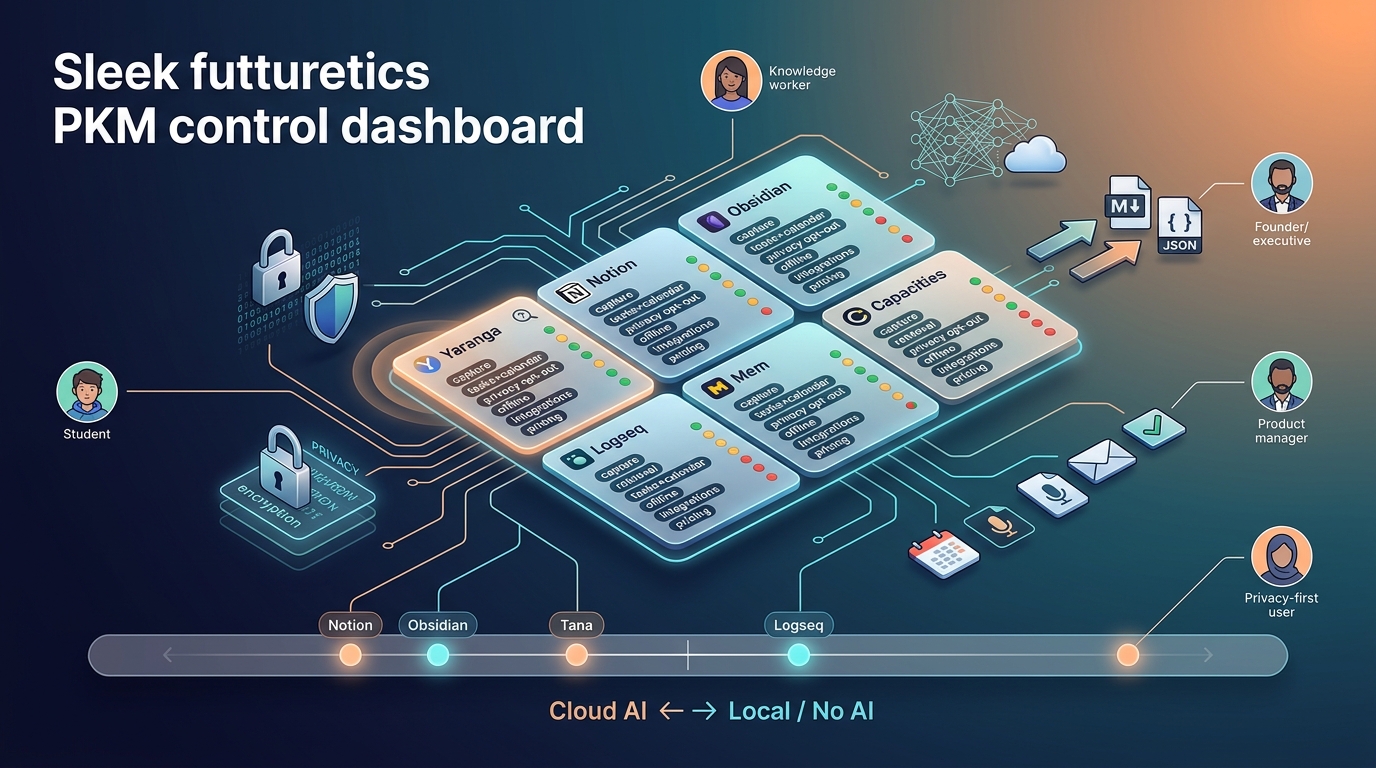
Every tool in this comparison falls somewhere on a spectrum between cloud-dependent AI (more capable, less private) and local-only operation (more private, fewer AI features). No tool in 2026 offers both state-of-the-art AI and verified zero-data-exposure simultaneously.
Cloud AI tools: Notion, Tana, Mem, Capacities. AI inference runs on third-party LLMs (OpenAI, Anthropic, or similar). Your note content is sent to external servers for processing.
Local/optional AI tools: Obsidian (via plugins like Smart Chat with Ollama for fully local inference, or Copilot which routes to cloud APIs), Logseq (local LLM plugins available).
No AI documented: Anytype has no AI features in its current release.
Hybrid or unclear: Yaranga offers voice transcription and AI task extraction, but the processing location (local device vs. cloud server) is not documented in sources we could verify.
AI Data Handling by Tool
| Tool | AI Inference Location | Opt-Out Available | Notes |
|---|---|---|---|
| Notion | Cloud (OpenAI/Anthropic) | Enterprise-tier opt-out; workspace data processed by default on Free/Plus | Verified via Notion documentation |
| Tana | Cloud (third-party LLMs) | No documented opt-out | Verified |
| Mem | Cloud | No documented opt-out; AI is core to the product | Self-reported |
| Capacities | Cloud | No documented opt-out | Verified |
| Obsidian | Plugin-dependent | Yes, by choosing local-only plugins | Copilot plugin routes to cloud; Smart Chat + Ollama runs fully local |
| Logseq | Plugin-dependent | Yes, by choosing local-only plugins | Verified |
| Anytype | N/A (no AI features) | N/A | Verified |
| Yaranga | Not verified | Not verified | Voice transcription and task extraction processing location unknown |
Obsidian plugin privacy note: The Obsidian ecosystem is not monolithic on privacy. The Copilot plugin sends data to external APIs (Google Gemini, OpenAI). Smart Chat with an Ollama backend keeps all inference local. Users must evaluate each plugin individually.
Privacy Architecture Comparison
| Tool | E2EE | Open-Source | Self-Hostable | Local-First | Third-Party Audit |
|---|---|---|---|---|---|
| Anytype | Yes (2-layer AES + BIP-39 seed) | Yes | Yes (self-hosted backup nodes) | Yes | No public third-party audit found |
| Obsidian | No (Sync uses E2EE; local vault is unencrypted at rest) | No | No | Yes (local vault) | No |
| Logseq | No | Yes | No | Yes | No |
| Notion | No | No | No | No | SOC 2 Type II (verified) |
| Tana | No | No | No | No | No public audit found |
| Mem | No | No | No | No | No public audit found |
| Capacities | No | No | No | No | No public audit found |
| Yaranga | Not verified | No | Not verified | Not verified | Not verified |
Anytype's security model in detail: Anytype uses a 2-layer encryption approach with AES for data objects and a BIP-39 mnemonic seed phrase for key generation. The system claims zero-knowledge architecture, meaning Anytype's servers cannot read user data. Backup nodes store encrypted data for cross-device sync. The trust boundary worth examining: you must trust that the backup node implementation correctly enforces zero-knowledge guarantees, which has not been validated by a public third-party security audit.
Common confusion we want to address:
- "Local-first" does not mean "data never leaves your device." Anytype syncs encrypted data through backup nodes. Obsidian Sync transmits encrypted notes to Obsidian's servers. Local-first means the primary copy lives on your device and the app works without a network connection.
- "Encrypted sync" and "E2EE at rest" are different properties. Obsidian Sync encrypts data in transit and on their servers, but your local vault sits as unencrypted Markdown files.
Historical precedent for cloud-only risk: In 2013, Evernote announced a policy change that would have granted employees access to user notes for machine learning purposes. Public backlash reversed the decision, but it demonstrated that cloud-only storage places long-term data control in the vendor's hands.
Usability and Onboarding: Time to First Useful System
How long does it take to go from "I just installed this" to "I'm actually capturing and retrieving notes productively"? The following estimates are based on user community reports and onboarding documentation, not controlled studies.
| Tool | Estimated Time to First Useful System | Source |
|---|---|---|
| Capacities | ~1 week | Community reports, onboarding flow design |
| Yaranga | Claimed "zero learning curve" | Self-reported (vendor marketing) |
| Mem | Claimed minimal setup | Self-reported |
| Notion | 1-2 weeks for basic use; longer for databases | Community consensus |
| Obsidian | 2-3 weeks for advanced workflows (plugins, templates, linking habits) | Community consensus |
| Tana | 2-3 weeks (supertag design, workflow configuration) | Community consensus |
| Logseq | 1-2 weeks (outliner paradigm adjustment) | Community consensus |
| Anytype | 1-2 weeks (object/type model learning) | Community reports |
Tools that claim "zero learning curve" tend to offer faster initial capture but fewer customization options for complex workflows. This is a legitimate tradeoff, not a flaw. If your primary bottleneck is capture (getting thoughts into a system at all), low setup friction is a feature. If your bottleneck is retrieval or structured project management, investing 2-3 weeks in Obsidian or Tana may yield a more capable long-term system.
Who should avoid high-setup tools: Users who have abandoned multiple PKM tools in the past due to setup fatigue. The most capable system you stop using after two weeks provides zero value.
Who benefits from investing the time: Users with established workflows who need query-based retrieval, complex tagging schemas, or plugin-driven automation.
Notes-to-Action Workflow: Tasks, Calendar, and Meeting Capture
The gap between "I wrote something down" and "I acted on it" is where most PKM systems fail. We evaluated how each tool handles the capture-to-action pipeline.
Native Task Management
- Notion: Database-driven tasks with views (Kanban, timeline, calendar), formulas, rollups, and automations. The most flexible task system in this comparison, but requires configuration. (Verified)
- Yaranga: Inline checkboxes within notes that auto-aggregate into task views (Today, No Date, per-project). Tasks link back to their source note. Importance-based prioritization (Important/Regular). (Self-reported, consistent with vendor documentation)
- Capacities: To-do objects within daily notes. Functional but less structured than Notion's database approach. (Verified)
Plugin-Dependent Tasks
- Obsidian: The Tasks community plugin enables due dates, recurring tasks, and query-based task views. Powerful but requires plugin setup and maintenance. (Verified)
- Logseq: Built-in TODO/DOING/DONE states with query blocks for task aggregation. Less polished than dedicated task managers. (Verified)
Calendar Integration Depth
- Yaranga Meeting Note-Taking Pro: Connects to Google Calendar, displays events inline with tasks and notes, supports linked meeting notes per calendar event, and groups recurring events into project folders. (Self-reported, consistent with vendor documentation)
- Notion: Calendar database views; no native external calendar sync without third-party integrations. (Verified)
- Obsidian: Plugin-dependent (Day Planner, Full Calendar plugin). Functional but requires setup. (Verified)
Capture Channel Breadth
| Tool | Email Forwarding | Web Clipper | Messaging Apps | Voice Notes |
|---|---|---|---|---|
| Yaranga | Yes | Not documented | WhatsApp, Telegram | Yes (AI transcription) |
| Notion | Yes (via email-to-page) | Yes (official) | No native | No native |
| Obsidian | Plugin-dependent | Plugin-dependent | No native | Plugin-dependent |
| Tana | Via Tana Input API | Via Tana Input API | No native | No native |
| Logseq | No native | No native | No native | No native |
| Mem | Yes | Yes | No documented | No documented |
| Capacities | No documented | Yes | No native | No native |
| Anytype | No native | Community clipper | No native | No native |
Yaranga's capture channel breadth (email, WhatsApp, Telegram, voice) is notably wider than other tools in this comparison, though this is based on vendor documentation. The gap matters most for users whose ideas arrive outside a desktop browser, such as during conversations, commutes, or calls.
Where tools commonly break down in the capture-to-action pipeline:
- Capture but no task extraction: Obsidian, Logseq, Anytype. You capture the note but must manually create and track tasks.
- Tasks but no calendar context: Tana, Logseq, Anytype. Tasks exist but are disconnected from your schedule.
- Calendar but no meeting-note link: Notion (without third-party tools). You see events but creating linked meeting notes requires manual setup.
Who Should Use What: 5 Persona Recommendations
Student
Priority: Free or low-cost, mobile access, quick capture, offline study capability.
Strongest fits:
- Logseq — Free, open-source, flashcard system built-in (spaced repetition via the Flashcards plugin), fully offline, Markdown files. Limitation: mobile app is less polished than desktop; no cloud sync without manual setup (git-based).
- Obsidian — Free core app, portable Markdown, extensive plugin ecosystem, full offline. Limitation: advanced workflows require plugin configuration time.
- Notion — Free personal tier with generous limits, polished mobile app, templates for course notes. Limitation: limited offline mode, AI features require paid plan.
Yaranga as an option: The $5/mo AI tier provides voice capture and task extraction for students who want low-friction input. Free tier covers basic notes and tasks. Limitation: no flashcard system, no independent verification of study-oriented features.
What to avoid for this persona: Tana ($96/yr for meaningful use), Capacities Pro (~$144/yr), and Mem (pricing unclear). These carry costs disproportionate to a student budget without offering proportional advantages for study workflows.
Knowledge Worker
Priority: Meeting notes, task management, calendar integration, AI summaries.
Strongest fits:
- Notion — Databases plus AI for summarization and Q&A across a workspace. Collaborative if working with a team. Over 30 million reported users, meaning extensive community templates and integrations. Limitation: AI processes data in the cloud; meeting-note workflow requires manual setup or third-party tools.
- Yaranga — Meeting-to-task workflow (calendar event linked to note, inline tasks auto-aggregated) addresses the specific pain point of scattered meeting follow-ups. Multi-channel capture (voice, messaging) suits knowledge workers who receive inputs across platforms. Limitation: meeting workflow claims are based on vendor documentation and have not been independently verified.
Counterargument: Knowledge workers who need E2EE and AI summaries face a genuine conflict. No tool in this comparison offers both verified E2EE and cloud-quality AI simultaneously.
Founder or Executive
Priority: Speed of capture, quick retrieval, minimal setup, outputs ready for delegation.
Strongest fits:
- Yaranga — Multi-channel capture (WhatsApp, Telegram, email, voice) with AI transcription. Task auto-extraction means a voice note can become an actionable item without manual processing. (Self-reported; capture speed claims lack published benchmarks.)
- Mem — AI-first retrieval: notes surface based on relevance rather than manual organization. Designed for users who refuse to build folder structures. Limitation: independent data on Mem's retrieval quality is sparse. Pricing transparency is low.
Flag for this persona: Both Yaranga and Mem make strong claims about reducing capture friction, but neither has published benchmarks or independent comparative testing. We recommend a 7-day trial with real data (not sample notes) before committing.
Product Manager
Priority: Project views, task tracking, collaboration with teams, integrations with development and design tools.
Strongest fits:
- Notion — The strongest collaborative PKM tool in this comparison. Shared workspaces, database views (Kanban, timeline, table), a public API with 100+ integrations, and a large template ecosystem. For PMs working with cross-functional teams, Notion's collaboration layer is a differentiator no other tool here matches.
- Heptabase — Spatial canvas for research synthesis combined with Kanban views. Suits PMs who think visually and need to map complex problem spaces. Limitation: no free tier, smaller integration ecosystem.
Yaranga Project View works as a lighter alternative for individual PMs who need project-level note and task organization without team collaboration. Limitation: no shared workspaces, no Kanban views, no third-party integrations documented beyond Google Calendar and messaging apps.
Weaker options for this persona: Obsidian, Logseq, and Anytype lack native team collaboration features. Building a collaborative PM workflow in these tools requires significant workarounds.
Privacy-First User
Priority: E2EE, local-first architecture, open-source code, no cloud AI processing, data portability.
Strongest fits:
- Anytype — 2-layer AES encryption, BIP-39 seed phrase, open-source, self-hostable backup nodes, P2P sync, zero-knowledge architecture claimed. Currently the strongest privacy-architecture option in this comparison. Limitation: still in beta, future pricing is unannounced, export format is not standard Markdown, and no public third-party security audit exists.
- Obsidian with local LLM plugins — Local vault (your files on your device), paired with Smart Chat + Ollama for fully local AI inference. No data leaves your machine if you avoid cloud-dependent plugins and Obsidian Sync. Limitation: Obsidian's core app is not open-source.
- Logseq — Open-source, local-first, community-governed. No native sync (requires git or third-party solutions). Limitation: mobile experience is less mature.
Yaranga cannot be recommended in this category. Its encryption status, data processing locations, and privacy architecture are not documented in any verifiable public source. This is not an accusation of poor privacy practices; it is an acknowledgment that we cannot evaluate what is not documented.
Counterargument to Anytype: The zero-knowledge claim and encryption architecture are promising, but unaudited. Users with high-stakes privacy requirements (journalists, activists, legal professionals) should treat Anytype's claims as credible-but-unverified until a third-party audit is published.
Where Yaranga Fits: Unified Notes, Tasks, and Meeting-to-Action Workflow
Yaranga's core value proposition is combining notes and tasks in a single surface. Inline checkboxes within notes auto-populate task views (Today, Upcoming, per-project), and meeting notes link directly to Google Calendar events. This addresses the specific workflow gap identified in our Notes-to-Action section: the disconnect between capturing information and acting on it.
Capture channels: Email forwarding, WhatsApp integration, Telegram bot, and voice notes with AI transcription. This is the broadest capture channel set in the comparison, though it is based on vendor documentation.
Pricing position: Free tier for basic notes and tasks. $100 lifetime deal for core features. $5/mo for AI features (voice transcription, task extraction). This is lower than Notion AI at $10/mo included in Plus, Tana Builder at $8/mo, or Capacities Pro at ~$12/mo.
Honest limitations we want to state clearly:
- No independent rankings or third-party reviews include Yaranga in PKM comparisons.
- Privacy architecture (encryption, data processing location, AI inference routing) is unverified.
- Plugin or extension ecosystem is not documented.
- User base size is undisclosed.
- Export format and data portability are unknown.
Best-fit scenario: Yaranga fits users who want a single tool for personal capture-to-action without building a system from scratch. If your bottleneck is that ideas arrive across multiple channels (voice, chat, email) and get lost before becoming tasks, Yaranga's multi-channel capture and auto-task-extraction address that specific problem. If your priority is privacy, advanced querying, team collaboration, or deep customization, other tools in this comparison are stronger choices.
FAQ: High-Friction Questions Before Choosing a PKM Tool
What is a PKM app and how does it differ from a note-taking app?
A note-taking app stores text. A PKM app manages the full cycle: capturing information from multiple sources, organizing it for retrieval, linking related knowledge, and converting insights into action (tasks, decisions, outputs). The distinction matters because a tool optimized for storage may create friction at capture, retrieval, or execution stages.
Which PKM app has the strongest privacy guarantees in 2026?
Based on documented architecture, Anytype offers the most comprehensive privacy model: E2EE, open-source, self-hostable, zero-knowledge sync. However, "strongest" carries a caveat. No public third-party audit exists for Anytype. Obsidian with a local vault and local-only plugins offers strong practical privacy (your data stays on your filesystem), though the core app is not open-source. No tool in this comparison has both verified E2EE and a completed independent security audit.
Is Anytype safe for sensitive data?
Anytype's architecture (2-layer AES, BIP-39 key generation, zero-knowledge claim) is designed for sensitive data, and the open-source codebase allows community inspection. The risk factors: beta status means potential bugs, no third-party security audit has been published, and future pricing is unknown. For moderate-sensitivity personal data, Anytype's model appears sound. For high-stakes data (legal, medical, journalistic), we recommend waiting for an independent audit or running a self-hosted backup node.
Can I use a PKM app with AI features while keeping data local?
Yes, with constraints. Obsidian's Smart Chat plugin paired with Ollama runs LLM inference entirely on your local machine. Logseq supports local LLM plugins similarly. The tradeoff: local models require meaningful hardware (8GB+ RAM recommended for useful model sizes) and produce lower-quality outputs than cloud-hosted models like GPT-4 or Claude. No tool offers cloud-quality AI with verified zero-data-exposure.
What is the real cost of each tool when AI and sync are included?
See the Pricing Sub-Table above. Summary: Logseq is $0 (fully free, open-source). Obsidian is $48/yr with Sync, $0 without. Notion is $96/yr with AI included. Tana is $96/yr. Yaranga is $60/yr for AI after a one-time $100 payment. Capacities is approximately $144/yr. Anytype is free during beta with future pricing unknown. Mem's pricing is undisclosed.
How do I migrate from Notion to Obsidian, Anytype, or Yaranga?
Notion to Obsidian: Export Notion workspace as Markdown + CSV. Use community tools (e.g., notion-to-obsidian converter) to clean up formatting. Expect data loss in relational databases, rollups, and formula fields. Simple pages migrate cleanly; complex databases do not.
Notion to Anytype: No established migration path. Manual recreation of content is currently required. Anytype's import tools are in development.
Notion to Yaranga: No documented migration path or import tool. Yaranga's import capabilities are not publicly documented.
In all cases, test the migration with a subset of your data before committing to a full export.
The One Evaluation Step Most People Skip
Before trialing any tool, identify your primary workflow bottleneck. Is it capture (ideas get lost before entering any system), retrieval (you have notes but cannot find them when needed), task execution (information exists but does not convert into action), or privacy compliance (you need verifiable data control)?
Map that bottleneck to the scoring dimension where tools diverge most. If retrieval is your bottleneck, AI quality and note linking matter more than pricing or capture speed. If capture is the bottleneck, channel breadth and input friction matter more than graph views or query languages.
Run a 7-day test with real data. Sample notes and tutorial content do not expose the friction points that matter. Use the tool for actual meeting notes, actual tasks, actual research. Measure whether the tool reduces friction at your specific bottleneck.
Revisit the privacy column only after confirming workflow fit. This is not because privacy is unimportant. It is because the most secure tool you abandon after two weeks provides zero protection for your data, which will end up in whatever less-secure tool you actually use.
Useful materials
- Personal Knowledge Management (PKM) - MGH Guides (Mass General Hospital / Harvard-affiliated library guide)
- Personal Knowledge Management Guide (Tango) – Applying CODE to Operational Workflows
- Project Manager's Guidebook (FAI)
- Fall Seven Times, Stand Up Eight: Linking Project Management Innovation with Project Success and Project Governance as Moderator (PMC)
- The State of AI Cybersecurity 2026 – The Attack Surface (Darktrace)
- Operationalizing LLMs – Society of Actuaries research report
- Authoritative DNS Servers Explained (CloudNS)
- Anytype Sync – Overview of AnySync protocol and encrypted backup model
- Anytype for Business — Sovereign workspace, now for teams
- Tools for Writers: Moving from Logseq to Obsidian (Bowen Dwelle)
- Recommended Hardware for Running LLMs Locally (GeeksforGeeks)
Ready to conquer your chaos?
Join others who have simplified their tasks and notes with Yaranga.
Get Started for Free