AI Weekly Review: 8 Steps From Notes to Action
Turn one week of captured notes into verified next actions, concise project updates, recorded decisions, actionable briefs, and recurring themes in a 30–45mins.

The fix is a fixed weekly review loop where AI does the rough cuts and you keep the judgment: a 30-to-45-minute session, run once a week, that turns recent captures into five concrete outputs. Below is the full eight-step workflow, the one-time setup, the exact prompts, a copyable template, and the evidence for why the human checkpoints stay non-negotiable.
Most of us capture far more than we process. Voice memos pile up, meeting notes go cold, and the daily note from three weeks ago still holds a commitment nobody acted on. The capture habit is solved; the conversion habit is not. Every unreviewed note is a decision you made once and then forgot, a follow-up that quietly became a broken promise, a project update you reconstruct from scratch under deadline pressure. A second inbox you never clear is worse than no inbox at all.
What an AI PKM Weekly Review Actually Produces
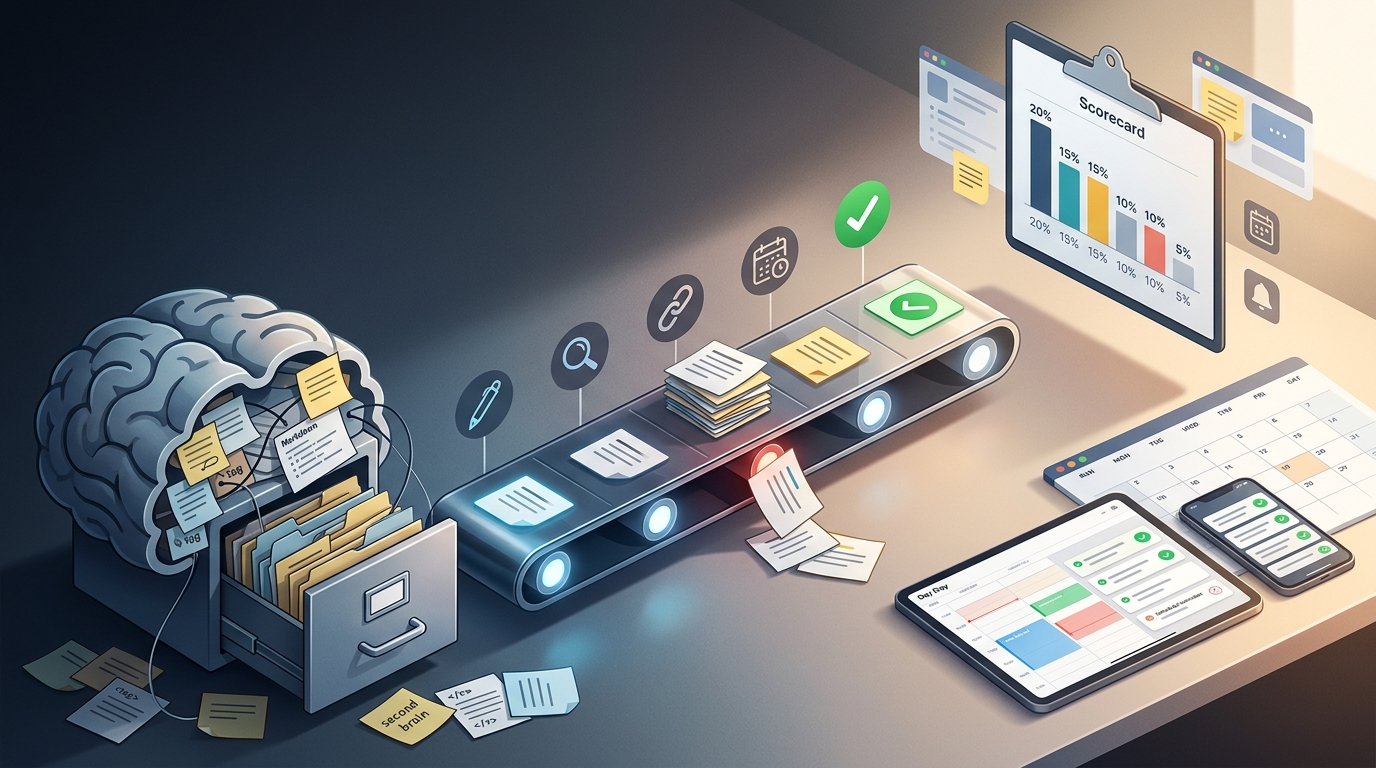
The review is a fixed 30-to-45-minute session, run once a week, that takes everything you captured recently and turns it into five concrete outputs: the next actions hiding inside your notes, updates on each active project, the decisions you made and need to record, briefs you can act on or forward, and the recurring themes that only show up when you look at a week of notes together.
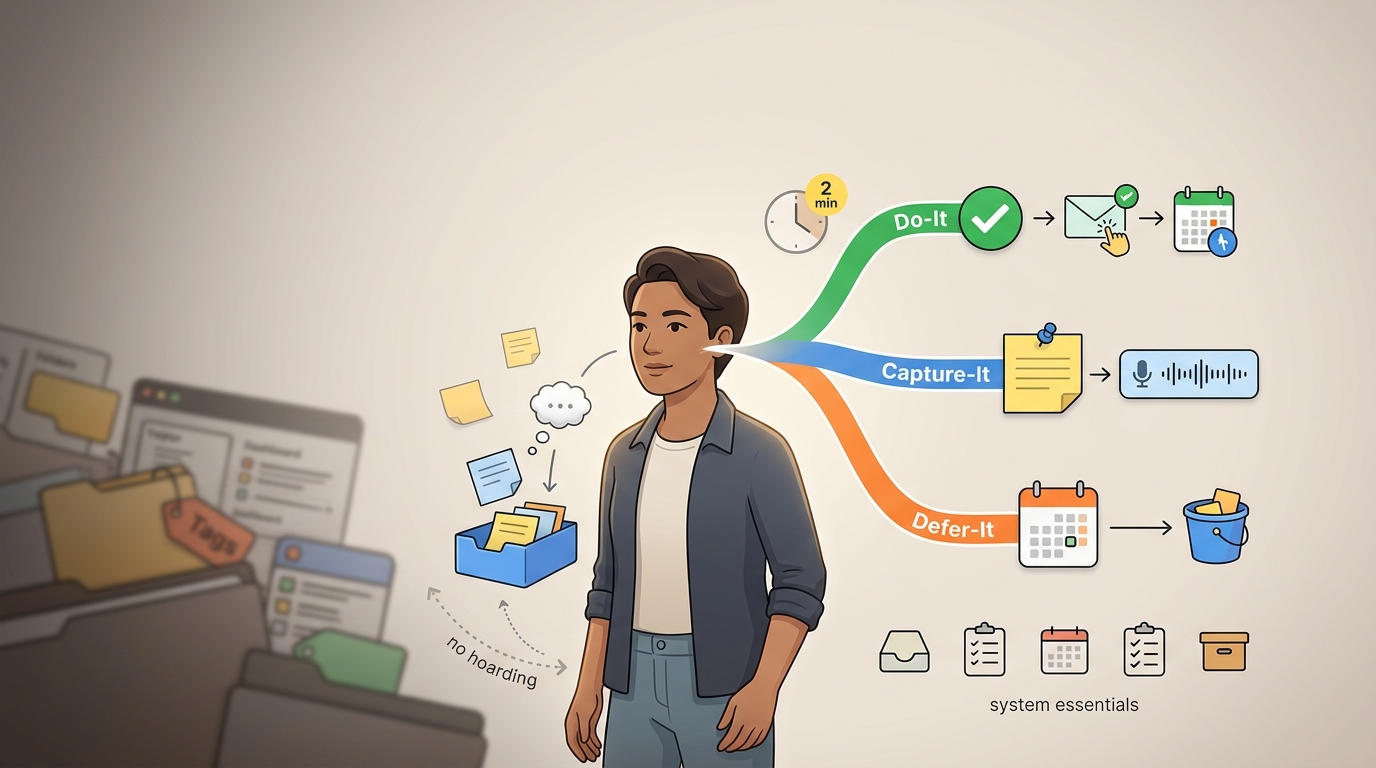
The design constraint we operate under is simple and worth stating before any prompt: AI sits around the review doing the rough cuts and the grunt work, while the human does the deciding and the connecting. AI groups notes, drafts a summary, and flags a suspected duplicate. You decide what matters, you catch the commitment AI invented, and you choose what enters next week. We hold this boundary because when it slips, the whole thing degrades.
This structure exists to avoid one specific failure mode: building a second inbox or a tagging system that quietly becomes a maintenance tax you stop paying. A review loop that produces outputs you act on stays alive. A taxonomy you have to groom every week tends to die from neglect.
You know the session worked when you can point to all five outputs:
- Next actions are sitting in your task manager with an owner, pulled out of note prose.
- Project updates tell you the current state of each active project in a few lines.
- Decisions are written down where you'll find them, separated from the discussion that produced them.
- Briefs exist for the handful of items you'll actually act on, verified against their source notes.
- Themes name the patterns that recurred across the week, the thing you kept circling back to without noticing.
Before You Start: One-Time Setup (15 Minutes, Done Once)
This is a one-time, fifteen-minute setup. Do it once and the weekly session starts clean every time.
First, list every place a note can land in your system. For most people that includes daily notes, meeting notes, voice memos, web clips, and whatever quick-capture app catches the thought before it's gone (a message to yourself on WhatsApp or Telegram counts here). Write the list down. If a source isn't on the list, it won't get gathered during the review, and the orphaned note becomes the one that bites you later.
Second, pick the AI surface you'll paste into or query. That's a chat assistant like ChatGPT, Claude, or Gemini, or the AI built into your notes app. The workflow runs the same regardless of which you choose, because every step here is a paste-in prompt that returns a list for you to confirm. Pick one and stay with it so you're not relearning the interface each week.
Our rule on what you paste: before any note goes into an external AI tool, redact or skip anything sensitive (Spellbook). Confidential client and customer data, regulated information (medical, legal, financial), credentials, and anything under an NDA should not go into a public chat assistant unless your privacy requirements are explicitly satisfied. Where you handle regulated or confidential material, use an enterprise or private AI surface that's been approved for it, or run the clustering and extraction steps manually on those notes. The convenience of pasting a week of notes is not worth leaking a single line that shouldn't leave your control.
Third, put a recurring block on your calendar and treat it as a fixed commitment, not a suggestion. Three slots work well in practice: Sunday evening, when the week ahead is still open; Friday afternoon, when this week's context is fresh; or Monday morning, before the inbox fills up. An unscheduled review gets skipped because nothing protects the time, and a review that happens every third week is just gathering, never converting.
Fourth, decide where processed notes go to rest. Pick one archive destination, a folder, a tag, or a single archive note, so that when you finish, the keepers have a home and the gather step next week only sees what's new.
Step 1: Gather Recent Captures Into One Place
Pull every note you created or edited since the last review into one scratch document or one query view. The goal is a single surface you can scroll instead of a hunt across five apps mid-session.
If your archive is large, scope strictly by date range so it covers the last seven days rather than the whole vault. A review that tries to reconcile your entire note history isn't a weekly review, it's a migration project, and it won't finish in 45 minutes. Bound the input and the session stays bounded.
There's a shortcut that roughly halves this step. If you spend 10 to 15 minutes at the end of each workday dumping the day's loose threads into one place, the weekly gather becomes a quick consolidation instead of an archaeology dig. Daily triage during the week buys you a faster review on the weekend.
Before any AI touches the set, confirm it's complete. Walk your source list from setup and check each one. This checkpoint matters because a missing source is invisible later: AI can only cluster and extract from what you hand it, and it has no way to tell you that the voice memo from Tuesday never made it in (Google Cloud).
Step 2: Clean and Deduplicate (Human Pass, AI Assists)
Start with a fast manual skim. Delete the obvious junk, the half-thoughts that went nowhere, the duplicate web clip, and merge near-duplicates where two notes clearly capture the same thing. This takes a few minutes and removes the noise that would otherwise pollute clustering.
You can have AI assist by flagging suspected duplicates and low-value fragments, but it returns a list for you to approve or reject, never an auto-deletion. We keep the human on the approval here because a wrong deletion is both costly and invisible: once the note is gone, you won't know AI killed the one line that mattered, and there's no error message for a thought you can no longer remember having.
Here's a prompt pattern that returns a list to confirm:
Below are my recent notes, each with an ID. Identify suspected
duplicates and low-value fragments. Return a numbered list: for
each, give the note IDs, why you flagged it, and a recommendation
(merge / delete / keep). Do not rewrite or remove anything. I will
decide.

[paste notes]
Step 3: Cluster Notes by Project, Topic, and Priority
Paste the cleaned set and ask AI to group the notes into themed clusters with short labels. This is where a wall of unrelated captures becomes a handful of named piles you can reason about.
There's a practical threshold. Below roughly ten notes, group by hand, because reading ten notes and sorting them yourself is faster than writing a prompt and checking the output. AI clustering earns its place above that count, where manual sorting starts to feel like work.
Set expectations on accuracy before you run it. Clustering is non-deterministic, so two runs on the same notes will differ, and some clusters will be wrong or mixed (Yin et al.). That's normal, not a malfunction. Treat the output as a first draft of an organization rather than a verdict.
The review checkpoint here is mandatory. Inspect the clusters before you act on them: move the misfiled note into the right group, accept the clusters that hold together, discard the ones that don't, and ask AI to split a cluster that's doing too much or merge two that are really one. Five minutes of correction here saves you from extracting actions out of a garbled grouping later.
[Screenshot placeholder: a clustered-note output, showing four labeled groups with note IDs listed under each and one "Unclustered" catch-all.]
A clustering prompt that behaves:
Group these notes into themed clusters. Rules:
- Label each cluster in seven words or fewer.
- Use my exact wording for project names and segment names; do
  not paraphrase or invent new terms.
- List the note IDs under each cluster.
- Put anything that doesn't fit into an "Unclustered" group rather
  than forcing it.

[paste cleaned notes]
For a dense archive, a few dozen or more connected notes, clustering stops being cleanup and starts surfacing real recurring patterns. This is the point where themes become an actual output of the review, when you notice the topic you touched in four separate meetings, the question that kept reappearing, and the project that's quietly absorbing more notes than any other.
Step 4: Extract Next Actions and Decisions
Ask AI for structured output across the whole cluster set: every task with an owner, every decision that was made, and every open question that's still hanging. This is the step that turns notes into something your week can use.
This is the gap most tools never close. Capturing notes is easy and well-served; converting that prose into a structured list of tasks and recorded decisions is the hard part, and it's the part that determines whether your notes are an asset or an archive nobody reads.
Here's a before/after from our own meeting-notes review. The raw note, captured live, read: "Pricing call: Sarah pushed back on the annual tier, says enterprise prospects want monthly. We left it that someone would pull churn data by Friday. Devon mentioned the onboarding email is still broken." After Step 4, that single paragraph produced one decision (revisit annual-vs-monthly for enterprise), one action with an owner and a date (pull churn data, owner unassigned, due Friday), and one open question flagged separately (is the broken onboarding email a known issue or new?). The prose had three actionable items tangled together; the extraction pulled them apart so each could be owned, scheduled, or answered.
Then verify each extracted action against reality, because AI invents commitments that were never made (NTIA). It will read "we should probably look at the pricing page" and hand you a task with an owner and an implied deadline. You were the one in the room, so you're the one who knows whether that was a decision or an aside. Check the list before any of it becomes a task.
A task-extraction prompt that returns a verifiable table:
From the notes below, extract three tables.
Table 1 — Actions: columns = action, source note ID, proposed owner.
Table 2 — Decisions: columns = decision, source note ID.
Table 3 — Open questions: columns = question, source note ID.
Only include items explicitly stated in the notes. Do not infer
commitments. If an owner isn't stated, write "unassigned."

[paste clustered notes]
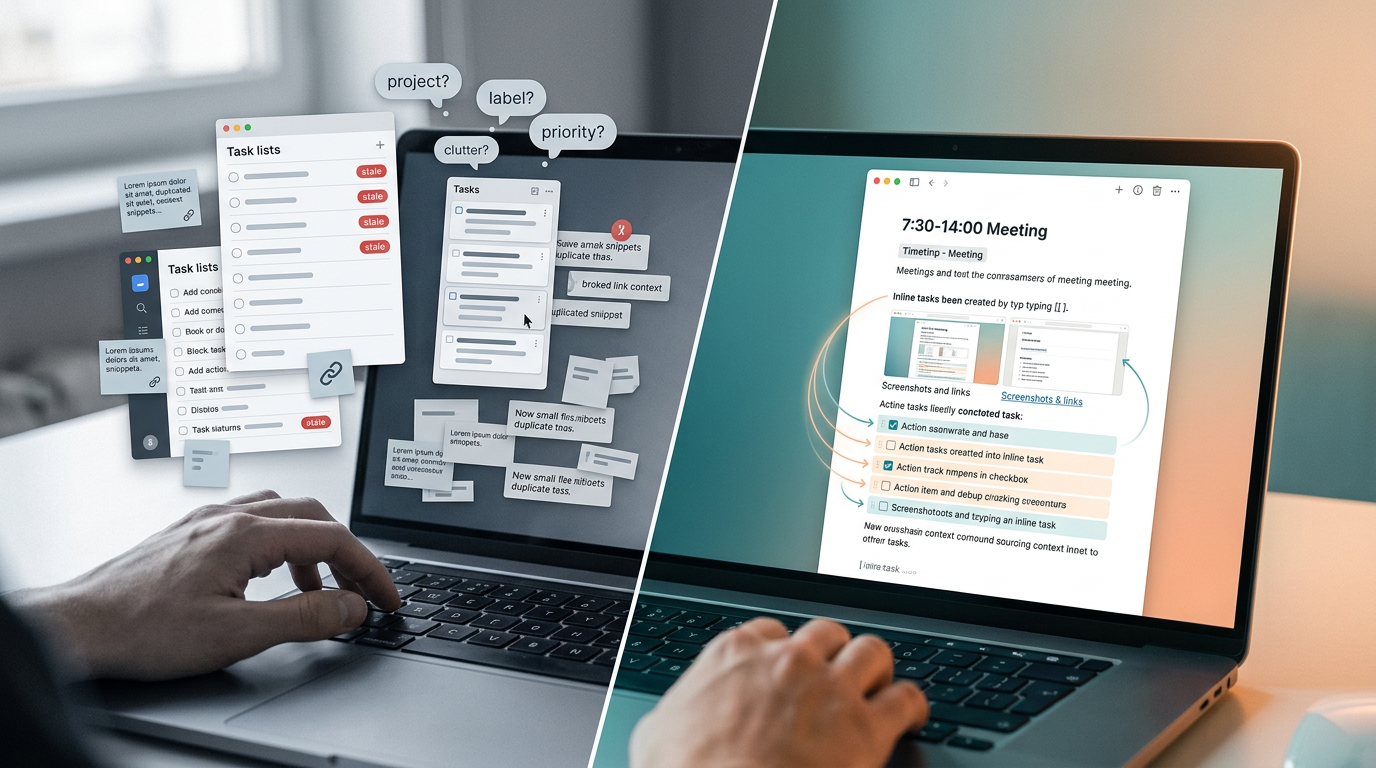
The verified actions go into your task manager or project list, where they live next to context and a date. They do not go back into the note pile, which is exactly where they got stuck in the first place. In a tool where tasks live inside notes, this is where each action keeps a link back to the note it came from, so the context follows the task.
Step 5: Surface Stale and Waiting-For Commitments
Ask AI to flag commitments that appear in older notes but never produced a follow-up or a completion. These are the things you said you'd do, that nobody chased, and that have been quietly aging into broken promises.
Map each one to the waiting-for and someday/maybe distinction from GTD, then force a decision on it: do it now, defer it with a date, delegate it to someone, or drop it outright. A stale item with no decision attached just rolls forward to next week's review and the week after that.
The pattern this catches is real and common: hundreds of unexecuted meeting tasks sitting in notes with no review loop to ever surface them. Picture an approval-gated assistant that drafts the follow-up email for each stale commitment and queues it for you, so the bot does the drafting and you do the sending. The drafting is the grunt work; the decision to send stays with you.
The checkpoint holds the same line as everywhere else: the human decides the fate of each stale item, and AI only surfaces it and drafts the response.
A stale-commitment prompt:
Scan these older notes for commitments, promises, or "I'll do X"
statements that have no corresponding completion or follow-up
elsewhere in the set. Return a list: the commitment, the source
note ID, how old it is, and a suggested category (waiting-for /
someday-maybe). Recommend do / defer / delegate / drop, but mark
each as "needs my decision."

[paste older notes]
Step 6: Generate Project and Meeting Briefs
Use long-context summarization to turn a cluster into a project update or a meeting brief. This is the step where a pile of scattered notes becomes something you can forward to a teammate or read before a call.
A usable brief has to contain four things:
- Current state: where the project or topic stands right now.
- Open decisions: what still needs a call and who needs to make it.
- Blockers: what's stopping progress.
- Next actions: what happens next, with owners.
There's a hidden cost here, and it's worth stating plainly. To trust an AI brief, you have to verify its claims against the original notes and rewrite the parts it got wrong, and that verification can eat the time the summary saved you (Addy Osmani). So reserve full briefs for items you'll actually act on or forward. A brief nobody reads is the most expensive output in this whole workflow, because it costs the AI's time plus yours and returns nothing.
A brief-generation prompt:
Write a brief from this cluster. Structure it as four sections:
Current State, Open Decisions, Blockers, Next Actions. Cite the
source note ID after each claim so I can verify it. Keep it under
250 words. Do not add recommendations that aren't supported by
the notes.

[paste cluster]
A project-update prompt, for the shorter recurring case:
Write a status update for [project] from these notes: 3-5 bullets
on what moved, 1-2 bullets on what's blocked, and the single most
important next action. Cite note IDs. No filler.

[paste project cluster]
Read the brief against the source cluster before you forward or file it. The citation IDs make this fast: spot-check claims against the notes they point to, and you'll know quickly whether the brief is trustworthy or fabricated.
Step 7: Choose Next Week's Actions (Not Delegated to AI)
This step stays fully human. You take the extracted action list and decide what actually enters the coming week. AI handed you the inventory; you do the picking.
Apply the hard-landscape-versus-soft-landscape distinction. The hard landscape is the fixed, time-specific commitments: the meeting at 2pm, the deadline on Thursday, the call that can't move. The soft landscape is the protected priority blocks you carve out for the work that matters but has no external deadline forcing it (Cal Newport). Both go on the calendar, but you treat them differently.
We never let AI prioritize here because prioritization is judgment, and the cognitive work of deciding what matters is the part you can't outsource without losing the value of having done the review at all. If a machine picks your week, you arrive at Monday with a list you don't believe in.
The output is a short committed list for the week, deliberately short, plus the protected blocks scheduled on the calendar. Marking the two or three items that truly move the needle as important, so they stay pinned above the noise, is the mechanism that keeps the committed list from quietly inflating back into a backlog.
Step 8: Archive and Link to Close the Loop
Move the processed captures to the archive destination you set up, and link the keepers to their project or theme so they're findable when the project comes back around.
Then run the trust test to confirm you're done: can you answer yes to the question, "do I trust my calendar and task manager for the week ahead?" If yes, the review worked. If you still feel a nagging sense that something's unaccounted for, a commitment or a decision is still sitting unprocessed somewhere, and you're not finished.
Close to inbox zero so next week's gather starts clean. An empty inbox at the end of the session is what makes the following week's Step 1 a quick consolidation instead of another excavation.
As a starting allocation (adjust to your own pace, not a rule), we split the 30-to-45-minute loop roughly this way: a few minutes each on gathering and archiving, a bit more on cleaning and clustering, and the largest share on extraction and briefs, since those are where the judgment work concentrates. The setup is a separate one-time 15 minutes, and the daily 10-to-15-minute triage habit shrinks the gather step further.
Copy/Paste Prompt Pack and Weekly Review Template
Every prompt from the steps above, in one block:
# DUPLICATE FLAG
Below are my recent notes, each with an ID. Identify suspected
duplicates and low-value fragments. Return a numbered list with
note IDs, reason, and recommendation (merge/delete/keep). Do not
remove anything. I will decide.

# CLUSTER AND LABEL
Group these notes into themed clusters. Label each in seven words
or fewer. Use my exact wording for project and segment names. List
note IDs under each cluster. Put non-fitting notes in "Unclustered."

# TASK EXTRACTION
Extract three tables. Actions: action, source note ID, proposed
owner. Decisions: decision, source note ID. Open questions:
question, source note ID. Only explicitly stated items. Mark
missing owners "unassigned."

# STALE-COMMITMENT FLAG
Scan older notes for commitments with no completion or follow-up.
Return: commitment, source note ID, age, category
(waiting-for/someday-maybe), recommendation (do/defer/delegate/
drop), all marked "needs my decision."

# BRIEF GENERATION
Write a brief: Current State, Open Decisions, Blockers, Next
Actions. Cite source note IDs. Under 250 words. No unsupported
recommendations.

# PROJECT UPDATE
Status update for [project]: 3-5 bullets on what moved, 1-2 on
blockers, the single most important next action. Cite note IDs.

# WEEKLY PLANNING
Here is my verified action list and my fixed calendar commitments.
List the hard-landscape items (time-specific) separately from
candidate soft-landscape blocks. Do not prioritize for me; just
organize so I can choose.
A copyable weekly review template:
# Weekly Review — [date]

## 1. Gather
- Sources checked: [ ] daily notes [ ] meetings [ ] voice memos
  [ ] web clips [ ] quick-capture
- Set complete? (y/n)

## 2. Clean
- Manual skim done
- AI duplicate list reviewed

## 3. Cluster
- Clusters inspected and corrected
- Themes noticed this week:

## 4. Extract
- Actions → task manager
- Decisions recorded:
- Open questions:

## 5. Stale items
- Flagged commitments decided (do/defer/delegate/drop)

## 6. Briefs
- Briefs generated (act-on items only) + verified

## 7. Prioritize
- Committed list for the week:
- Protected blocks scheduled

## 8. Archive
- Processed notes archived + linked
- Inbox at zero
- Trust test: do I trust my calendar + tasks? (y/n)
[Screenshot placeholder: the weekly review template rendered with checkboxes ticked through a completed Sunday-evening session.]
Mapped to the GTD phases, the same eight steps fall into four buckets:
- Get Clear: Steps 1 and 2: gather everything, clear the junk.
- Get Current covers steps 3, 4, and 5: cluster, extract, and surface what's stale; Get Creative covers step 6: generate the briefs and updates; and Next Actions covers steps 7 and 8: choose the week and close the loop. The template adapts to whatever you run. In Obsidian, drop it into a weekly note and use the daily notes as your Step 1 gather source. In Notion, make each section a database view filtered to the last seven days, so the gather is a saved filter rather than a manual pull. In Logseq, the journal blocks become your captures, and the review note links back to them. If your notes app already turns prose into tasks and links each task back to its source note, Steps 4 and 8 partly run themselves, and your job shrinks to verification.
Why Human Checkpoints Are Non-Negotiable (The Evidence)
The reason every step above puts a human at the decision point traces back to a finding about how memory works. In studies of the generation effect, people who actively generated an answer outperformed those who merely read it: on one measure, a 87% hit rate for generating versus 65% for reading, and on confident recollection, 74% versus 42% (Slamecka & Graf). The act of reformulating, of producing the answer yourself, is what builds retention.
The honest caveat: that study used a short retention interval, simple word pairs, and young adults, and it's strong on immediate recognition rather than a claim about long-term transfer to complex material. We're not overselling it. It points in a direction; it doesn't prove your weekly review will make you a genius.
The practical counter-argument matters more than the study. An AI-generated evergreen note can look perfect on the first run, polished, well-structured, complete, while you learn nothing from it, because you never did the work of connecting the ideas. The same shows up with flashcards: self-created cards tend to beat AI-generated ones, because writing the card is the part that does the teaching.
So we keep our claims about AI-and-learning narrow. The available case data on AI in knowledge work measures perceived helpfulness and engagement, not exam scores or retention. We therefore attribute AI's value in this workflow to what it provably does well, brainstorming, clustering, drafting, and rough cuts, and not to learning outcomes. The clustering and the extraction save you time. The deciding and the connecting are what you keep, and that's exactly the part we never hand to the model.
Running This Workflow Without Switching Apps or Paying More
You don't need a new PKM app to start this. You need a reliable review loop, and the eight steps map onto whatever you already use.
A free setup is one notes app plus a free AI tier, with manual prioritization. You gather in the notes app, paste into the free chat assistant for clustering and extraction, and pick your week by hand. This runs the entire workflow at zero added cost.
A low-cost setup adds one AI assistant subscription so you're not hitting free-tier limits mid-review. If you also want a dedicated task manager for the extracted actions, common options publish per-month figures worth using only as rough reference points, since pricing changes: Todoist charges around $4 for Pro and $6 for Business, while TickTick charges around $2.99 for Premium. Treat those as ballpark, not gospel.
An integrated setup uses a notes app with built-in AI so the clustering and extraction happen in the same place you capture, no copy-paste between tools. An advanced setup chains a notes app, a task manager, and automation between them, so verified actions flow to tasks automatically. The embedding-to-clustering pipeline, where you generate vector embeddings of notes and cluster on similarity, is an optional power-user pattern only; whether it outperforms prompt-based clustering depends entirely on your own archive, so test it against your notes before relying on it, and don't reach for it until plain prompting starts to strain.
One note on meetings: let AI handle the verbatim transcription and the first pass of action-item extraction, because that's mechanical and AI is good at it (TechTarget). Reserve your own attention for the strategic context and the judgment-heavy notes, the read of the room, the unstated objection, the reason behind a decision, which is exactly what a transcript misses and what you'll need later.
Common Mistakes That Break the Loop
- Capturing too much, reviewing too rarely. When the gather step covers three weeks instead of one, the session balloons past 45 minutes and you abandon it. Bound the date range and keep the cadence weekly.
- Asking AI vague questions. A prompt like "organize my notes" returns useless clusters and generic briefs. The prompts above are specific on purpose: they ask you to keep labels under seven words, use your exact project names, and cite source IDs.
- Generating summaries with no next actions. A brief that reads well but produces nothing to do is decoration. Every cluster you process should yield either an action, a decision, or a deliberate drop.
- Over-organizing instead of deciding. Re-tagging and restructuring feels productive and accomplishes nothing. The review's job is to prioritize decision and action over perfecting a taxonomy.
- Trusting AI without the reality check. Accepting extracted commitments without verifying them, or acting on clusters without inspecting them, is how a fabricated task ends up on your calendar. The checkpoints exist for exactly this.
- Treating the review as planning only. If you only schedule next week and skip the inbox clearing, the project updates, and the stale-item pass, the pile keeps growing underneath your tidy-looking plan.
Start With the 15-Minute Version This Week
Don't attempt all eight steps on your first run. Start with a 15-minute mini-review: clear your capture inbox and look at the next two weeks of calendar. That's it. The goal of the first session is completion over thoroughness.
Add one step per week. Bring in clustering next, then action extraction, then briefs, until you've grown into the full 30-to-45-minute loop without ever feeling like you bit off more than the calendar block allowed. A workflow you actually run beats a perfect one you abandon after the first overwhelming Sunday.
Watch one signal above all others: did your captured notes produce at least one acted-on next action this week? A review that surfaces themes and generates briefs but changes nothing you do is the failure mode to fix first, because the entire point of converting notes is to act on them. One real action out of a week of captures means the loop is working, and everything else is refinement from there.
Ready to conquer your chaos?
Join others who have simplified their tasks and notes with Yaranga.
Get Started for Free