The 60-Second Capture That Saves 3.75 Lost Hours Daily
Restart any paused project in under 5 minutes with a 60-second six-field Context-Resume, one-time 10-minute setup, AI cleanup tips and daily 10-minute review.
What a Context Resume Actually Is (and Why Your Task Board Doesn't Capture It)
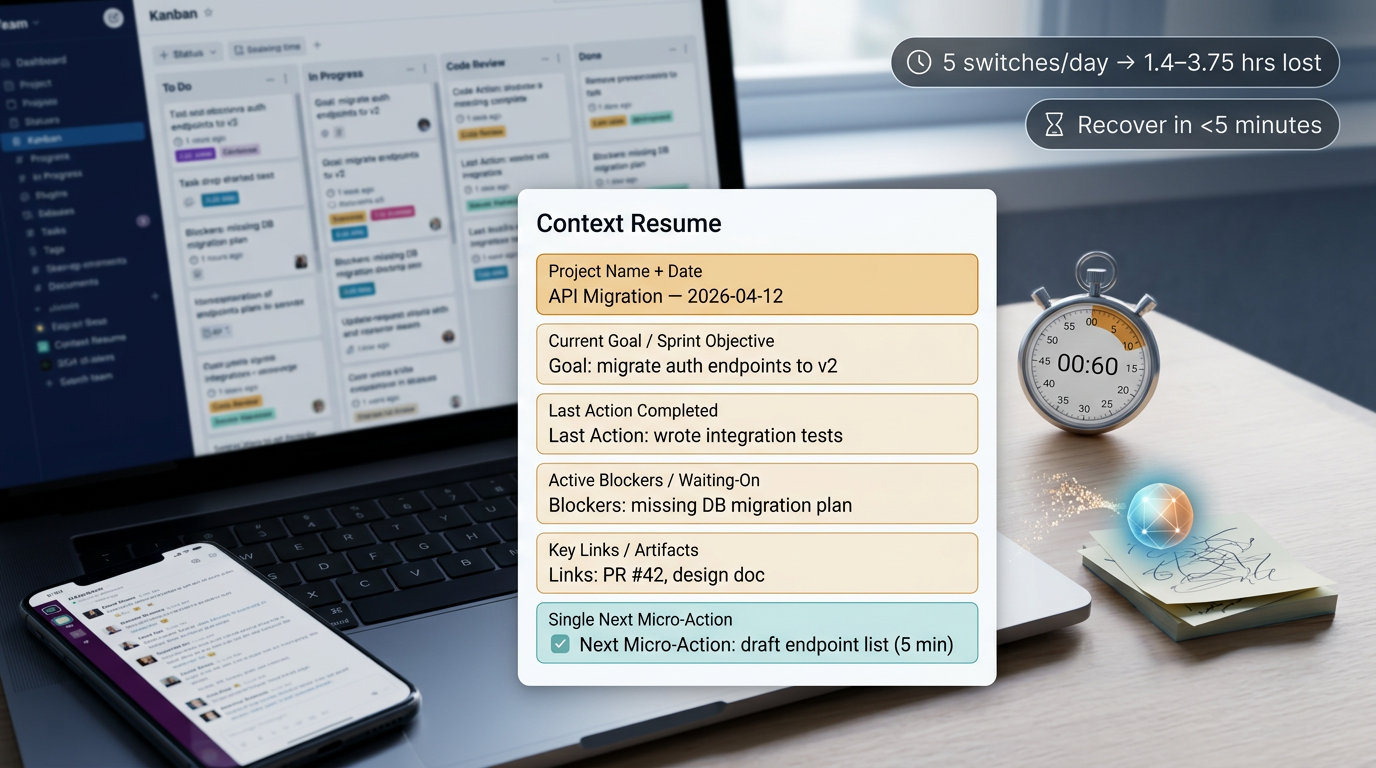
A Context Resume is a short, structured snapshot that lets Future You restart any paused project in under 5 minutes. It is not a project brief, not a status update, not a Kanban card description. It captures the one thing those tools miss: your thinking state at the moment you stopped working.
Kanban boards preserve task status (To Do, In Progress, Done). They do not preserve thinking state: the decision rationale behind your last move, the personal blockers you hadn't documented, where your attention was focused when you got pulled away. That gap is where hours disappear.
The restart cost math:
- The average knowledge worker switches projects or tasks roughly 5 times per day.
- Each resumption costs between 9.5 and 25 minutes of reorientation time (Mark et al. 2005; Workgeist Report 2021).
- 5 switches/day × 9.5 to 25 min lost per resumption = 1.4 to 3.75 hours of daily waste.
- 27% of interruptions take over 2 hours to fully recover from (Iqbal & Horvitz 2007).
That is not a rounding error. That is a quarter to half of your productive day, gone to re-reading Slack threads and trying to remember what you decided.
The system we use to eliminate this:
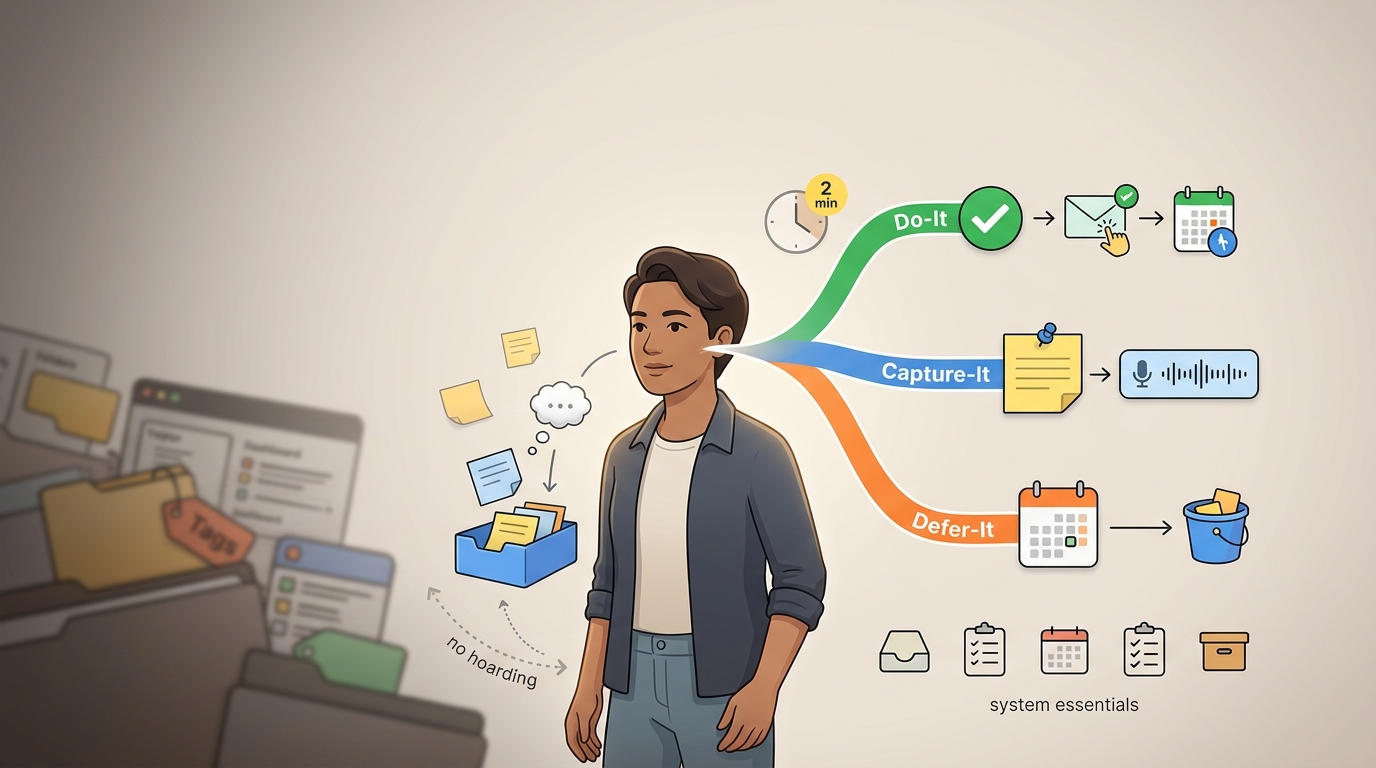
- 60-second capture at the point of interruption
- Structured snapshot with six fields (defined below)
- Single next micro-action that can be started in under 5 minutes
- AI cleanup for messy inputs (meeting notes, chat threads, scattered fragments)
The rest of this guide walks through each component, with templates, filled-out examples, and the daily review protocol that compounds the value.
Step 1: Set Up the Context Resume Template (One Time, 10 Minutes)
We use six fields. No more than six for daily use. Each field has a specific function in the restart sequence.
The Six Minimum Viable Fields
| Field | Definition | Why It Exists |
|---|---|---|
| Project Name + Date | Name of the workstream plus today's date | Temporal anchor for chronological scanning; lets you find the right snapshot instantly |
| Current Goal / Sprint Objective | What you were trying to achieve, not just what you were doing | Reorients you to the purpose of the work, not just the last task |
| Last Action Completed | The most recent thing you finished or partially finished | Restart anchor that eliminates "where was I?" re-reading |
| Active Blockers / Waiting-On | Dependencies, unanswered questions, people you need responses from | Prevents you from restarting a project only to hit a wall 3 minutes in |
| Key Links / Artifacts | The 2 to 3 documents, PRs, threads, or files you will need open | Eliminates the 5-minute scavenger hunt across tabs, folders, and inboxes |
| Single Next Micro-Action | One action, phrased as a verb, completable or startable in under 5 minutes | The ignition key; you read this and start doing, not planning |
Copy-Paste Template
This works in plain text, Notion, Obsidian, Google Docs, Yaranga, or any notes app with task support.
## [Project Name] — Context Resume
**Date:** YYYY-MM-DD

**Current Goal:**
[1 sentence: what you are trying to achieve this sprint/week]

**Last Action Completed:**
[1 sentence: the most recent thing you did]

**Active Blockers / Waiting-On:**
- [Blocker 1]
- [Blocker 2]

**Key Links / Artifacts:**
- [Link to doc/PR/thread 1]
- [Link to doc/PR/thread 2]
- [Link to doc/PR/thread 3]

**Next Micro-Action:**
[Verb-first phrase, startable in under 5 minutes]
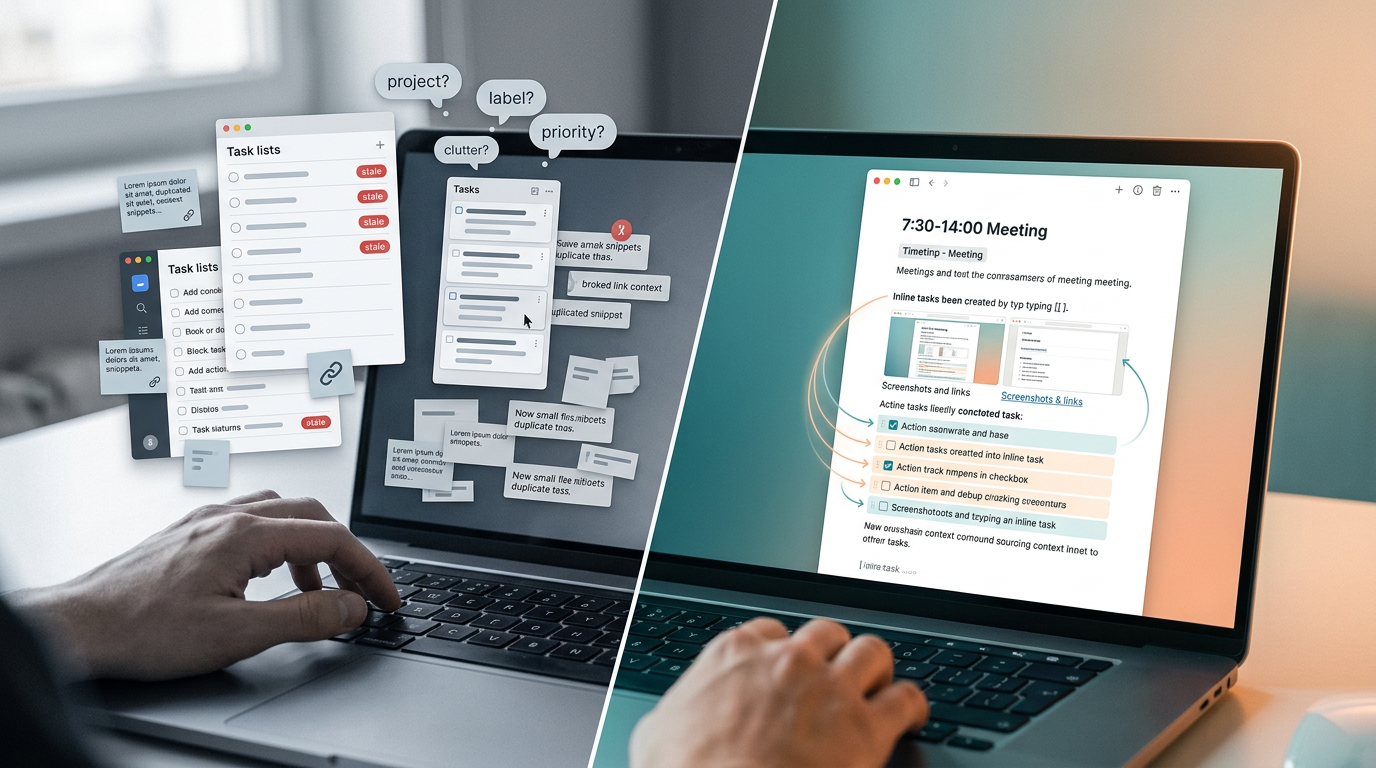
In Yaranga, we create one note per project and use inline tasks (/task) for the Next Micro-Action so it surfaces in the Today view automatically. Tags like #context-resume let you filter across all projects in seconds.
Extended Fields for Team Handoffs
When projects involve multiple people, we add four optional fields. These go below the core six, never replace them.
- Decision Log: Last key decision plus rationale. This prevents re-litigating settled questions. Format: "We decided [X] because [Y] on [date]."
- Open Questions: Flags where your thinking was incomplete. These are not blockers (you can still work), but unresolved threads that need attention.
- Stakeholder Status: Who knows what, who is waiting, who approved what. One bullet per person.
- Energy/Complexity Rating: A simple High/Medium/Low tag. This helps you sequence which project to pick up next based on your current capacity, not just urgency.
Step 2: Run the 60-Second Capture at the Point of Interruption
The Trigger
Every time you pause a project. A meeting is about to start, you are switching to another workstream, or you are wrapping up for the day. No exceptions.
The Fill Sequence with Time Targets
We fill the fields in this exact order, every time:
- Current Goal — 1 sentence, 10 seconds. Do not rewrite it from scratch each time. Update only if the goal shifted during this work session.
- Last Action Completed — 1 sentence, 10 seconds. Write the most literal description of what you just did. "Sent the revised wireframe to Alex for review." Not "Worked on wireframes."
- Blockers / Waiting-On — Bullet list, 15 seconds. If nothing is blocked, write "None." Do not leave blank.
- Key Links — Paste 2 to 3 URLs from your open tabs, 10 seconds. If you close the browser, these are gone forever. Capture them now.
- Next Micro-Action — 1 sentence phrased as a verb, 15 seconds.
Total: 60 seconds.
The Micro-Action Rule
The Next Micro-Action must be something you can start in under 5 minutes. This is the single most common failure point we see.
- ❌ "Finish the proposal"
- ❌ "Work on the migration"
- ✅ "Write the opening paragraph of Section 3"
- ✅ "Run the test suite for the /users endpoint and note which tests fail"
- ✅ "Reply to Dana's Slack question about the timeline with the updated dates"
Filled-Out Example: API Migration Mid-Sprint
## API Migration v2 — Context Resume
**Date:** 2025-01-15

**Current Goal:**
Migrate all /users endpoints from REST v1 to GraphQL by end of Sprint 14.

**Last Action Completed:**
Finished writing the resolver for GET /users/:id; passes 4/4 unit tests locally.

**Active Blockers / Waiting-On:**
- Waiting on DevOps (Priya) to provision staging environment with GraphQL gateway
- Open question: pagination strategy for the /users list endpoint — need to confirm cursor-based vs. offset with backend lead (Carlos)

**Key Links / Artifacts:**
- Migration spec doc (Notion)
- PR #247 — resolver for /users/:id
- Slack thread with Carlos re: pagination (Jan 14)

**Next Micro-Action:**
Draft the resolver skeleton for GET /users (list endpoint) using offset pagination as placeholder; swap to cursor-based if Carlos confirms.
Why 60 Seconds, Not 5 Minutes
Sophie Leroy's research on attention residue shows that when you leave a task without closure, part of your attention stays stuck on it, degrading performance on whatever you do next. Externalizing your task state into a Context Resume gives your brain permission to release that residue.
This speed also addresses a practical problem: Gould et al. (2013) found that 60% of people self-interrupt even when explicitly told not to. If your capture process takes 5 minutes, another interruption will derail it before you finish. At 60 seconds, you complete the capture before the next pull arrives.
Step 3: Use AI to Turn Messy Inputs into a Resumable Brief
When to Use AI
You do not always have 60 clean seconds. Sometimes you come out of a meeting with scattered notes. A Slack thread sprawled across 47 messages. An email chain with six participants and no clear conclusion. Handwritten fragments from a whiteboard session.
This is when AI earns its keep: converting unstructured mess into a structured Context Resume.
The Prompt Pattern
Paste your raw material into your preferred AI tool (ChatGPT, Claude, Gemini, or any general-purpose LLM) and use this prompt structure:
Here are my raw notes from [meeting / Slack thread / email chain]
about [Project Name].

Organize this into the following fields:
1. Current Goal (1 sentence)
2. Last Action Completed (1 sentence)
3. Active Blockers / Waiting-On (bullet list)
4. Key Links / Artifacts (list any URLs or document references mentioned)
5. Single Next Micro-Action (verb-first, startable in under 5 minutes,
   include today's date)

Keep each field to 1–2 sentences max. Do not add information
that is not in the source material.
What to Paste In and What to Leave Out
Paste in:
- Meeting notes (typed or transcribed)
- Chat thread excerpts
- Email bodies
- Your own rough bullet points or voice memo transcriptions
Leave out:
- Confidential data, credentials, API keys
- Customer PII (names, emails, account numbers)
- Anything covered by NDA or compliance requirements
We flag this explicitly because AI tools process inputs on external servers. If you use Yaranga's AI features, content stays within the workspace, but for external LLMs, treat the input as if it were being posted publicly.
Note: lightweight summarization tools may have character limits (some cap around 1,000 characters for free tiers). For longer inputs, chunk by project or conversation thread.
How to Verify and Clean the AI Output
AI will generate something that looks correct. It often is not. Run this checklist before saving:
- Goal matches your actual intent. AI sometimes reframes your goal in generic language. Correct it.
- Next action is genuinely startable in under 5 minutes. AI tends to generate broad actions. Narrow it.
- Blockers are current. AI may list blockers that were already resolved in the thread. Remove them.
- No vague filler language was added. Delete phrases like "continue to monitor" or "follow up as needed."
- Links/artifacts are real. AI cannot verify URLs. Confirm they exist and point to the right documents.
Time target for the full AI-assisted cycle: 2 to 3 minutes per project (paste, generate, verify, save).
Step 4: Store and Organize Snapshots for Fast Retrieval
The Core Storage Rule
One note per project, appended chronologically with dates. Do not create a new document each time you capture. The most recent snapshot is always at the top of the note, with older snapshots below it as a running log.
Naming Convention
Use this pattern consistently:
[Project Name] — Context Resume
Examples:
API Migration v2 — Context ResumeQ1 Blog Series — Context ResumeInsurance Claim (Roof) — Context Resume
This naming convention means search works across any tool. Type "Context Resume" and you see all of them. Type the project name and the snapshot appears alongside other project files.
Linking, Not Duplicating
- Link each snapshot to the relevant Kanban card, project folder, or task if you use a board.
- Do not copy source materials into the snapshot. Link to the document, thread, or PR. Duplicated content goes stale immediately.
In Yaranga, each Context Resume note lives inside the project folder. Tasks extracted from the Next Micro-Action field automatically surface in the Today view, so you never need to manually cross-reference.
Folder Structure for 5 or More Active Projects
When you are running 5+ projects, resist the urge to build a deep folder hierarchy. Here is the concrete layout we recommend for someone running 7 projects:
📁 Context Resumes
  📄 API Migration v2 — Context Resume
  📄 Q1 Blog Series — Context Resume
  📄 Client Onboarding (Acme) — Context Resume
  📄 Hiring Pipeline — Context Resume
  📄 Insurance Claim (Roof) — Context Resume
  📄 Product Launch Feb — Context Resume
  📄 Internal Wiki Rewrite — Context Resume
That is it. One folder, flat list, seven notes. No subfolders.
Nesting folders deeper than one level adds friction that kills the habit. Every extra click between you and the snapshot is a reason to skip the capture. A single folder (or a single tag like #context-resume in Yaranga) keeps retrieval to one search or one click.
Step 5: Resume Any Project in Under 5 Minutes Using the Snapshot
The Restart Protocol
Follow this exact sequence:
- Open the Context Resume note for the target project (15 seconds)
- Read the Current Goal and Last Action Completed (30 seconds)
- Check Blockers / Waiting-On. If still blocked, skip this project and move to the next one (15 seconds)
- Open the Key Links in your browser or app (30 seconds)
- Start the Next Micro-Action (remaining time)
Total orientation time: under 2 minutes before you are doing real work.
Compare this to the default restart experience: reopening Slack, searching for the last thread, scrolling through 40 messages, re-reading an email chain, trying to reconstruct what you decided, opening the wrong version of the document. That process takes 9.5 to 25 minutes per resumption, and often you restart the wrong task because you lost track of what mattered.
Filled-Out Examples Across Project Types
Example 1: Writing Project (Blog Post Mid-Draft)
Before state (messy notes):
"Wrote some of the intro, need to check the stat about context switching, Sarah said to include a template, haven't done the examples yet, doc is somewhere in Google Drive"
After state (Context Resume):
## Q1 Blog Series — Context Resume
**Date:** 2025-01-15

**Current Goal:**
Publish "Context Resume" blog post by Jan 22; target 2,500 words.

**Last Action Completed:**
Drafted intro and Section 1 (650 words); inserted placeholder for
Mark et al. citation.

**Active Blockers / Waiting-On:**
- Need Sarah to confirm the 3 example project types she wants included
- Waiting on brand team for header image

**Key Links / Artifacts:**
- Draft (Google Doc)
- Outline (Notion)
- Brand asset request (Asana ticket #412)

**Next Micro-Action:**
Write the filled-out example for the API migration project
in Section 5 (engineering example).
Example 2: Client Operations Project (Deliverable with External Dependency)
Before state:
"Sent Acme the revised SOW last Tuesday, haven't heard back, need to check if legal reviewed the liability clause, Maria from their side was asking about the timeline for Phase 2"
After state:
## Client Onboarding (Acme) — Context Resume
**Date:** 2025-01-15

**Current Goal:**
Get signed SOW and kick off Phase 1 by Feb 1.

**Last Action Completed:**
Sent revised SOW v3 to Acme (Maria + James) on Jan 9
with updated liability clause from our legal review.

**Active Blockers / Waiting-On:**
- Waiting on Acme (Maria) to confirm SOW v3 acceptance —
  follow up if no response by Jan 17
- Open question: Maria asked about Phase 2 timeline;
  we need to draft a rough timeline before the next call

**Key Links / Artifacts:**
- SOW v3 (Google Drive)
- Email thread with Maria (Jan 9)
- Legal review notes (Notion)

**Next Micro-Action:**
Draft a 3-bullet Phase 2 timeline estimate
(start date, key milestones, end date) to send with the follow-up email.
Example 3: Personal Admin Project (Insurance Claim, Multi-Step Process)
Before state:
"Filed the claim online, got a confirmation number somewhere, adjuster was supposed to call, need to get the contractor estimate, photos are on my phone"
After state:
## Insurance Claim (Roof) — Context Resume
**Date:** 2025-01-15

**Current Goal:**
Get roof repair approved and scheduled;
target resolution by end of February.

**Last Action Completed:**
Filed claim #RF-20250108 online on Jan 8;
received email confirmation.

**Active Blockers / Waiting-On:**
- Waiting on adjuster to schedule inspection
  (claim confirmation said 5–7 business days; follow up Jan 17 if no call)
- Need contractor repair estimate —
  haven't requested yet

**Key Links / Artifacts:**
- Claim confirmation email (Jan 8)
- Photos of damage (Google Photos album)
- Insurance policy PDF (Google Drive)

**Next Micro-Action:**
Text the contractor (Mike, saved in contacts) to request
a repair estimate and ask about earliest availability for inspection.
Step 6: Run the Daily 10-Minute Review Across All Active Projects
Timing
Pick one: end of day or start of day. Do not do both. We recommend end of day because the context is freshest and you start the next morning with clean snapshots ready to go.
The Review Loop
For each of your active projects, spend 1 to 2 minutes per snapshot:
- Update Last Action Completed if it changed since the last capture
- Update Blockers if any resolved or new ones appeared
- Rewrite the Next Micro-Action if the previous one was completed or is no longer the right next move
- Archive snapshots for projects that are closed or on extended hold (move to an "Archive" folder or tag)
- Flag stale snapshots that have not been updated in 3+ working days
Total for 5 projects: 5 to 10 minutes.
The ROI Math
Here is what we invest versus what we recover:
Daily investment:
- 5 captures × 60 seconds = 5 minutes
- 1 daily review = 5 to 10 minutes
- AI cleanup for messy inputs (occasional) = 5 minutes
- Total: roughly 15 to 20 minutes/day invested
Daily recovery:
- 5 resumptions × 9.5 to 25 min saved per resumption = 47.5 to 125 minutes recovered
- Elimination of catastrophic 2-hour recovery events (27% of interruptions per Iqbal & Horvitz 2007)
- Reduced stress and cognitive load from open loops (Mark et al., CHI 2008, documented elevated stress hormones and error rates during fragmented work)
Net: 30 to 100+ minutes recovered per day, plus fewer dropped tasks, fewer "just catching you up" meetings, and measurably lower stress from carrying unresolved project states in your head.
Red Flags That Break the System
The Snapshot Is Too Long
If it takes more than 60 seconds to read, it is a project brief, not a context resume.
Fix: Strip back to the six fields only. Move background detail, meeting transcripts, and reference material into the linked documents. The snapshot is a pointer, not a container.
The Next Micro-Action Is Vague
"Work on the proposal" is not a next action. "Draft the budget table in Section 4" is.
Test: Could someone else (or you in a depleted state) start this action in under 5 minutes without asking a clarifying question? If no, rewrite it.
Missing Decisions
If you come back to a project and cannot remember what was decided, the context resume failed at capture time.
Fix: Add a decision log field for projects where decisions happen in meetings or async threads. Format: "We decided [X] because [Y] on [date]."
Stale Snapshots
A snapshot older than 3 working days is unreliable. Blockers may have resolved. Priorities may have shifted. Links may point to superseded versions.
Fix: During the daily review, flag any snapshot not updated in 3+ working days. Either update it immediately or mark the project as paused.
AI Output Accepted Without Review
AI will confidently generate a next action that does not reflect your actual priorities. It will list blockers that were resolved two messages later in the thread. It will rephrase your goal into something subtly different.
Fix: Always run the verification checklist (Step 3) before saving. The 30 seconds of review prevents hours of working from a wrong assumption.
Where Most Teams Stall After Building the Habit
The individual protocol works within the first week. We see people hit the under-5-minute restart target within 3 to 5 days of consistent use. The compounding value comes from two next moves most people skip.
First move: attach Context Resumes to your existing project management board. Whether you use Kanban, Scrum boards, or a simple task list, the board shows task status and the Context Resume shows thinking state. Neither replaces the other. Link each card to its corresponding snapshot note. In Yaranga, this happens naturally because notes and tasks live in the same project folder, and the Today view pulls in the next micro-action alongside your other scheduled work.
Second move: use Context Resumes for handoffs instead of sync meetings. When handing off a project or pulling someone in for help, send them the latest Context Resume instead of scheduling a 30-minute "just catching you up" call. The snapshot contains the goal, last action, blockers, relevant links, and the next step. That is everything someone needs to pick up where you left off. Track how many catch-up meetings you eliminate in the first two weeks.
The one metric to watch: time from "I need to work on Project X" to "I am doing real work on Project X." If that number is not under 5 minutes within two weeks of adopting the protocol, diagnose with these three checks:
- Your snapshots are too long (strip to six fields)
- Your next actions are too vague (apply the 5-minute startability test)
- Your links are broken or outdated (update during daily review)
Useful materials
- Context Switching Statistics 2026: The Hidden Cost of Multitasking and Task Switching
- APQC Survey Finds One Quarter of Knowledge Workers' Time is Lost Due to Poor Information Flow and Inefficient Collaboration
- A Diary Study of Task Switching and Interruptions
- What makes an interruption disruptive? Understanding the effects of interruption relevance and timing on performance
- What Makes Interruptions Disruptive? A Process-Model Account of the Effects of Interruptions on Task Performance
- How Many Levels of Folders Should You Have? (Three-Level Rule for Folder Depth)
- The Problem with Nested Folders and Sites on SharePoint
Ready to conquer your chaos?
Join others who have simplified their tasks and notes with Yaranga.
Get Started for Free